Create slideshows in 3 easy steps
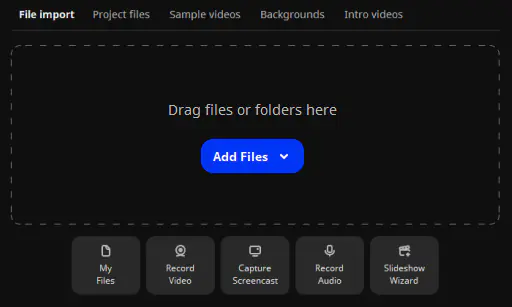
Add your media files in any format
Upload folders full of images, videos, and music. There’s no limit on the number of files.
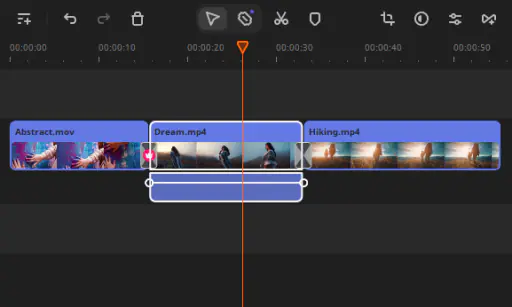
Customize your slideshow
Choose transitions, effects, music, and titles. Customize every single detail as you wish.
Save the result
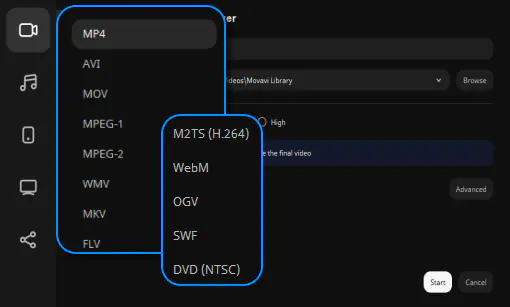
Save your file in one of the many supported video formats or upload it to the web right from within the program.
Enjoy photo slideshow maker with music
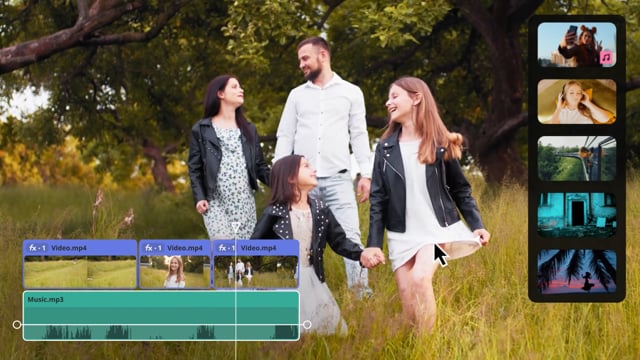
Have a world of fun with 165+ fantastic visual effects and filters, 105+ transitions, 100+ titles and stickers. Work with ready-to-use templates or create your very own story.


How video slideshows help you

Preserve happy memories
Want to make your loved ones feel special? Create a personalized video slideshow. It’s the perfect gift to convey your emotions and preserve unique vacation and family holiday memories for a lifetime.

Congratulate and motivate
Congratulate the people you’re most proud of as they cross their major milestones. Celebrate a friend's birthday or wedding, or celebrate your children’s graduation. Use captions and voice-over to tell your unique story.

Promote your brand
Build a personal brand on social media and expand your influence. Tell customers more about your business and products and gain more profit and loyalty. Upload to YouTube, Vimeo, or Google Drive right from the app.
What do users think about Movavi Video Editor?
Frequently asked questions
Can I get a free slideshow maker?
Can I get a free slideshow maker?
Yes, there is a free version of Movavi Video Editor with the following restrictions depending on the build: watermark on exported clips, 60-second video or 1/2 audio length limit, and/or some advanced features unavailable when exporting videos.
How can I make a slideshow for free?
How can I make a slideshow for free?
You only need to download the trial version of Movavi Video Editor to use it for free.
What is the best slideshow maker?
What is the best slideshow maker?
Movavi Video Editor is one of the easiest ways to create a video slideshow from your photos.
Why should I choose Movavi Video Editor?
Why should I choose Movavi Video Editor?
There are no limitations. You can process as many photos, videos, and music tracks as you like.
System requirements
Microsoft® Windows® 10/11 64-bit with up-to-date patches and service packs installed
Intel®, AMD®, or compatible dual-core processor, 1.5 GHz
Intel® HD Graphics 2000, NVIDIA® GeForce® series 8 and 8M, Quadro FX 4800, Quadro FX 5600, AMD Radeon™ R600, Mobility Radeon™ HD 4330, Mobility FirePro™ series, Radeon™ R5 M230 or higher graphics card with up-to-date drivers
1280 × 768 screen resolution, 32-bit color
4 GB
400 MB available hard disk space for installation, 600 MB for ongoing operations
Administrator permissions are required for installation


1.5M+ users already subscribed to our newsletter