All you need to create wow videos
One-click automatic subtitles
Let AI quickly turn your speech into text and automatically create captions for your videos in almost any language. Just choose the font, text color, position – and you’re all set!
Frame-precise cuts in a click
Give your videos a sharper look with the new Blade tool. Easily make precise cuts and create eye-catching montages like your favorite bloggers.
Sound effects for content that slaps
Make your videos more immersive with high-quality sounds: booms, keyboard clicks, a round of applause, a birthday cheer, even a “ba-dum-tss” for your jokes! Test out different audio presets to see how your voice sounds with radio, echo, robot, or other effects.
Adjustable effects
Enhance your videos in a click with new realistic effects – from dust particles and light leaks to retro-style and VHS. Every effect is fully customizable – so it will fit any clip perfectly and bring an extra spark to your edits.
Perfect-match overlay effects
Choose from 13 blending modes for each overlay effect. Try each of them with the press of a button and pick the one that fits your video perfectly.
AI background removal
No green screen needed. Built-in AI removes backgrounds from your videos and replaces them with anything you like.
Movavi Effects
Get Movavi Video Editor – and full access to a huge library of effects and background music
- Over 10,000 creative effects
- Rad stickers, transitions, titles, overlays
- 1,500 music tracks to fit any mood
- Free access to all effects for 7 days
Movavi Ideas – never run out of things to create
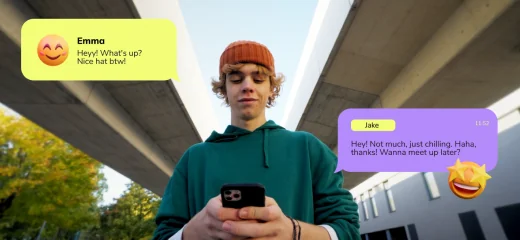
Create texting effect that pops
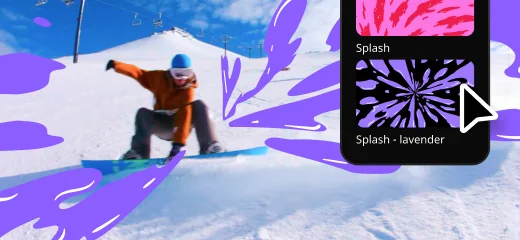
Add colorful transitions
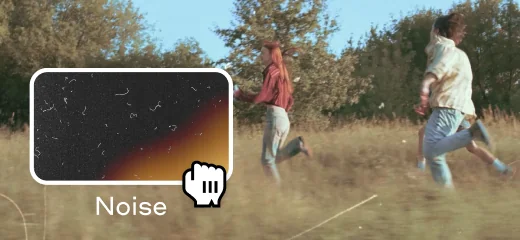
Nail that nostalgic look
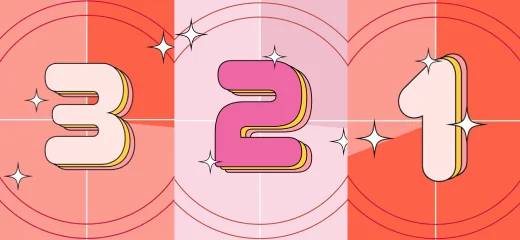
Add a countdown
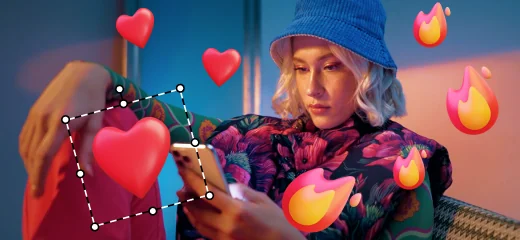
Add animated reactions
Use the animation tool to make titles pop up like chat bubbles, giving them a back-and-forth feel that’ll keep your viewers engaged.
Apply vibrant transitions to add a bold and energetic vibe to every scene shift.
Apply a moody LUT and a grainy overlay to make your video look like it was shot on a classic film camera – old-school charm in seconds.
Add an intro effect with a countdown timer to kick off your webinar, vlog, or tutorial – because nothing says “get ready” like a ticking clock that builds hype and anticipation.
Just drop in animated stickers like hearts and flames to give your video that fun, social media vibe.
Enjoy great results every time with our easy video editor
Make your socials shine
Create stunning videos to get more views, likes, and followers! Our easy-to-use tools and drag-and-drop effects will help you make anything from daily vlogs and short clips to product reviews and unboxings.
Give your business a boost
Make engaging promo reels in minutes and win new customers! With our simple design, one-click AI tools, and handy presets, you’ll save a ton of time creating eye-catching brand videos.
Cheer up your loved ones
Quickly craft videos of family get-togethers, birthday parties, and holiday celebrations. In just a few clicks, you can preview and add titles, transitions, and music to make memories that will last forever.
70M+


System requirements
Microsoft® Windows® 10/11 64-bit with up-to-date patches and service packs installed
Intel®, AMD®, or compatible dual-core processor, 1.5 GHz
Intel® HD Graphics 2000, NVIDIA® GeForce® series 8 and 8M, Quadro FX 4800, Quadro FX 5600, AMD Radeon™ R600, Mobility Radeon™ HD 4330, Mobility FirePro™ series, Radeon™ R5 M230 or higher graphics card with up-to-date drivers
1280 × 768 screen resolution, 32-bit color
4 GB
400 MB available hard disk space for installation, 600 MB for ongoing operations
Administrator permissions are required for installation


1.5M+ users already subscribed to our newsletter