1.5М+ users already subscribed to our newsletter
Why choose Movavi
We’re the #1 choice for millions of people from all around the world. Join our thriving community and create stunning content with incredible ease.
70M+
users
countries
updates per year
effects to choose from
How to convert videos on a Mac
1. Drag and drop your media into the software window. This video converter for Mac lets you change file formats in batches.
2. Click the icon for the desired format.
3. Hit Convert to kick off the process.
What makes this Mac video converter so special
Straighten up your files with this hassle-free movie converter for Mac
Converting to any cool format
Try this intuitive conversion app, and you’ll forget all about format restrictions. Convert videos on your Mac, turn video into audio, or change images in bulk like it’s nothing. Take your pick from 180+ multimedia codecs and formats, including MOV, MP4, MKV, AVI, WMV, VOB, FLV, DVD, MPEG, GIF, M4A, MTS, AVCHD, and many others. Transfer the results to your Macintosh, any other Apple device, or elsewhere.
Compressing large media
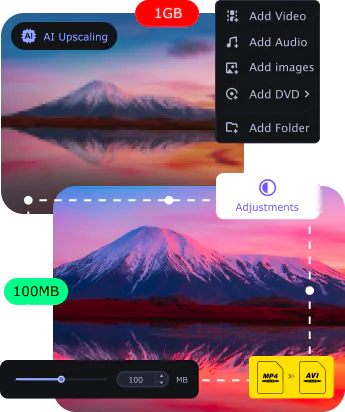
Reduce the size of your heavier files to keep a personal music or movie collection in good order. Ready your 1080p or 4K high-definition all-timers for your next flight with an iPad or MacBook. Let this encoder shrink them down to more reasonable proportions. Feel free to change the bitrate, too, while you’re at it.
Editing your clips
Don’t hesitate to make a few edits to your files using this Mac video converter. Crop and rotate your shots, tweak colors, or add some awesome-looking filters. Merge multiple videos into one for even easier storage.
Turning on AI upscaling
Put the recent tech trend to the test! Use this encoding program’s built-in AI tool to increase the resolution of your vacation footage by up to 8 times. Make everything really pop!
Finding and adding subtitles
Watch your favorite Korean dramas and other international shows with original voices – find the right subtitles using this media file changer and insert them where they belong. Download this movie converter for Mac OS X and check it out!
See what our users have to say
Frequently asked questions (FAQ)
Which is the fastest video converter for Mac?
Our conversion speed tests prove it: one of the fastest Mac converters on the market is the Movavi video conversion software for Mac – with the SuperSpeed mode activated.
Is Movavi Video Converter for Mac safe?
Yes, this video format converter for Mac is perfectly safe to use, as is the Movavi website.
Can I convert video to audio on a Mac using Movavi Video Converter for Mac?
Yes, you can use the Movavi transcoder as a video-to-audio converter for Mac. Download the program and follow these simple instructions.
Download Movavi Video Converter for Mac
Install and run the encoder.
Drag and drop your video into the program interface.
Select the desired audio format.
Click the Convert button to transcode your video into audio.
Can I convert images using Movavi Video Converter for Mac?
Yes. The Mac file converter from Movavi recognizes all popular image formats. All you need to do is download the app and follow the steps below.
Download Movavi Video Converter for Mac
Install and launch the software.
Drag and drop your image file into the app interface.
Choose the output format you need.
Click Convert to change the format of your image.
Screenshots
$69.95
(incl. VAT)
Operating system
Mac OS X® 10.15 or higher
Processor
64-bit Intel® processor
Graphics card
NVIDIA® GeForce® series 8, Intel® HD Graphics 2000, AMD Radeon™ R600 or higher graphics card with up-to-date drivers
Display
1280 × 768 screen resolution, 32-bit color
RAM
128 MB RAM
* The trial version of Movavi Video Converter has the following restrictions: a 7-day trial period; a watermark on output videos; when converting audio files, an ability to convert only half the file length; and, when working in the SuperSpeed mode, an ability to convert only half the video file length. Learn more
Disclaimer. Please be aware that Movavi Video Converter does not allow you to convert copy-protected media files and DVDs.
Join for how-to guides, speсial offers, and app tips!