*The free version of Movavi Video Editor may have the following restrictions depending on the build: watermark on exported clips, 60-second video or 1/2 audio length limit, and/or some advanced features unavailable when exporting videos.
The best free photo editors that won't cost you a penny
For easy video editing, try Movavi Video Editor!
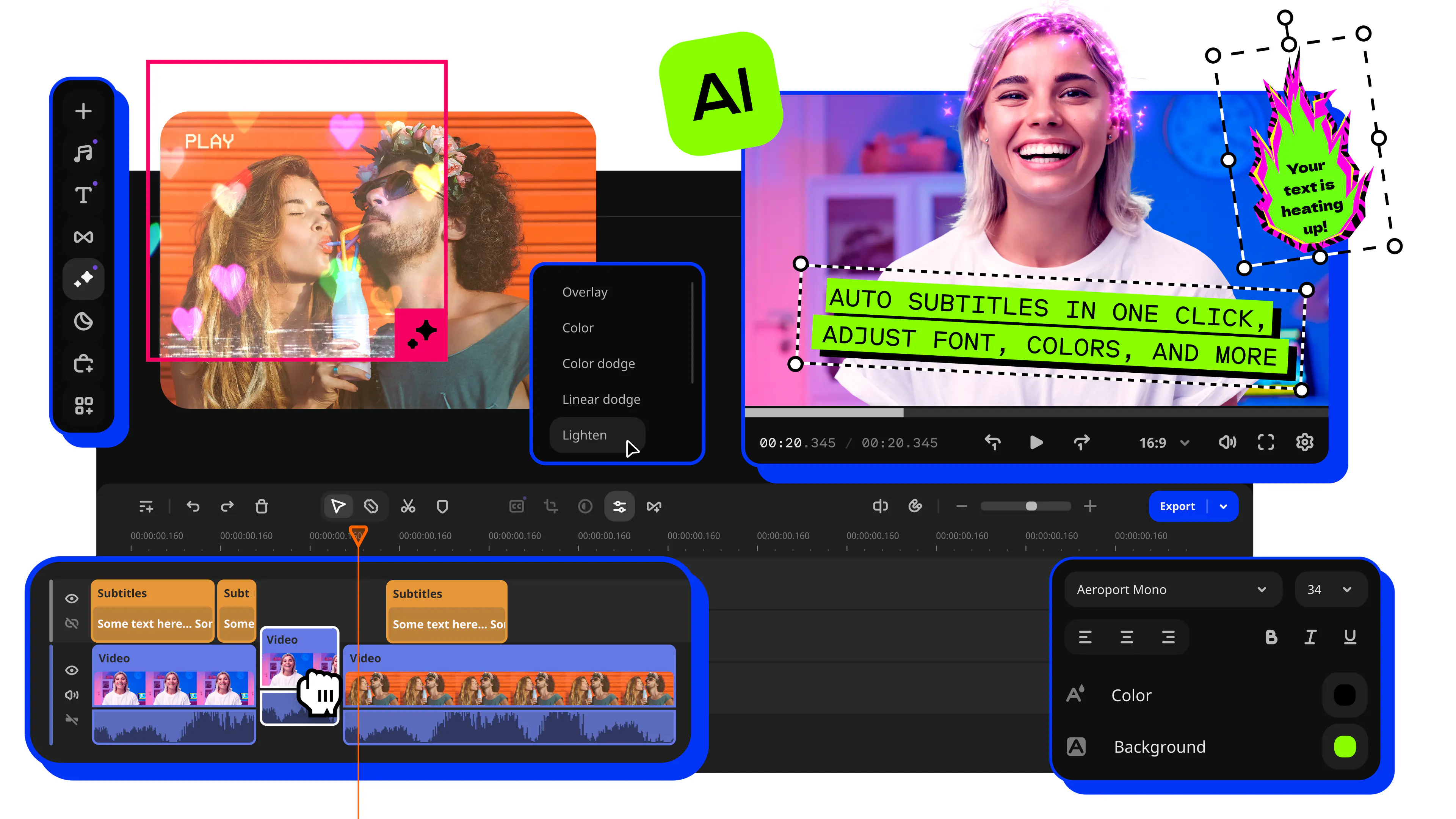
Fast and easy editing: cut, crop, adjust colors and speed
One-click AI tools: auto subtitles, noise removal, and more
Hundreds of filters, transitions, titles, overlays
Finding quality photo editing software doesn't have to drain your bank account. The world of free photo editors has evolved tremendously over the past few years, with many options now rivaling their expensive counterparts in features and capabilities. Whether you're a hobbyist photographer, a student learning the ropes, or someone who just wants to improve family photos without spending money, there's a free editor that fits your needs perfectly. The best part is that "free" no longer means "limited" or "low quality." Today's free photo editors offer professional-grade tools, sophisticated features, and impressive results.
The landscape of free photo editing has changed dramatically thanks to open-source development and companies offering freemium models. Open-source editors benefit from communities of dedicated developers who continuously improve and update the software. Meanwhile, companies provide free versions of their editors as a way to introduce users to their ecosystems. This competition has created an amazing situation for users: access to powerful editing tools without any financial commitment. Some of these free options are so good that many professionals use them as their primary editing tools.
Before diving into our main list, it's worth understanding what makes a photo editor truly free. Some editors are completely free with no strings attached, while others include ads or offer premium features for a fee. Some require registration, while others let you start editing immediately. We'll be clear about what each option offers and any limitations you might encounter. The good news is that every editor on this list provides enough free features to handle serious photo editing work without ever needing to pay.
Special pick: Movavi Video Editor
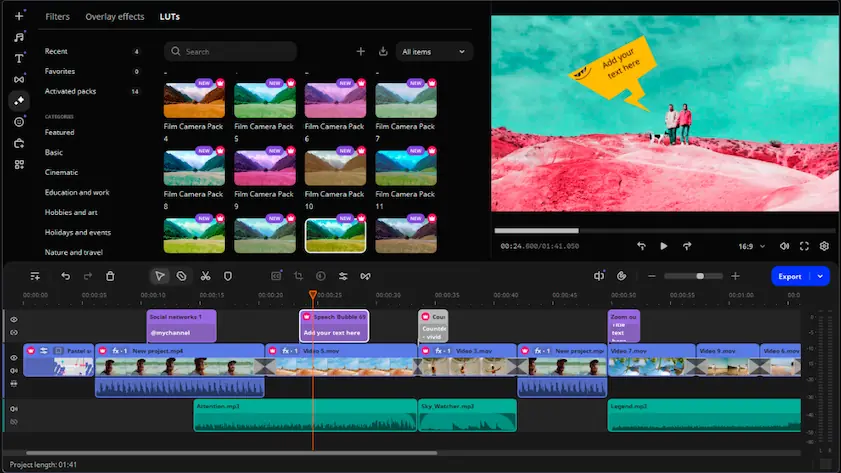
While Movavi Video Editor isn't technically a free photo editor (it offers a free trial with watermarks), it deserves a special mention for those who might eventually want to invest in a versatile tool that handles both photos and videos. During the trial period, you can explore all its features and see if it meets your needs. Many users find that having one tool for both media types is worth the eventual purchase, especially given how affordable it is compared to subscription-based alternatives.
What makes Movavi interesting for photo editing is how it treats images as part of a larger creative workflow. You can import photos, apply filters and corrections, create stunning slideshows with transitions and music, and export them in various formats. The photo editing tools include color correction, cropping, rotation, and various artistic filters. While you wouldn't use Movavi solely for photo editing, it's perfect if you also create video content or want to turn your photos into dynamic presentations. The interface is incredibly user-friendly, making it a great stepping stone for those who might want to expand beyond static image editing.
The trial version gives you full access to explore everything Movavi offers. You can test the AI-powered tools, experiment with effects, and see how smoothly it runs on your computer. If you decide not to purchase it, you've still learned valuable editing skills that transfer to other software. Many users start with free photo editors from our main list and later add Movavi to their toolkit when they need video capabilities.
GIMP
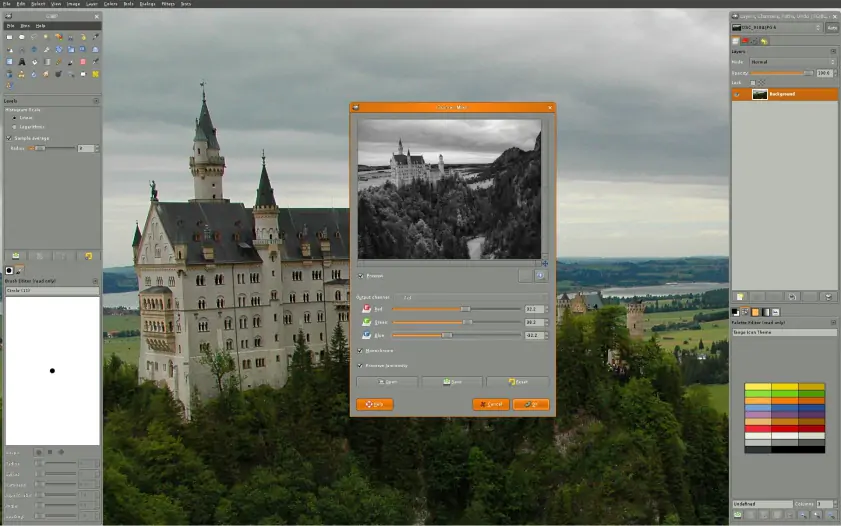
GIMP (GNU Image Manipulation Program) stands as the grandfather of free photo editing software, and for good reason. This completely free, open-source editor has been challenging expensive alternatives for over two decades. While it requires more time to master than simpler editors, GIMP offers capabilities that rival Adobe Photoshop in many areas. Professional photographers, digital artists, and graphic designers worldwide rely on GIMP for serious work, proving that free software can absolutely meet professional standards.
The learning curve with GIMP is real, but it's not as steep as many people claim. The interface has improved significantly in recent versions, becoming more intuitive while maintaining its powerful feature set. You'll find all the essential tools like layers, masks, curves, and levels, plus advanced features like content-aware fill, perspective correction, and customizable brushes. The software supports virtually every image format you can think of, including RAW files with the right plugins. GIMP's scripting capabilities let you automate repetitive tasks, and the vast plugin ecosystem means you can add almost any feature you might need. The active community provides endless tutorials, making it easier to learn specific techniques as you need them.
Key features:
- Full support for layers, channels, masks, and paths for complex editing workflows
- Extensive collection of painting tools, including brushes, pencils, airbrush, and clone tools
- Advanced selection tools including foreground select, fuzzy select, and intelligent scissors
Darktable
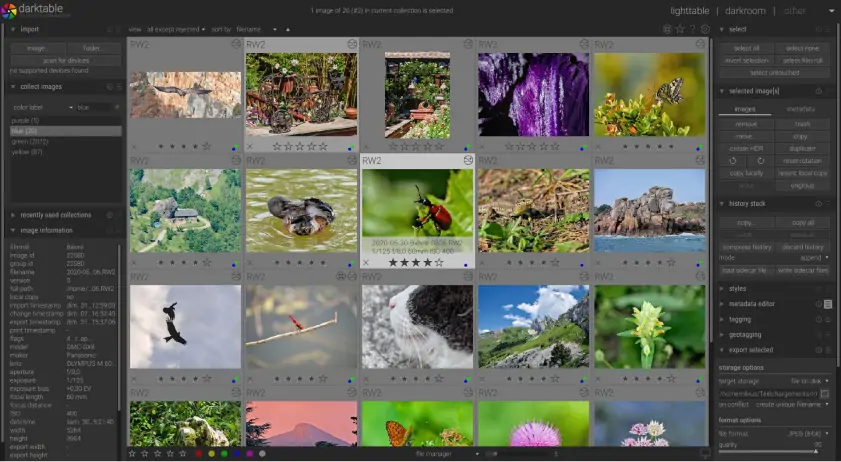
Darktable brings professional-grade RAW photo processing to the open-source world, functioning as a free alternative to Adobe Lightroom. If you shoot in RAW format with a digital camera, Darktable provides the tools you need to extract maximum quality from your files. The software approaches photo editing differently than traditional editors, using a non-destructive workflow that preserves your original files while recording all edits as instructions. This means you can always go back and adjust any edit you've made without quality loss.
The interface might seem overwhelming at first, with its module-based approach and professional terminology. However, this complexity exists because Darktable doesn't compromise on features. You get powerful tools for color grading, tone mapping, noise reduction, and lens correction. The software includes camera and lens profiles for thousands of equipment combinations, automatically correcting distortion and vignetting. The masking system is particularly impressive, allowing you to apply adjustments to specific parts of your image with incredible precision. While beginners might find it challenging, photographers serious about RAW processing will appreciate the depth of control Darktable offers completely free of charge.
Key features:
- Non-destructive editing with full RAW file support for most camera brands
- GPU acceleration for faster processing of high-resolution images
- Advanced color grading tools including color zones, color balance, and channel mixer
RawTherapee
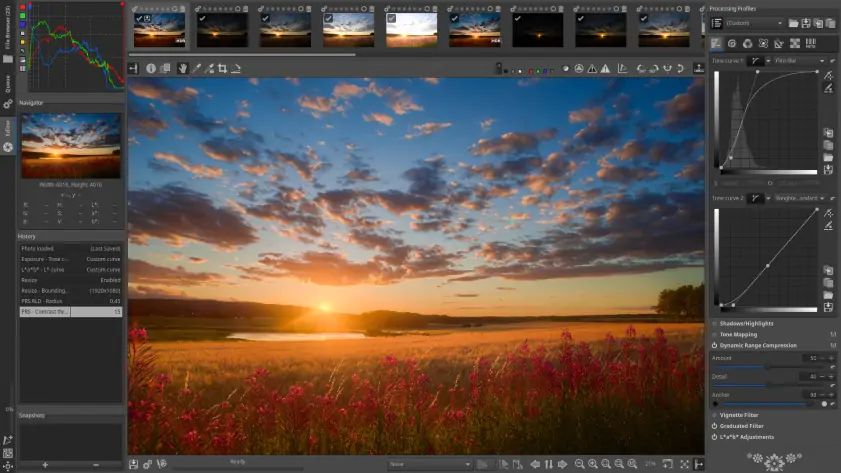
RawTherapee takes a slightly different approach to RAW processing than Darktable, offering what many users find to be a more approachable interface while still maintaining professional capabilities. This free, open-source editor excels at extracting detail from RAW files, often revealing information in shadows and highlights that other editors miss. The processing engine is incredibly sophisticated, using advanced algorithms to reduce noise, sharpen details, and correct colors with minimal artifacts.
What sets RawTherapee apart is its batch processing capabilities. You can apply edits to hundreds of photos at once, making it invaluable for photographers who shoot events or need to process large numbers of images. The software includes numerous demosaicing algorithms, giving you options for how RAW data is interpreted into full-color images. This might sound technical, but it means you can choose the best method for each photo, whether you're prioritizing detail, color accuracy, or noise reduction. The preview system is fast and accurate, showing you exactly how your edits will look in the final export. Despite being completely free, RawTherapee receives regular updates that add new cameras, improve performance, and refine existing tools.
Key features:
- Advanced demosaicing algorithms for superior RAW conversion quality
- Powerful batch processing for editing multiple photos simultaneously
- Extensive noise reduction tools that preserve detail while removing grain
Photopea
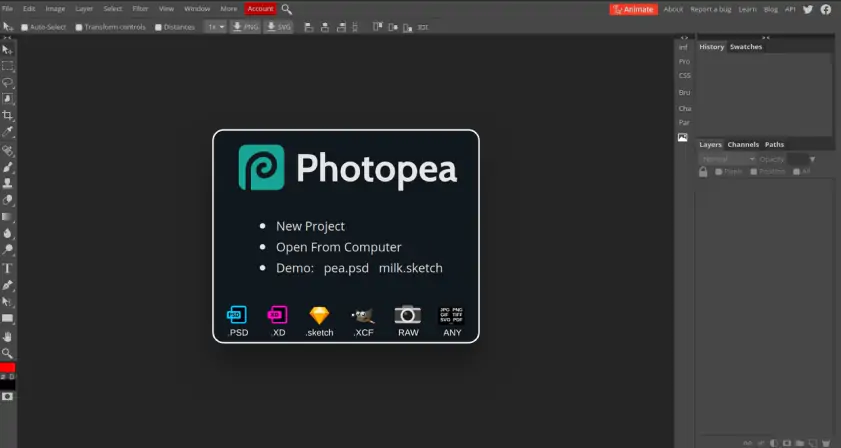
Photopea is nothing short of miraculous. This browser-based editor recreates much of Adobe Photoshop's functionality without requiring any download or installation. Simply open your web browser, navigate to the Photopea website, and start editing. The interface will be immediately familiar to anyone who's used Photoshop, with similar tool layouts, keyboard shortcuts, and workflows. Most impressively, Photopea can open and save PSD files, maintaining layers and effects compatibility with Adobe's format.
The free version of Photopea is supported by ads displayed on the sidebar, but these don't interfere with your editing workspace. You get access to all features without any functional limitations. This includes advanced tools like smart objects, layer styles, adjustment layers, and even vector editing capabilities. The software runs entirely in your browser using JavaScript, which means your files never leave your computer unless you choose to save them to cloud storage. Performance is surprisingly good, even with large files, though it naturally depends on your computer's capabilities and browser. For students, freelancers, or anyone who needs Photoshop-like features occasionally, Photopea eliminates the need for an expensive Creative Cloud subscription.
Key features:
- Full PSD file support with layers, masks, and effects compatibility
- Comprehensive selection tools including magic wand, quick selection, and pen tool
- Built-in templates and stock photos for quick project starts
Pixlr
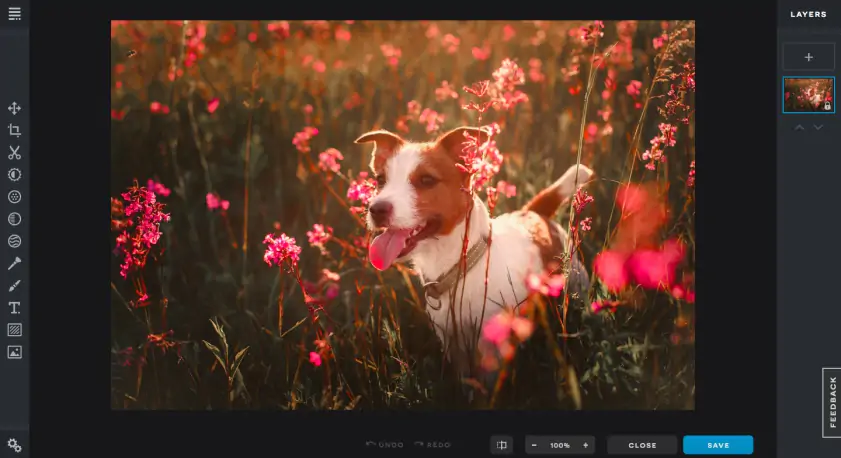
Pixlr offers a unique dual approach to free photo editing with two distinct versions: Pixlr X for beginners and Pixlr E for more advanced users. Both run in your browser and are free with ads, giving you flexibility in choosing the right tool for each task. Pixlr X provides a simplified interface perfect for quick edits, with one-click fixes and easy-to-understand tools. Pixlr E offers a more traditional editing environment with layers, advanced selection tools, and greater control over adjustments. You can switch between them depending on your needs, using the same account for both.
The free tier of Pixlr is generous, with most essential features available without payment. You can remove backgrounds with AI assistance, apply sophisticated filters, and access a library of overlays and stickers. The software includes templates for social media posts, making it easy to create content optimized for different platforms. While the interface occasionally prompts you to try premium features, the free tools are clearly marked and fully functional. The cloud save feature lets you access your projects from any computer, though you can also download your work locally. Regular updates add new AI-powered features to the free tier, keeping Pixlr competitive with newer editors.
Key features:
- AI-powered background removal and object selection tools
- Extensive filter and effect library with real-time previews
- Template library optimized for social media dimensions
Canva Free Photo Editor
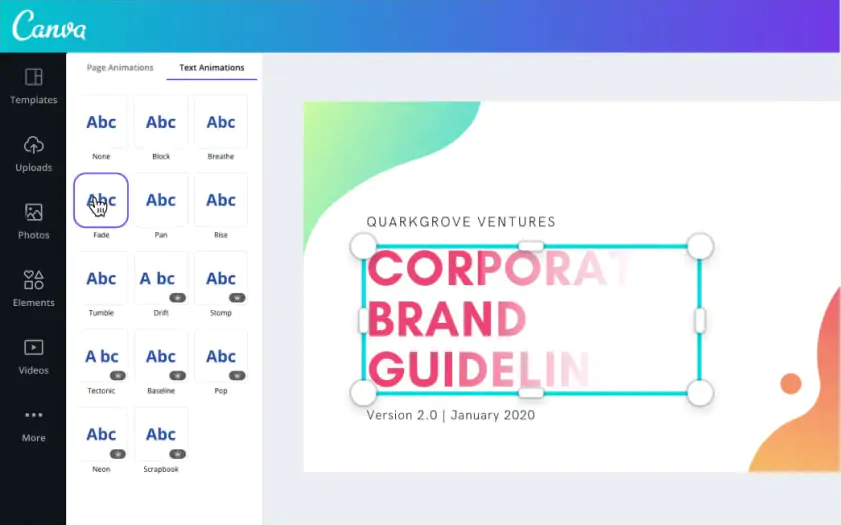
Canva's free photo editor represents a different philosophy in photo editing, integrating image enhancement into a broader design ecosystem. While Canva is primarily known for graphic design, its photo editing capabilities are robust enough for most casual and social media needs. The free tier includes all basic editing tools plus access to many effects and filters. What makes Canva special is how seamlessly photo editing flows into design creation. You can edit a photo and immediately use it in a social media post, presentation, or marketing material.
The interface prioritizes simplicity and speed over technical precision. Tools are presented as user-friendly options rather than technical adjustments. Want to make your photo warmer? There's a simple slider for that. Need to remove the background? One click handles it automatically. While you won't find the deep control of dedicated photo editors, Canva excels at making photos look good quickly. The free version includes access to thousands of templates, though some premium elements require payment. For content creators, small business owners, and social media managers, Canva's combination of photo editing and design tools in the free tier offers tremendous value.
Key features:
- One-click background remover with automatic subject detection
- Integration with design templates for immediate use in projects
- Basic but effective adjustment tools for brightness, contrast, and saturation
PhotoDirector Free
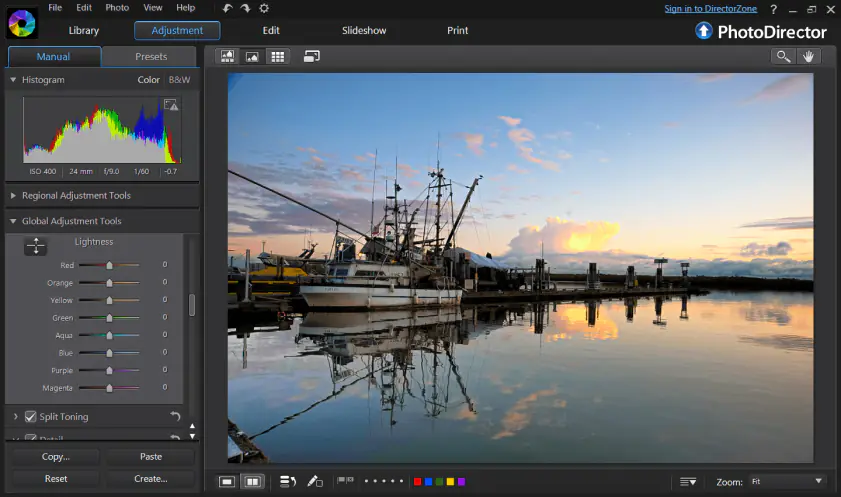
PhotoDirector's free version surprises with how much CyberLink includes without charge. Unlike many freemium editors that severely limit their free tiers, PhotoDirector provides access to many professional features. You get layers support, RAW file processing, and various AI-powered tools. The interface strikes a good balance between accessibility and power, with guided edits for beginners and manual controls for experienced users. The software downloads and installs like traditional desktop software, providing better performance than browser-based alternatives.
The AI-powered features in the free version are particularly impressive. Sky replacement works remarkably well, automatically detecting and replacing skies while maintaining realistic lighting on the rest of the image. The people beautifier tools offer subtle enhancements without making subjects look artificial. Object removal uses content-aware technology to fill gaps intelligently. While some advanced AI features require a subscription, the free tools are genuinely useful and well-implemented. The main limitation is that exports include a small watermark, but this is unobtrusive and doesn't ruin your photos. For users who want desktop software performance with modern AI features at no cost, PhotoDirector free version is hard to beat.
Key features:
- AI-powered sky replacement with automatic masking and color matching
- Content-aware removal for eliminating unwanted objects
- Support for RAW files and layer-based editing
Making the smart choice
Choosing the right free photo editor depends entirely on your specific needs and technical comfort level. For maximum power without cost, GIMP remains unbeatable, though it requires dedication to learn. RAW photographers should definitely try both Darktable and RawTherapee to see which workflow suits them better. These open-source options provide professional-grade processing without any financial investment. They're constantly improving through community development, ensuring long-term viability.
Browser-based options like Photopea and Pixlr offer incredible convenience and surprising capability. Photopea is perfect for users familiar with Photoshop who need similar tools without the subscription. Pixlr provides a gentler learning curve while still offering advanced features. Canva's free editor makes sense for content creators who need both editing and design tools. PhotoDirector gives you desktop software advantages with modern AI features, accepting a small watermark as the trade-off for free access.
The beauty of free photo editors is that you can try them all without risk. Many photographers use multiple editors, choosing the best tool for each specific task. You might use RawTherapee for initial RAW processing, GIMP for detailed retouching, and Canva for creating social media posts. This combination approach lets you leverage each editor's strengths without spending money. Start with one that matches your immediate needs, then explore others as your skills and requirements grow. With these free options, the only investment required is your time to learn and explore their capabilities.
1.5M+ users already subscribed to our newsletter