Step 1
Download and install Movavi's graduation slideshow maker.
Make a Graduation Slideshow Video
Easily combine photos and video clips with music to create a memorable graduation video. No video editing experience necessary.
Graduation from high school or college is one of the most important milestones of our lives. On this day, parents and kids alike are unable to keep a dry eye. Some because of tears of joy and pride in their children, others because of sadness for the end of an era. A graduation photo movie is one thing that can help to preserve this memorable day for years to come. Now you can keep this precious moment with you easily with the help of the graduation slideshow maker from Movavi.
Sing your children’s praises out loud
Graduation is different depending whether it’s from preschool or kindergarten, 5th grade, 8th grade, or college. But they all have one thing in common – the best way to celebrate your children’s achievements is a memorable slideshow with meaningful photos and videos enlivened by the best graduation songs.
Remember meaningful moments from school and college
Movavi’s slideshow maker includes a wide variety of transitions and background music to help you share your story in an inspiring way. Feel free to tell your own story about the most memorable times of your life.
Share and celebrate this moment with friends and relatives
From admission to graduation, you already have a lot of memories to share. Whether you’ve just graduated from college, catering school or anything sports-related, Movavi gives you the right software to share your achievement with the world.

Download and install Movavi's graduation slideshow maker.
Launch the program and click the Add Files button. Now select the files you want to use. Place your videos and images on the video track. Then, arrange them in the order you want them to appear in the finished video.
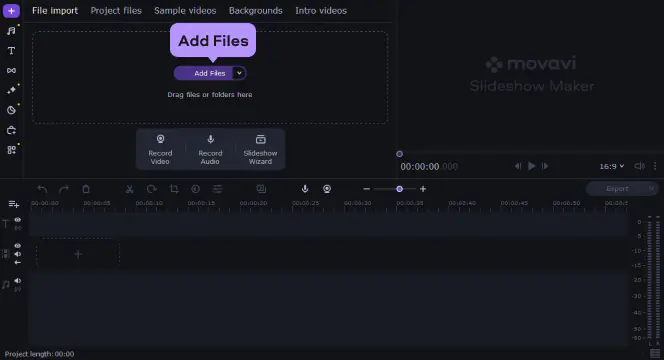
After uploading your pictures, go to the Music tab to choose from the built-in soundtracks for your slideshow, or download your own choice of music in any popular format.
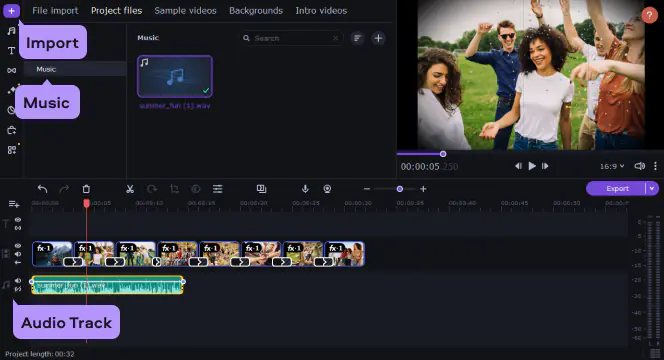
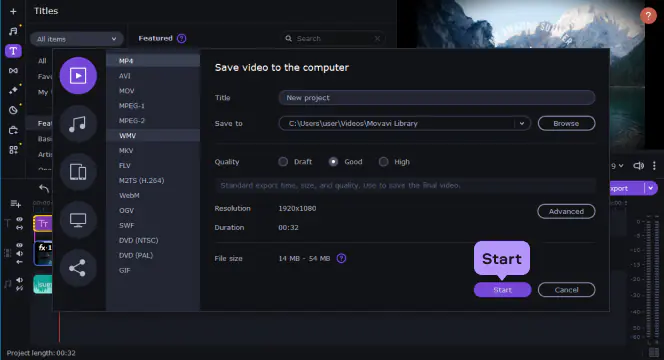
Add seasonal visual effects: colorful filters, animated transitions, funny stickers, titles and quotes, slideshow backgrounds, and more. Then save the finished video by hitting Start. With Movavi Video Editor, your photos will be the center of attention!
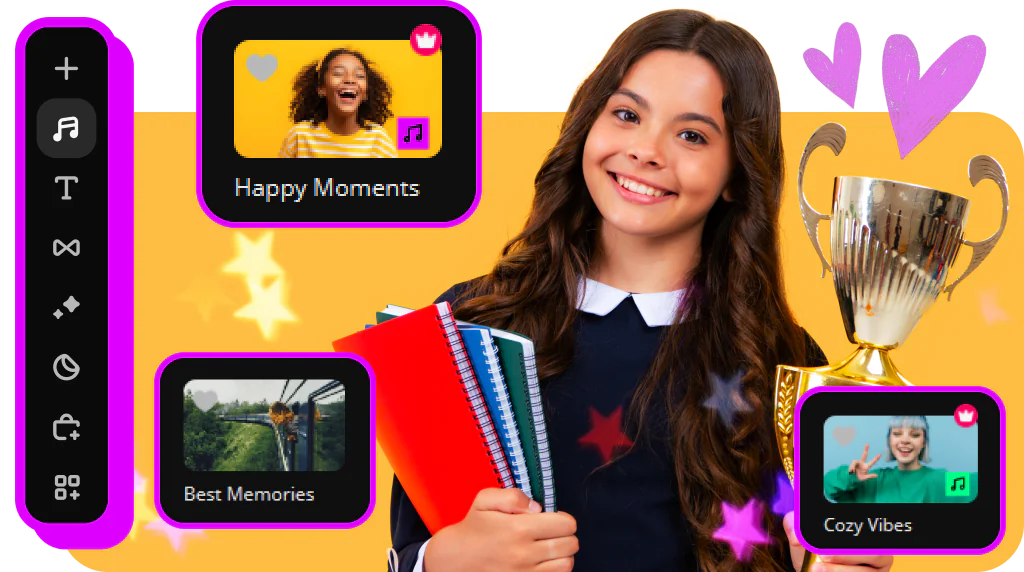
If you’re making a video from parent to child, try for an upbeat inspiring track. Amongst a gazillion songs, only one special one will help create the mood you want for your video.

If you’re creating a video to celebrate, look for a funny country song that’ll fit the mood. Test out our embedded soundtracks – you’re bound to find something you love.
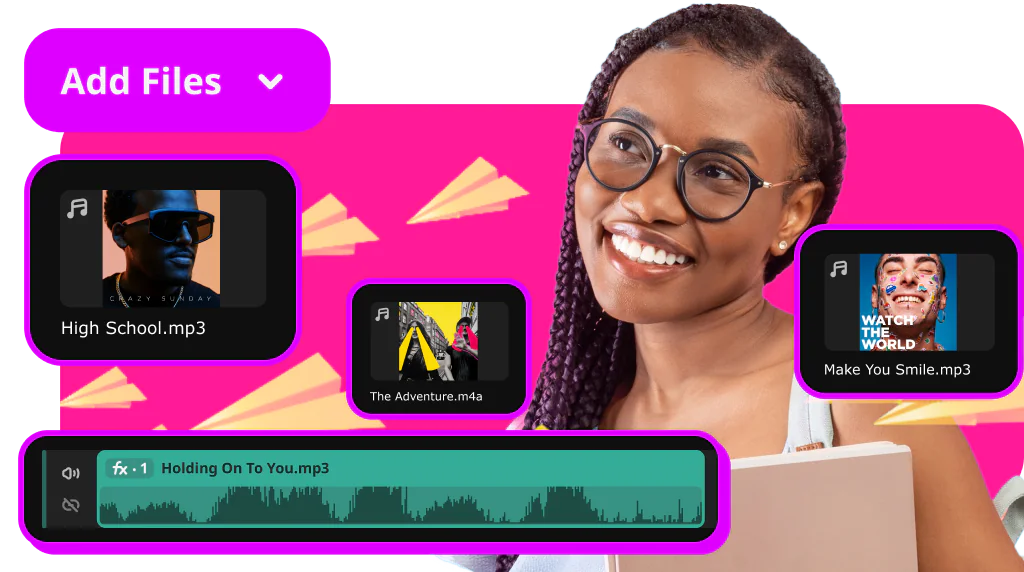
If you are still wondering how to create a really good graduation video gift with the right choice of music, just upload your own music track and add it to the video.

How long does it take to create a real movie? With Movavi’s graduation slideshow maker for PC, you can easily turn your digital photo albums into eye-catching slideshows in just a few minutes. It has an easy to use interface to help you quickly master the software. Download and install the program, and create an unforgettable graduation video right on your desktop.


1.5M+ users already subscribed to our newsletter