Step 1. Install the free MP3 music converter
First of all, you'll need to download the Movavi converter. When the installation file has finished downloading, open it and follow the on-screen instructions. It will only take you a few seconds.
To convert an audio file to MP3, follow these simple steps:
Download and install Movavi Video Converter.
Choose your audio files.
Select the MP3 preset and convert your music.

MP3 is still the most popular file type among the many available audio formats – you can play music in MP3 on almost all computers, players, cell phones, and tablets.
If you’ve encountered any of the following problems, you will find it helpful to convert your files to MP3.
Movavi video and audio converter can help you turn AAC, WMA, WAV, OGG, or FLAC audio files into MP3.
Download the Movavi converter for Windows or Mac and follow the simple steps to find out how to convert songs to MP3.
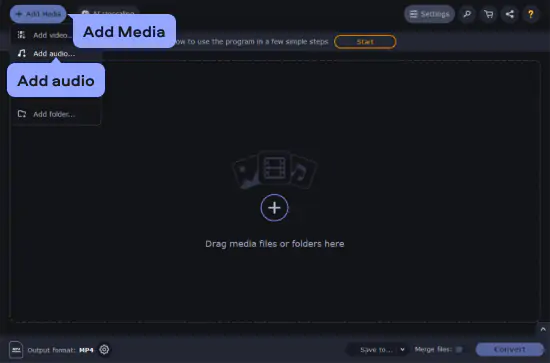
Click the Add Media button, select Add audio and browse your hard drive to open the audio files you want to convert. Save time with batch conversion – Movavi’s MP3 converter can help you process many songs in one go.
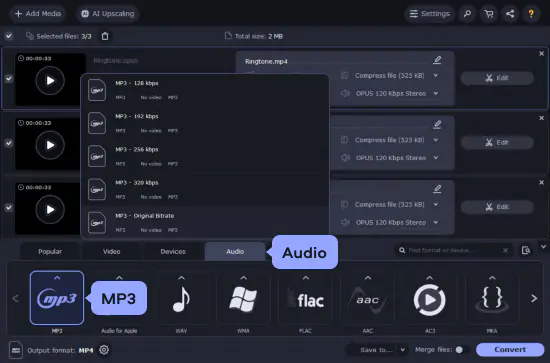
Open the Audio tab, expand the MP3 category, and choose from a number of presets with different bitrates. A higher bitrate generally means higher quality, which also means more disk space.
If you have some experience with this process, you might like the opportunity to adjust more advanced format settings. Click the Cogwheel button near the Output format field to configure a custom bitrate, sample rate, or other parameters.
Before you start turning your files to MP3, specify the destination folder for the output files by clicking the Save to button. Then click Convert on the right.
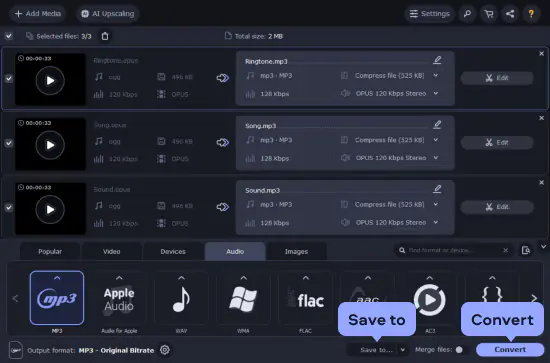
Once the process is over, you can transfer your MP3s to the media player or smartphone. The Movavi converter supports two-way conversion between most formats. Now you know how to convert music to MP3!
The ideal way to get your media in the format you need!
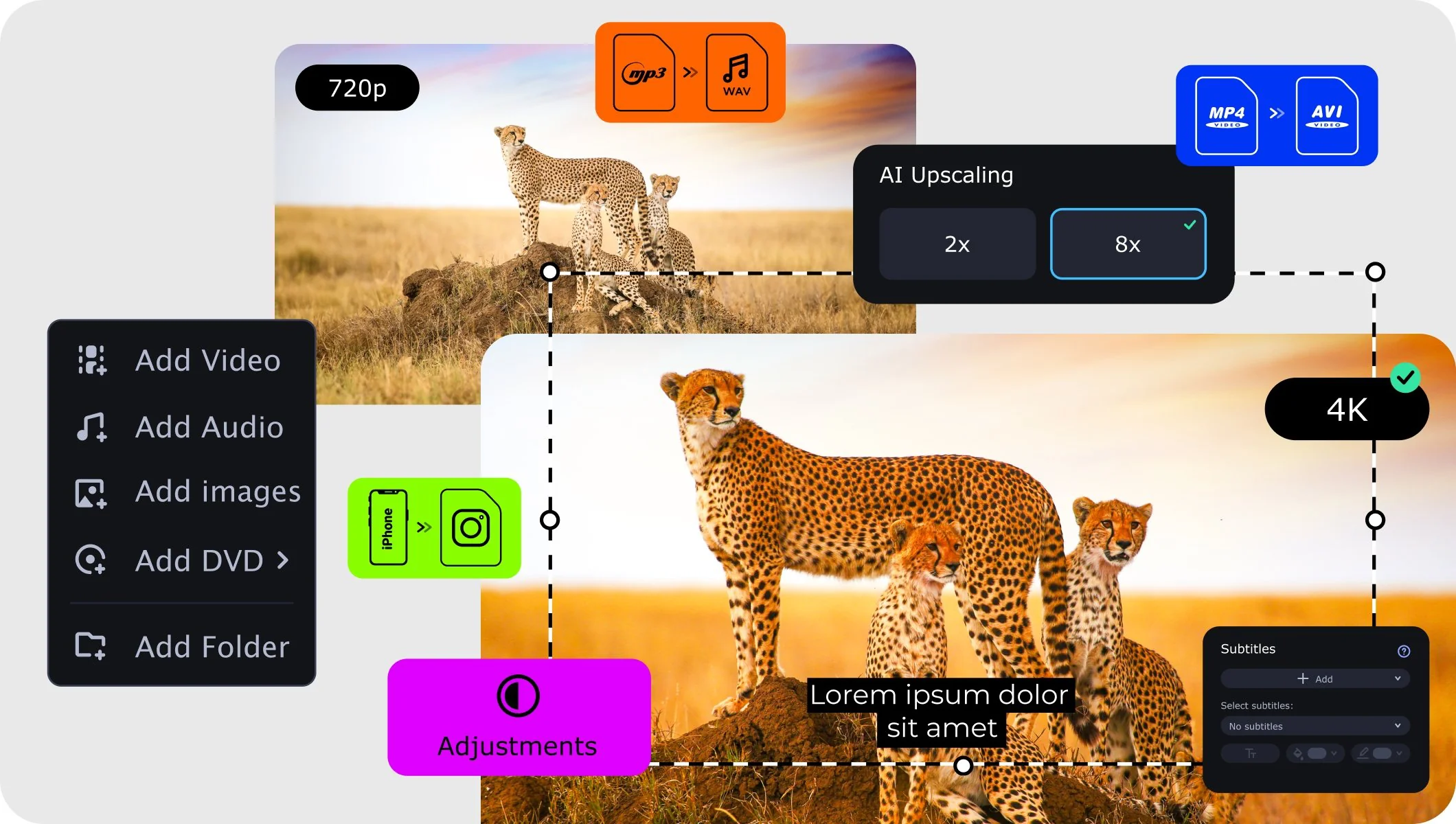
There are many paid and free MP3 music converters to change multiple music files on PC. You can try out Movavi Video Converter – user-friendly and powerful software for converting both video and audio files.
Windows Media Player allows you to convert only CD music, which not many people use today. Alternatively, you can use Movavi Video Converter for Windows 10 or lower to convert music files to MP3.
Another way to change the format of media files is to use a free MP3 music converter. Try VLC Media Player – it’s a freeware app that lets you convert media files to different formats. Keep in mind that this free MP3 converter has a couple of limitations – VLC cannot transform large files, and the conversion process is not particularly fast.
Download the appropriate version of VLC
When the installation process is complete, launch the program. Click Media and select Convert/Save. Hit Add and select the files you want to convert. Click the Convert/Save button and select the MP3 format. To choose the destination folder, click Browse and choose the location where you want to save the files. Hit Start and wait until the job is done.
You can try out the online tool by Movavi for changing your sound file to MP3. It works on any kind of computer and even mobile devices.
How to convert MOV video to MP4
How to convert MTS to MP4
How to convert video to DVD
How to upload video files to YouTube
Convert WAV to MP4 online for free [Fast & easy]
How to convert MP4 to AAC
How to use VLC to convert MOV to MP4
How to Reduce the Video File Size [5 Easy Steps]

A comprehensive, streamlined video editing program that has everything you need to create amazing home movies with custom soundtracks, special effects, cool titles, and transitions.
An easy way to record from your screen in HD. Make video footage of any application, record online streaming video, webinars, even Skype calls, and save clips in all popular formats.


1.5M+ users already subscribed to our newsletter