Here’s how to make a real estate video with Movavi Video Editor in a few simple steps.
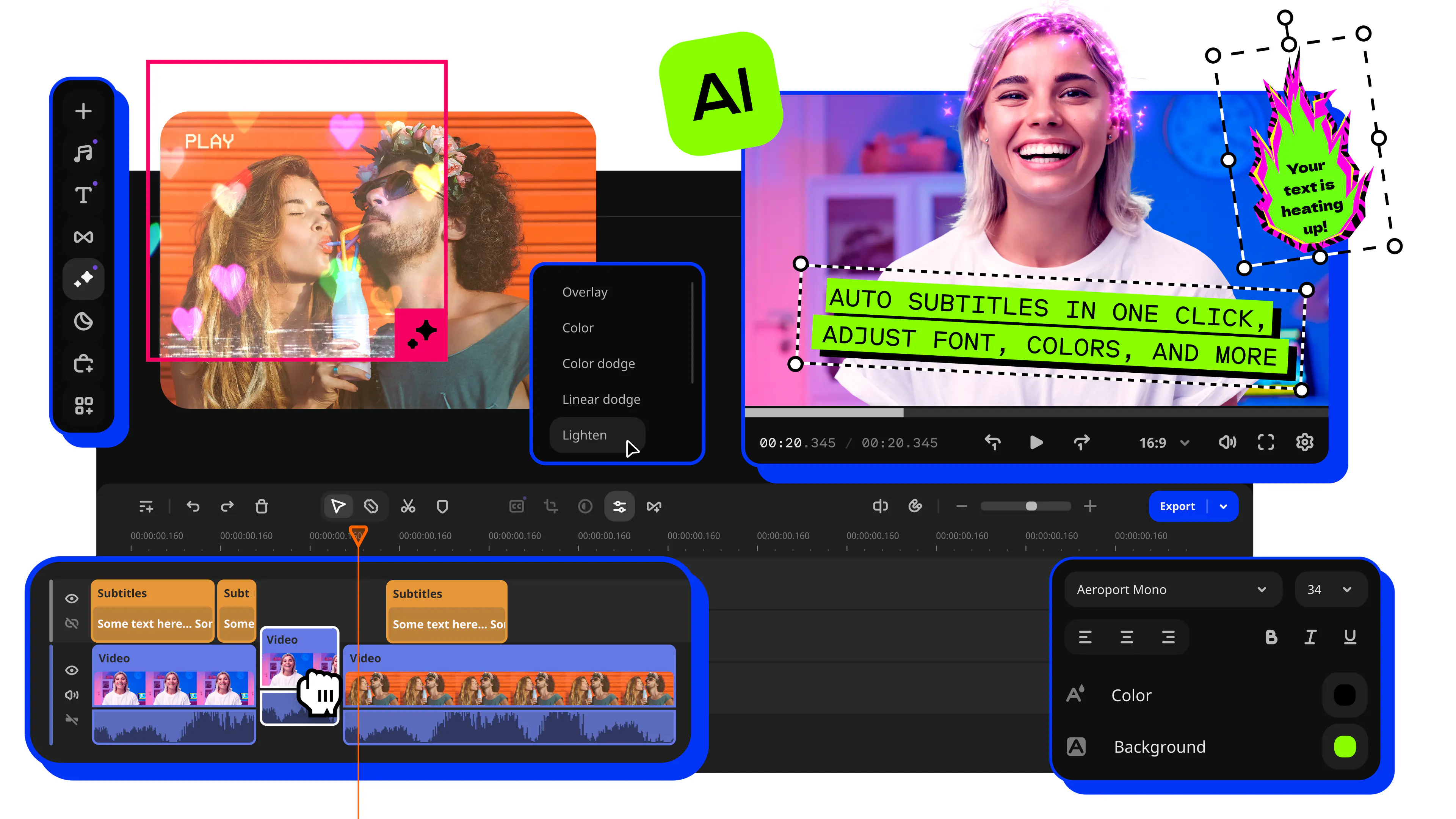
Real Estate Video Maker: How to Make a Video With Movavi’s Real Estate Video Templates
Adjustable video templates for any vibe – made of Blocks
Fast and easy editing: cut, crop, adjust colors and speed
Auto subtitles, noise removal, hundreds of effects, and more
By clicking the download button, you're downloading a free version of the program.*

Edited by
11,583
Video has become one of the fastest ways to get a listing in front of buyers. A quick walkthrough shows the property layout, lighting, and room flow clearly. Most real estate videos follow the same basic shape: an exterior shot to set the scene, a room-by-room tour, and a few lines of on-screen text with the address, price, and square footage.
If you’re looking for a real estate video maker, try Movavi Video Editor. It’s an intuitive video editor with customizable video templates, one-click AI tools, and hundreds of drag-and-drop effects. You can get a professional-looking result in just a few simple steps thanks to Movavi Video Templates – a multi-style library of customizable, pro-looking, modular templates for any kind of video. Pick a ready-made real estate video template, drop in your own footage, and the pacing and on-screen text are already halfway done instead of starting from a blank timeline for every new listing.
Movavi Video Editor is a go-to app for entrepreneurs and office workers turning raw footage into brand content – real estate agents, property managers, and anyone else who needs a listing video without hiring a video team.
Where a real estate video maker fits into your work
A listing walkthrough is only one use for this software. Once you've got the workflow down, the same program covers most of what an entrepreneur or office worker needs on video:
- Brand content for social media. Turn a property tour into a short clip for Instagram or Facebook instead of just a photo gallery.
- Project demos and presentations. Walk a client through a renovation plan or a floor layout the same way you'd walk them through a listing.
- Onboarding videos. Show new agents how a showing should run, using an actual walkthrough as the example.
- Recap clips. Turn footage from an open house or a team event into a short summary to share internally or post afterward.
Movavi Video Editor is available as a free download for PC or Mac, and it imports MP4, MOV, AVI, MKV, and WMV video files, along with JPEG and PNG photos – whatever your phone or camera shot will drop straight in.
How to make a real estate video
Step 1. Download and install Movavi Video Editor
Download the program for Windows or macOS, then run the installer. The installation will take a few minutes, and the app will launch automatically.
Step 2. Import your clips and photos
Bring every room, every angle, and any photos into the project so they're ready to use, whatever order you shot them in.
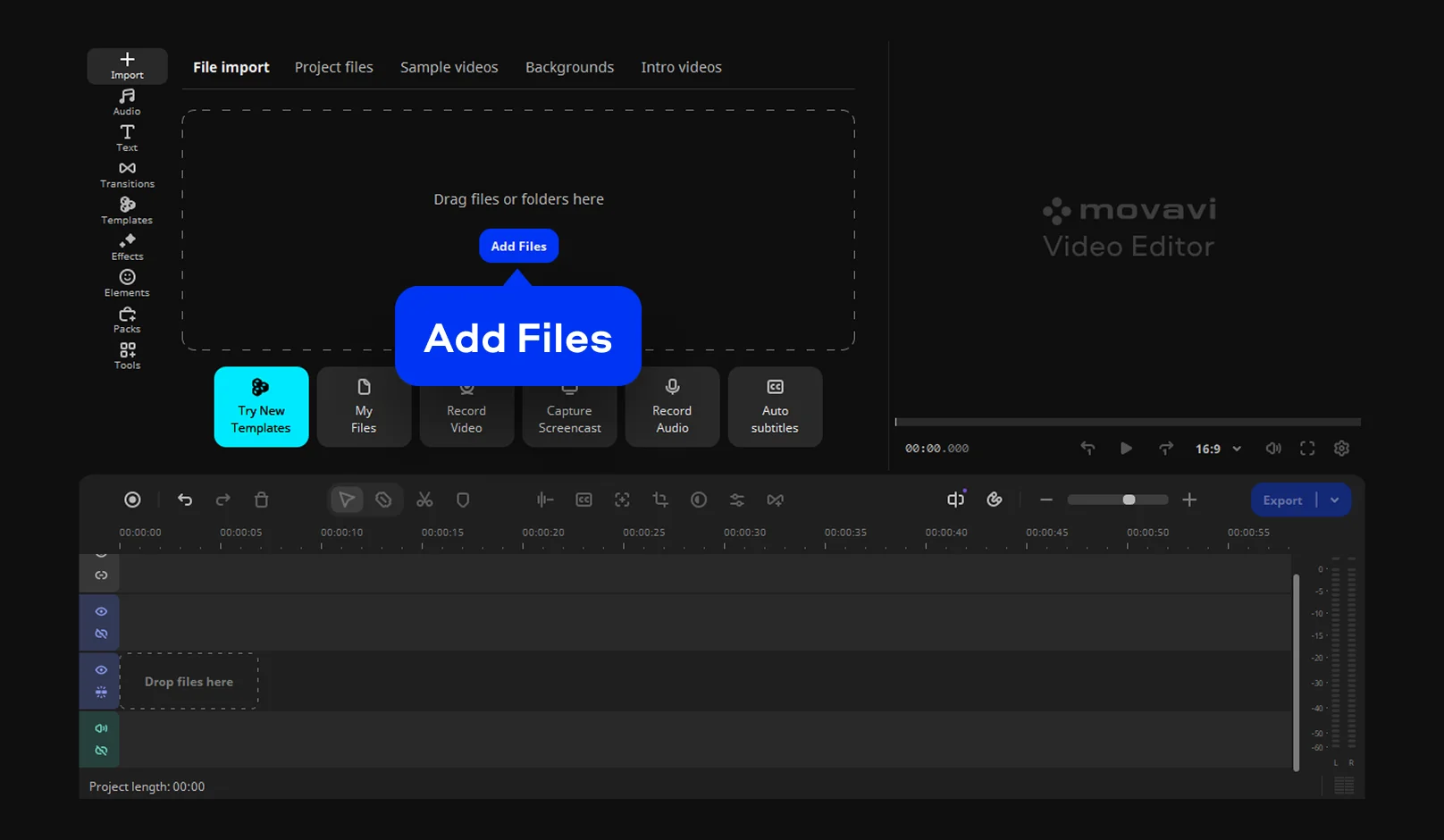
Step 3. Pick a template and drop your footage into it
Open Templates, select the Marketing and promo category, and pick the Real estate template. Double-click it so it appears on the timeline – this brings in the template's Blocks, with the transitions and music for the whole sequence already set.
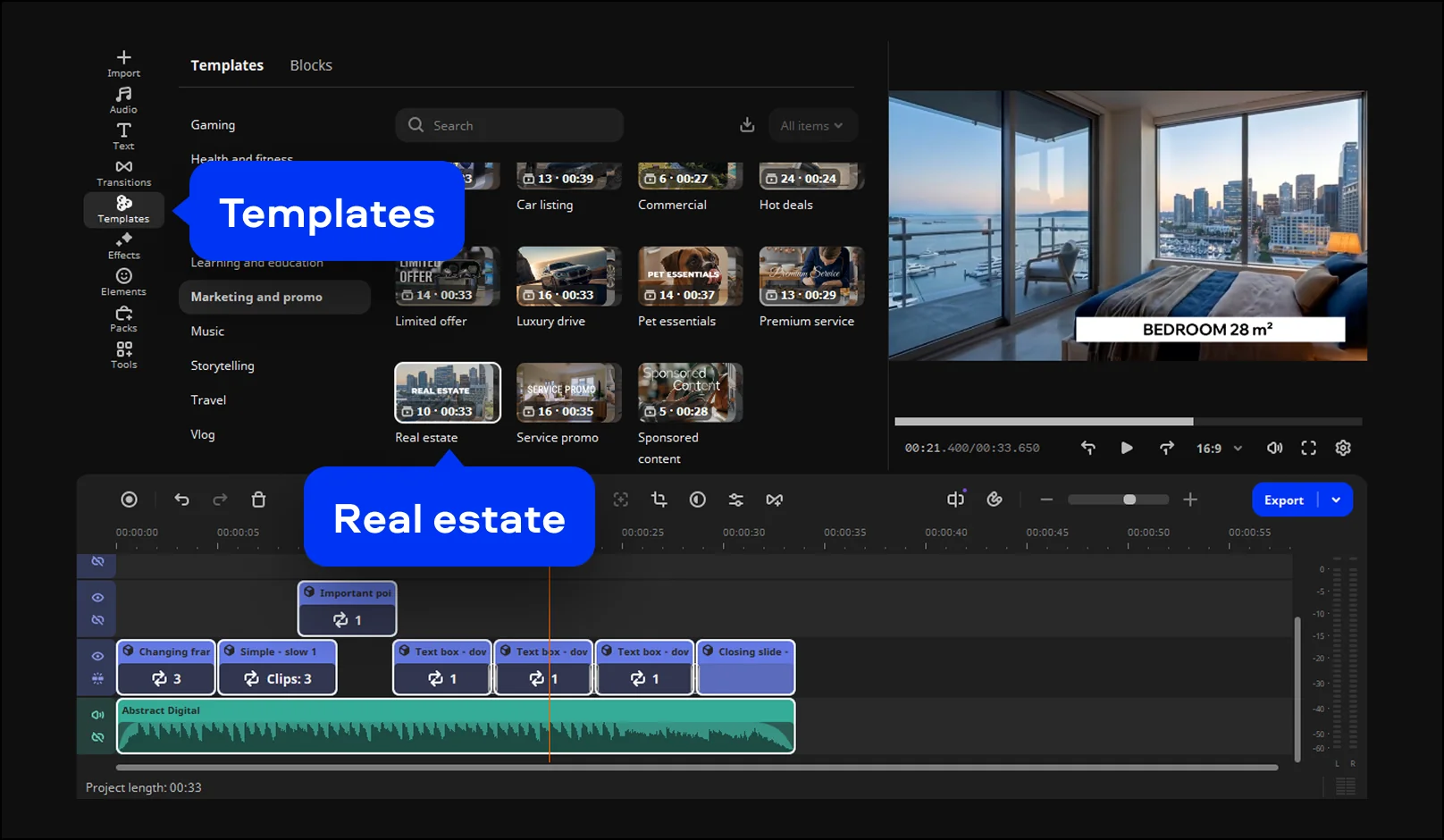
Replace stock videos in each Block with your own footage: your kitchen shot, your exterior shot, and so on. An editing window opens each time, so you can choose the exact part of the clip you want instead of trimming it beforehand. Reorder the Blocks afterward until the walkthrough flows the way a buyer would actually walk it.
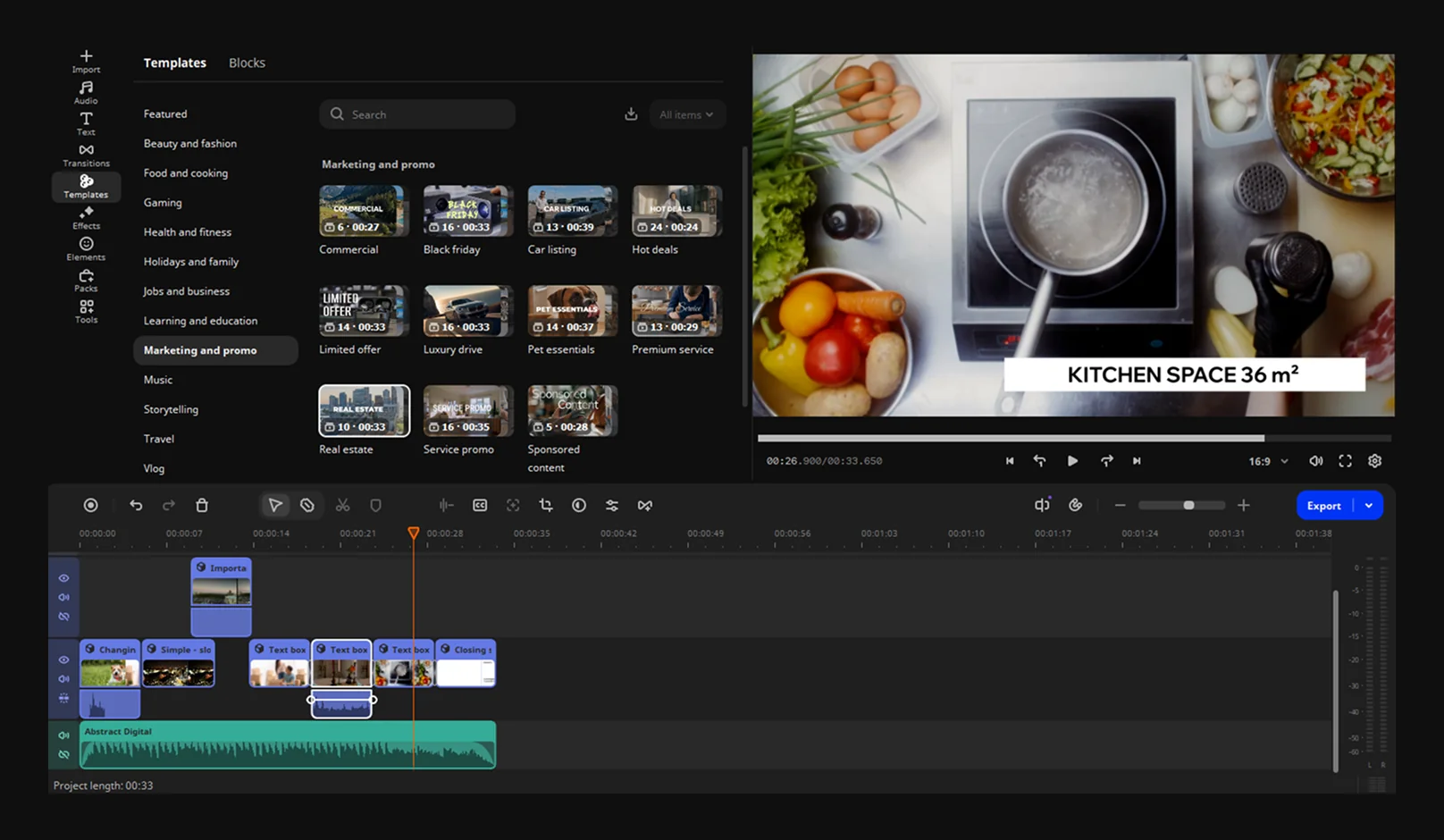
Step 4. Customize the Blocks to match the listing
Every Block stays editable after you drop your footage in: swap the text for the real address, price, and square footage, then change the font, color, and style of the on-screen titles to match your brand. A condo listing might call for a clean, minimal look; a family home might call for something warmer.
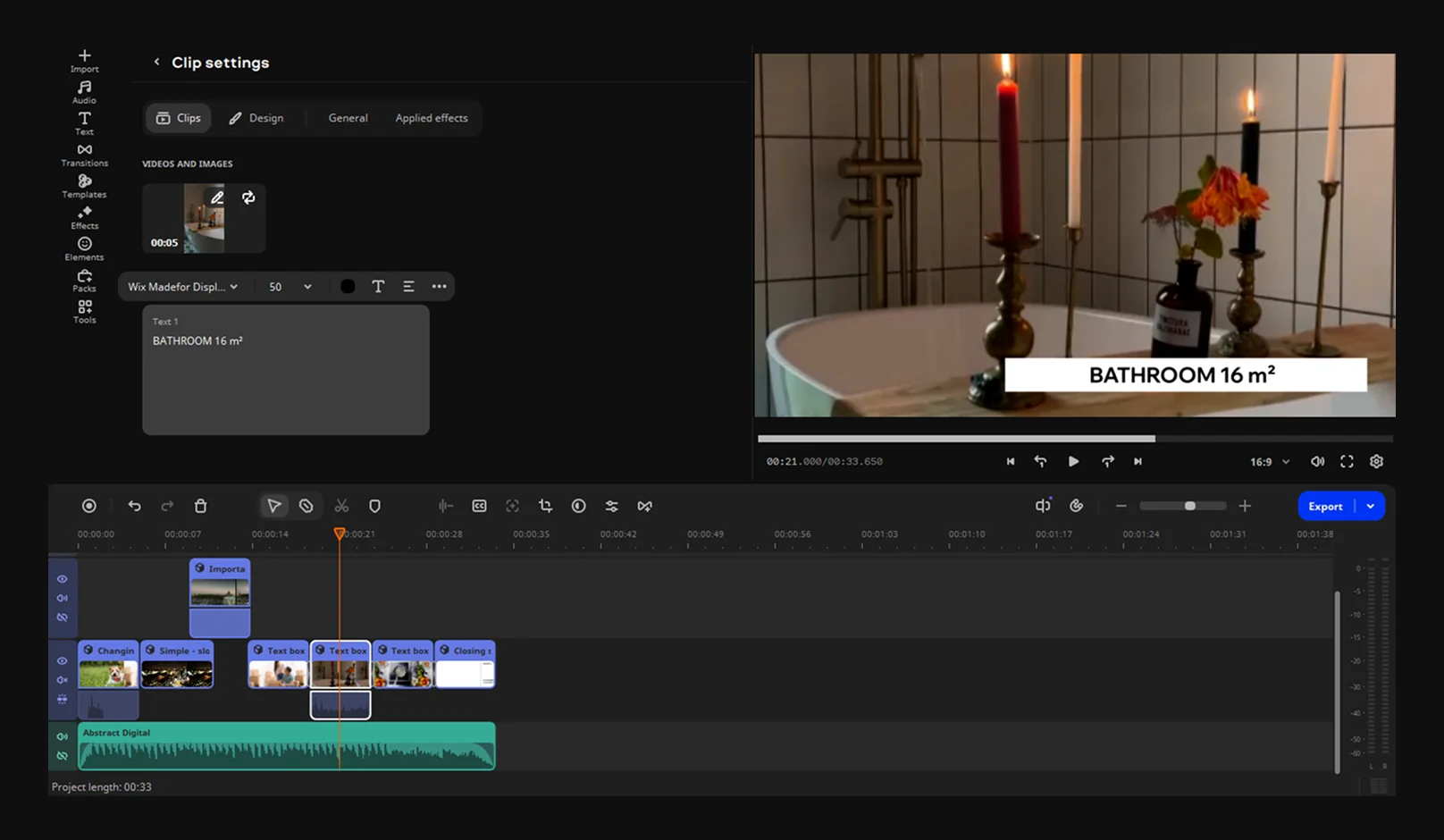
Step 5. Record a voiceover walkthrough
Click Record audio and hit Start Recording. Record narration straight onto the timeline as you point out the finished basement or the walk-in closet – no separate recording app needed.
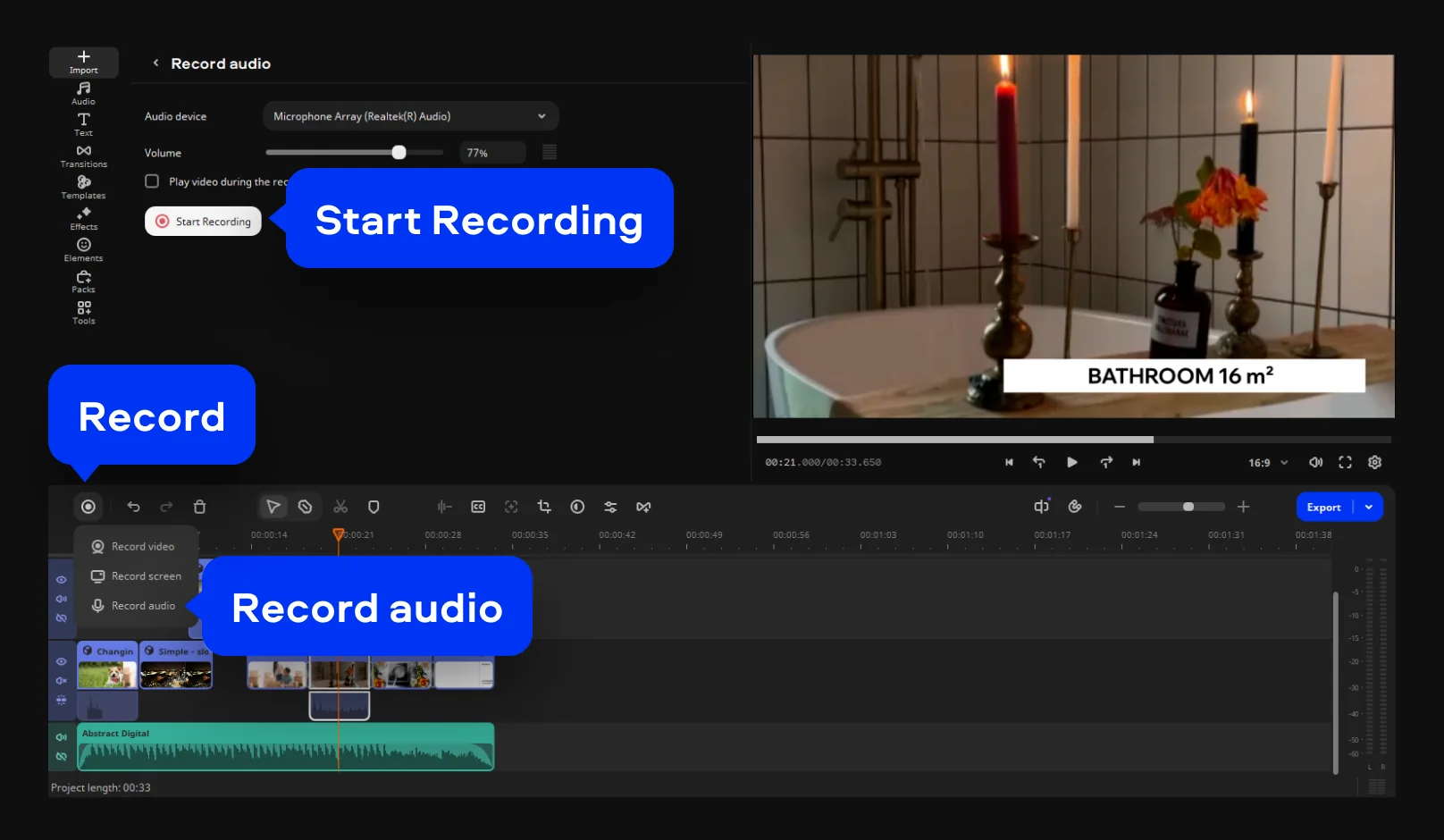
Step 6. Add captions
Go to Tools > Audio. On the Auto subtitles tab, click Generate. Movavi's AI subtitles tool turns your voiceover into on-screen captions automatically, at a 99%+ accuracy across 100+ languages, with 60+ styles to match your brand. Captions ensure viewers can follow the tour even when watching on social media with sound muted.
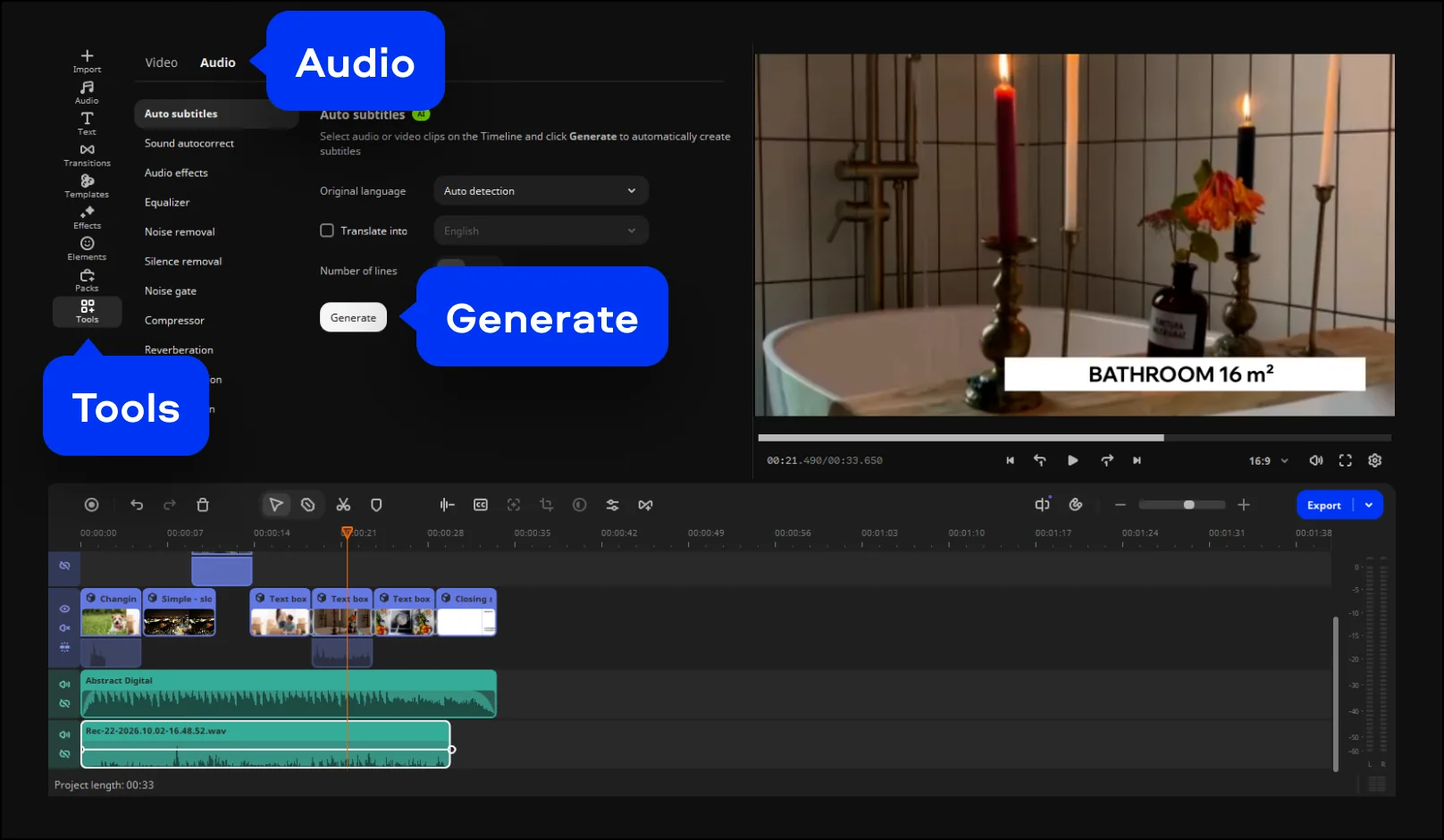
Step 7. Export as MP4
MP4 is the safest format for uploading to a listing site, emailing a client, or posting straight to social media. Movavi Video Editor can also upload directly to YouTube or Google Drive from the export screen.
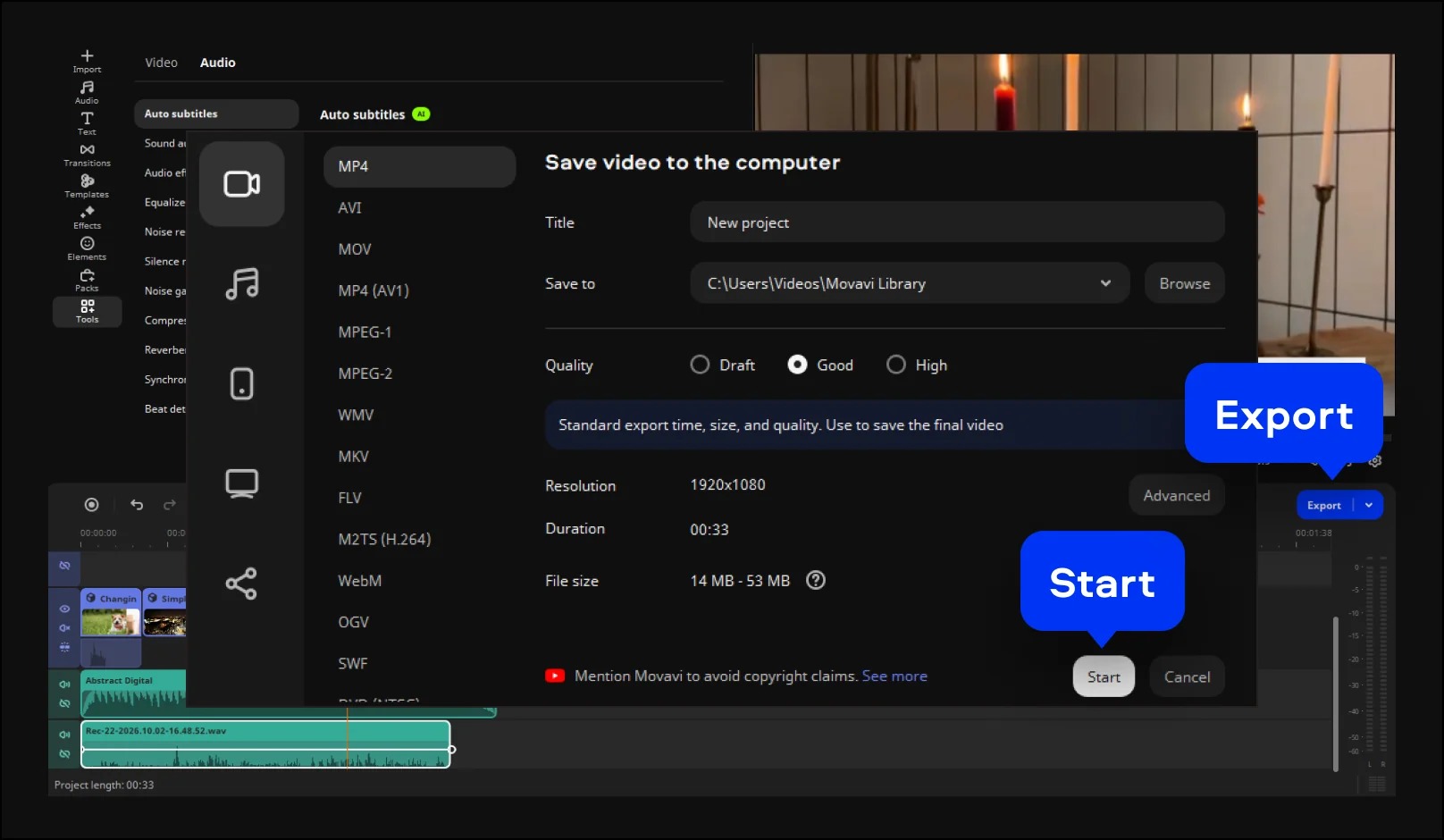
Video templates for any kind of video
Movavi ships hundreds of built-in effects and video templates for every style, so a fast-cut condo tour and a slower, warmer family-home walkthrough don't have to use the same layout. For example, swap a countdown intro for a still title card on a quieter listing, and close with a custom text or logo overlay featuring your contact details – a small touch that turns a walkthrough into a piece of your own branding. Several templates are included in the full version of Movavi Video Editor and can be used at no extra charge. To get access to the whole collection of templates and Blocks, you can buy an additional subscription to Movavi Templates.
None of this locks you in. Every effect and template can be previewed on your own footage before you commit to anything, and the software runs offline once it's installed, so editing doesn't depend on your internet connection.
Movavi Video Editor
Create awesome videos easily
*The free version of Movavi Video Editor may have the following restrictions depending on the build: watermark on exported clips, 60-second video or 1/2 audio length limit, and/or some advanced features unavailable when exporting videos.

Frequently asked questions
Is Movavi Video Editor free to download?
Is Movavi Video Editor free to download?
Yes. You can download Movavi Video Editor on Windows and Mac for free and test essential editing features on your own footage before committing to anything. The automated tools – auto subtitles, auto crop, silence removal – are all testable in the free version, but exports come with limits: a 60-second length cap and a watermark on every video.
What file format should I export a real estate video in?
What file format should I export a real estate video in?
MP4 is the recommended format – it's the safest bet for listing sites, email, and every major social platform.
Do I need separate software to record a voiceover?
Do I need separate software to record a voiceover?
No. Movavi Video Editor records narration straight from a connected microphone onto the timeline, so the voiceover and the editing happen in the same program.
Can beginners use this software, or is it for professional editors?
Can beginners use this software, or is it for professional editors?
Movavi Video Editor is built for beginners and everyday creators. Most tools apply with a single drag-and-drop, so the program holds up on the first try instead of demanding a learning curve first.
Can I use Movavi Video Editor for internal work, not just client-facing videos?
Can I use Movavi Video Editor for internal work, not just client-facing videos?
Yes. The same templates and editing tools work for onboarding videos, training materials, and team recap clips – anything an office worker would otherwise hand off to a separate video program.

Have questions?
If you can’t find the answer to your question, please feel free to contact our Support Team.
Join us for discounts, editing tips, and content ideas


1.5M+ users already subscribed to our newsletter