Step 1. Add your video files
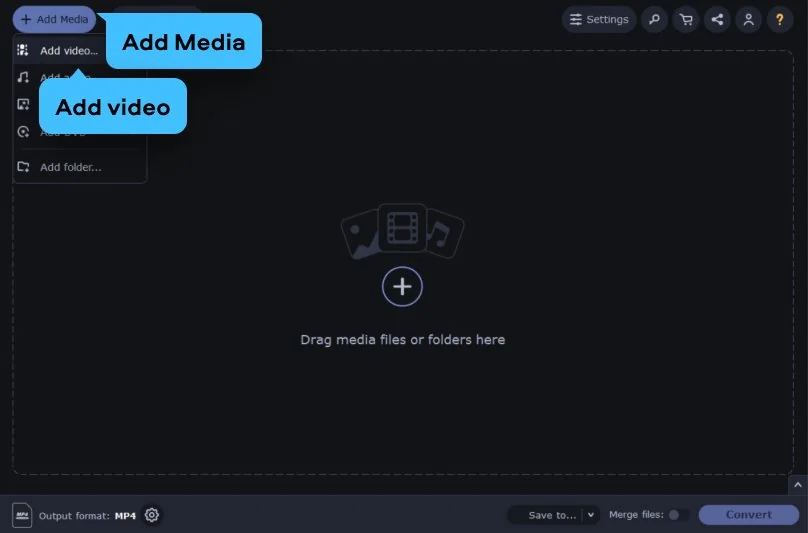
Open the app and click Add Media, then choose Add video. This video converter lets you pick one clip or many at once. This is perfect if you need to perform batch video conversion to save yourself some time.
The online tool is the quick route to convert your clips to an iPod-friendly format right in your browser. For larger files, try Movavi Video Converter. It runs on your Windows or Mac, converts to iPod-ready formats like MP4 with no size limits.
If you own an iPod and want to watch videos on it, the file has to be in a format the player supports. Movavi's online converter makes that straightforward: choose the ready-made iPod preset, or just convert to MP4 by default, and your video is ready to play. Here's how to do it:
3G2, 3GP, ASF, AVI, DVD (NTSC), DVD (PAL), FLV, M1V, M2T, M2TS, M2V, M4V, MJPEG, MKV, MOV, MP4, MPEG, MPEG-TS, MPG, MTS, MXF, OGV, SWF, TOD, TS, VOB, WebM, WMV, WTV
If your video won't load onto your iPod, it's usually down to format incompatibility, the device's own playback limits, or a file that's simply too big. Movavi Video Converter handles all three: it outputs MP4/H.264 tailored to the iPod's supported codec and resolution, so the video matches the player's restrictions and fits comfortably in its storage. Here's how to convert it:
Open the app and click Add Media, then choose Add video. This video converter lets you pick one clip or many at once. This is perfect if you need to perform batch video conversion to save yourself some time.
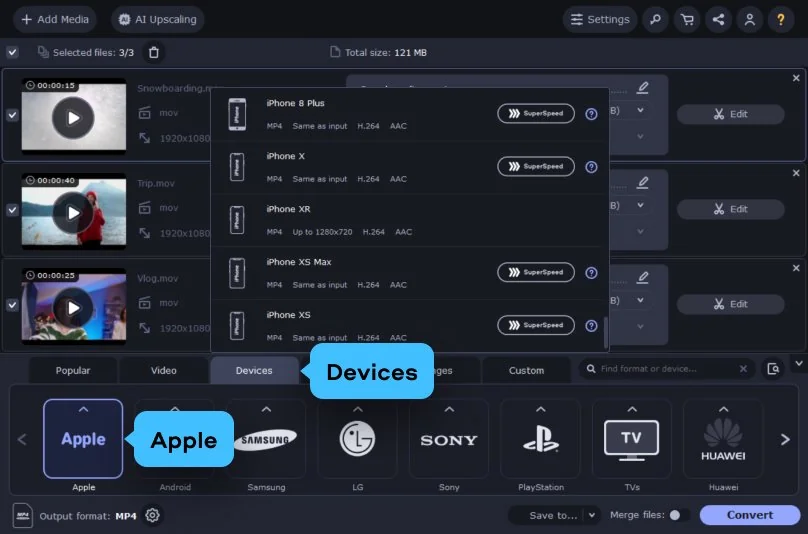
Open the Devices tab at the bottom, click Apple, and select an iPod format from the presets.
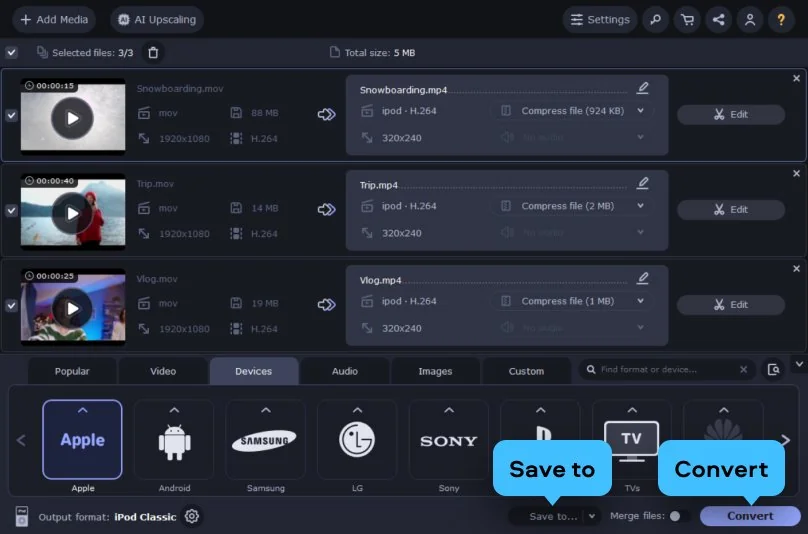
Click the Save to button to choose your destination folder, then simply hit Convert.
3GP, 3G2, 3GP2, 3G2P, 3GPP, ASF, AVCHD, AVI, DivX, DVD, FLV, F4V, M2TS, TS, MTS, M2S, M2T, MKV, MKM, MOV, QT, MP4, M4V, MPG, MPEG, MPE, M2P, M1V, M2V, VOB, DAT, MOD, TOD, VRO, IFO, MXF, OGG, OGV, OGM, RM, RMVB, RAM, RAX, RMX, SWF, WebM, WMV, WTV, AMV, AV1, AVS, BIK, BNK, CAVS, CDG, DPG, DV1394, DVR-MS, EA, FFM, FILM, FILM_CPK, FLC, FLI, FLM, FLT, FLX, GXF, H.261, IVR, MJ2, ML20, MPEG-3, MTV, MVI, MXG, NC, NSV, NUT, NUV, R3D, REC, RVA, RMS, RPL, RTSP, SDP, SMK, SXA, THD, THP, TRP, VFW, WM, WMVHD, WPG
We’re the #1 choice for millions of people from all around the world. Join our thriving community and create stunning content with incredible ease.
Millions


The best way is to use a dedicated iPod video converter that handles the format switching for you – no guesswork, no compatibility headaches. Movavi Video Converter comes with ready-made presets, so you simply add your file, pick a device or format, and click Convert. In three quick steps, your footage is ready to play on your iPod. If you'd rather not install anything, you can also start with a free iPod video converter online and move to the desktop app when you need more power.
You can download and try Movavi Video Converter for free. The trial gives you a trial period to explore the app, with a few limits – a watermark on output videos and half-length conversion for audio and SuperSpeed files. To unlock full, unrestricted conversion, you can upgrade to the full version anytime.
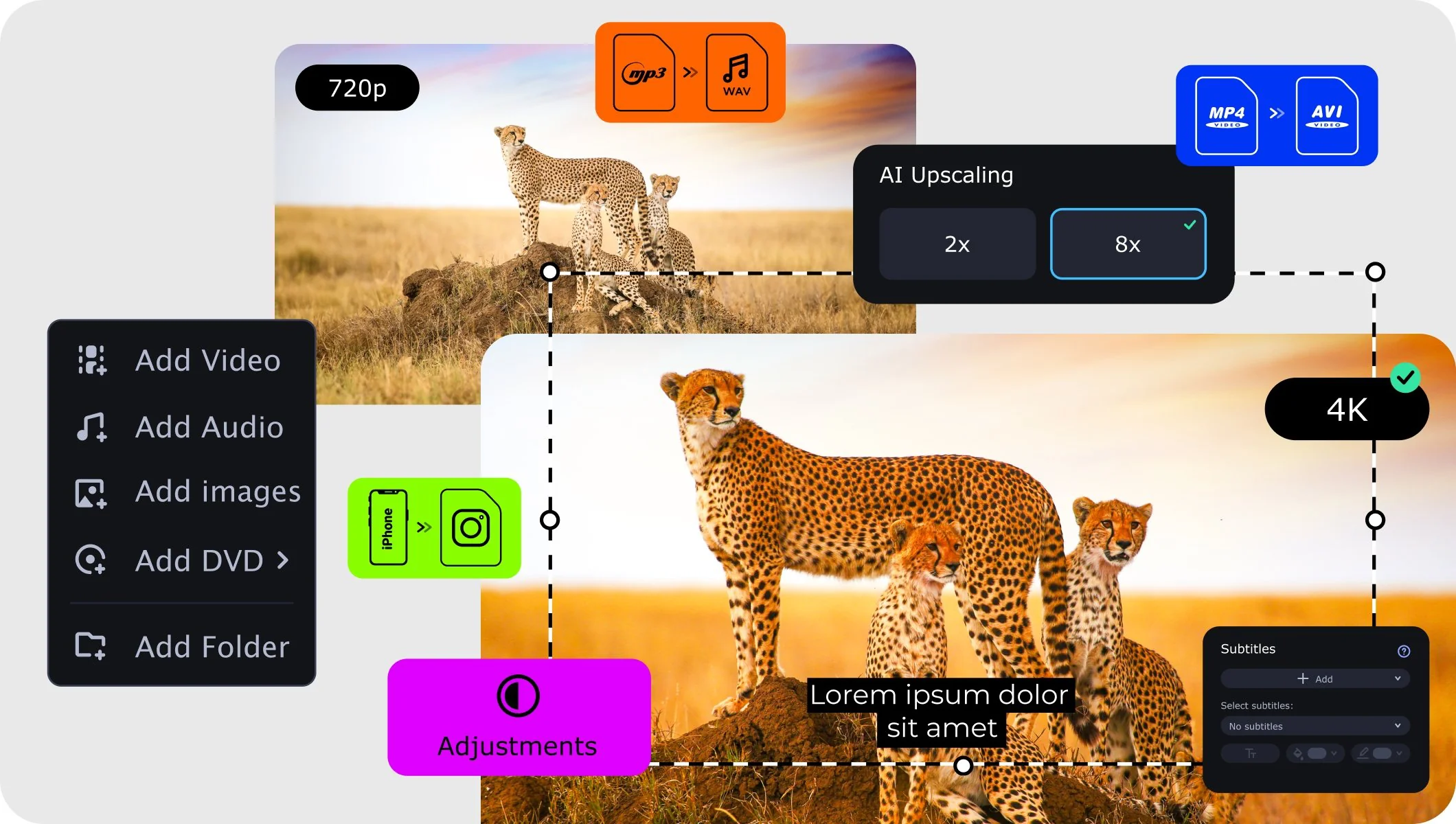
Not at all. Movavi Video Converter uses lossless compression, so your videos keep their original quality even after conversion. The built-in AI upscaling can actually boost resolution by up to 4x or 8x, sharpening grainy footage before it lands on your iPod.
Movavi supports 180+ formats, including MP4, MOV, AVI, MKV, DVD, VOB, MP3, and many more. Whatever your source file looks like, this iPod video converter can turn it into an iPod-friendly format – and convert your music and images, too, all in one place.
Yes. Movavi Video Converter works as an iPod video converter for Windows and Mac, so you're covered no matter which computer you're on. Both versions offer the same fast conversion, editing tools, and device presets – just download the one that matches your system and get started.
Need more tools?
Bring your creative ideas to life with Movavi Video Converter – the all-in-one program.


1.5M+ users already subscribed to our newsletter