Movavi Slideshow Maker

Turn your memories into a wedding slideshow that feels personal and real

Meet the Wedding Slideshow Maker for a PC and Mac

Get a free download of Movavi Slideshow Maker

Creative effects & templates

180+ filters, 100+ transitions, and ready templates to build smooth wedding slideshow videos.

Titles & music perfect for wedding videos

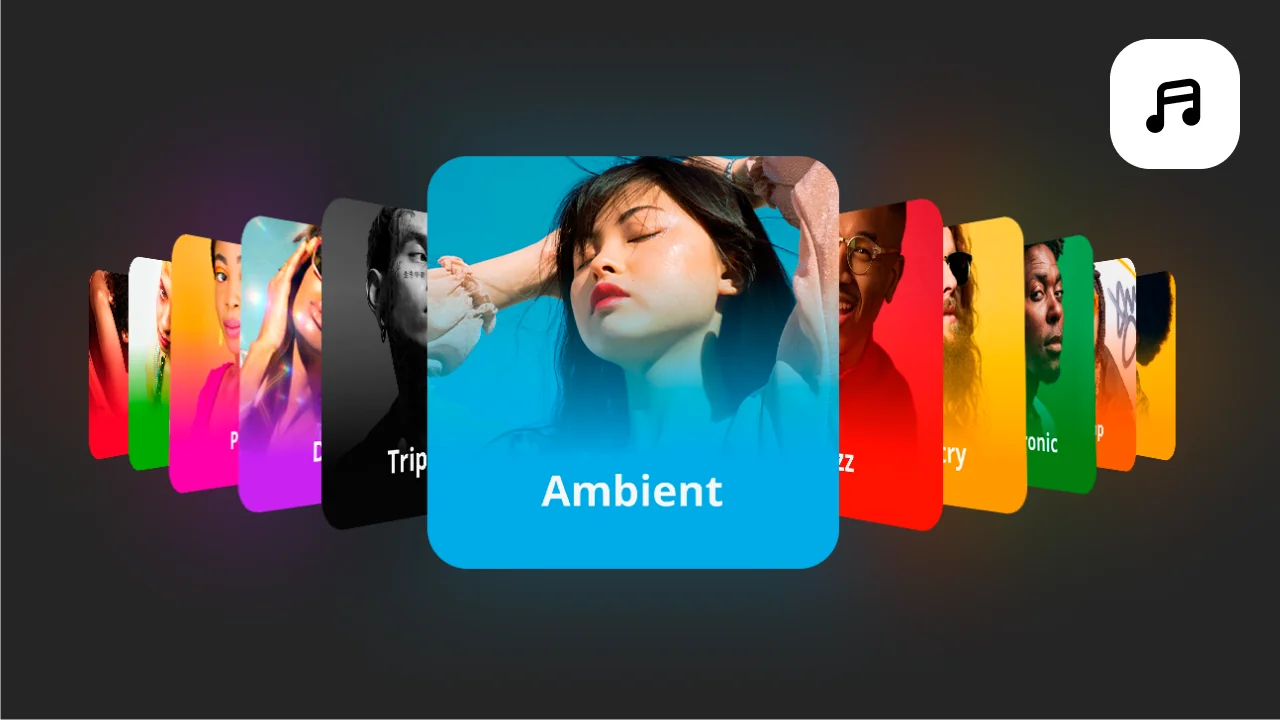
40+ title styles and 20+ music tracks to shape the mood without extra downloads.

Flexible editing on Windows & Mac

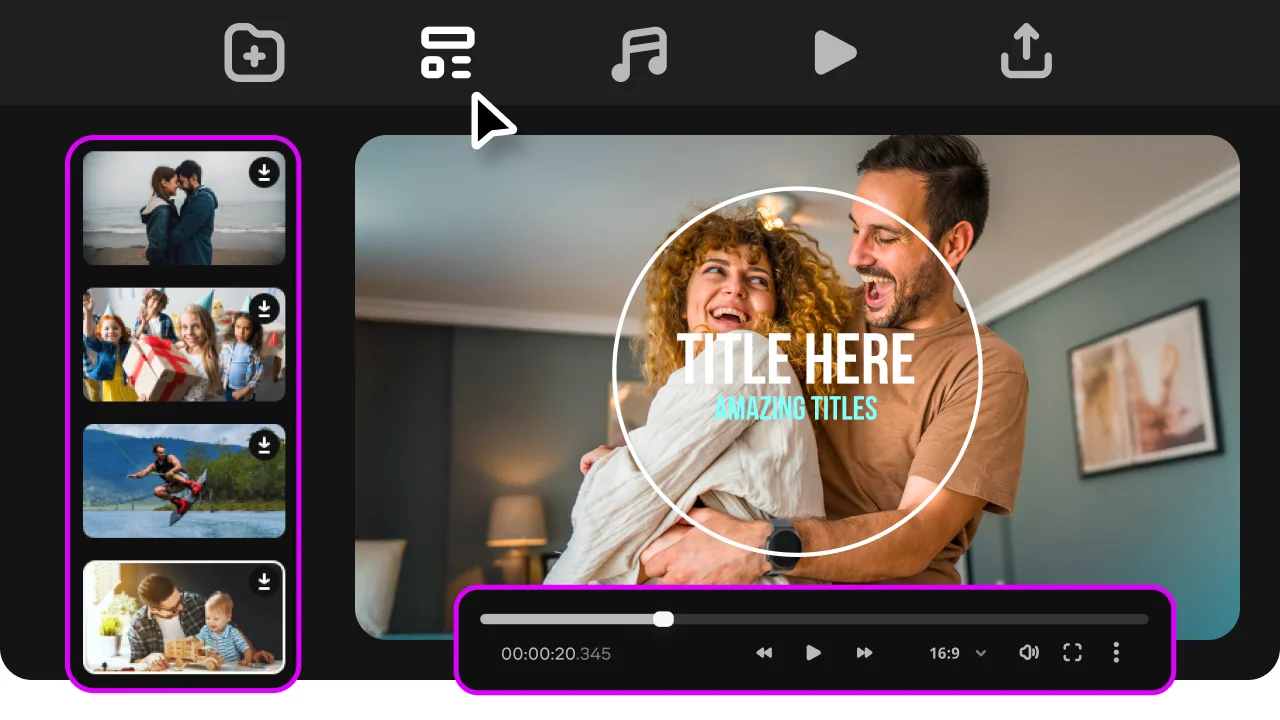
Two editing modes that help you create wedding slideshow projects on Windows and Mac with ease.

Create a wedding slideshow quickly and easily

Movavi Slideshow Maker is built for people who want results without overcomplicating the process – you don’t need editing experience to begin! The interface feels direct, so you can focus on your photos and story instead of menus. It works well whether you are preparing something small or a full wedding reception slideshow maker project.

You can work with photos and videos inside this app. Place them on a clear timeline and build your story step by step. This wedding slideshow maker keeps everything visible, so you don’t lose track of your clips. It includes color correction tools as well. You can fix lighting issues and make your images look more even across the whole project.

Don't know how to make a wedding slideshow with music? The built-in library includes a plethora of music tracks, along with title styles and transitions. You don’t need extra downloads to start editing. This makes it useful as both a wedding slideshow creator and a practical wedding slideshow app for daily use. It also fits well if you want to create wedding slideshow content without switching between tools.

Another strong point is flexibility. You can choose automatic tools if you want quick results. Or you can switch to manual control for more precise edits. That is why it stands out among the best wedding slideshow maker options. It also works well as a wedding reception slideshow maker. You can export your project in formats ready for large screens or online sharing.
How to make a wedding slideshow

Step 1. Install the wedding slideshow program

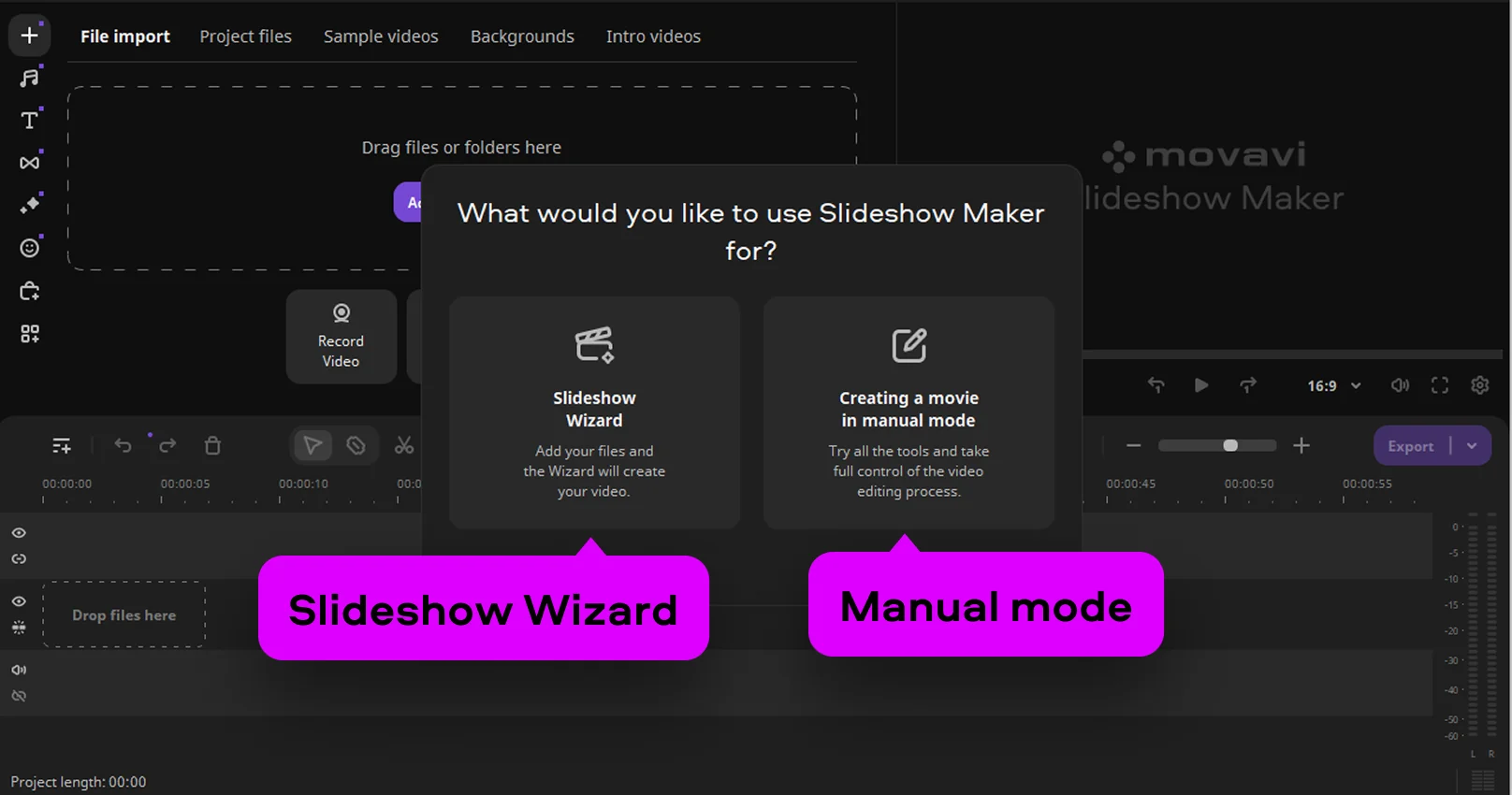
Download and install Movavi Slideshow Maker. Launch the wedding reception slideshow maker and choose the mode. You can use the Slideshow Wizard for a quick project or pick manual mode for full artistic control.

Click Add Files and upload your photos and videos to the wedding slideshow software.

Step 2.1. Create a slideshow in Slideshow Wizard

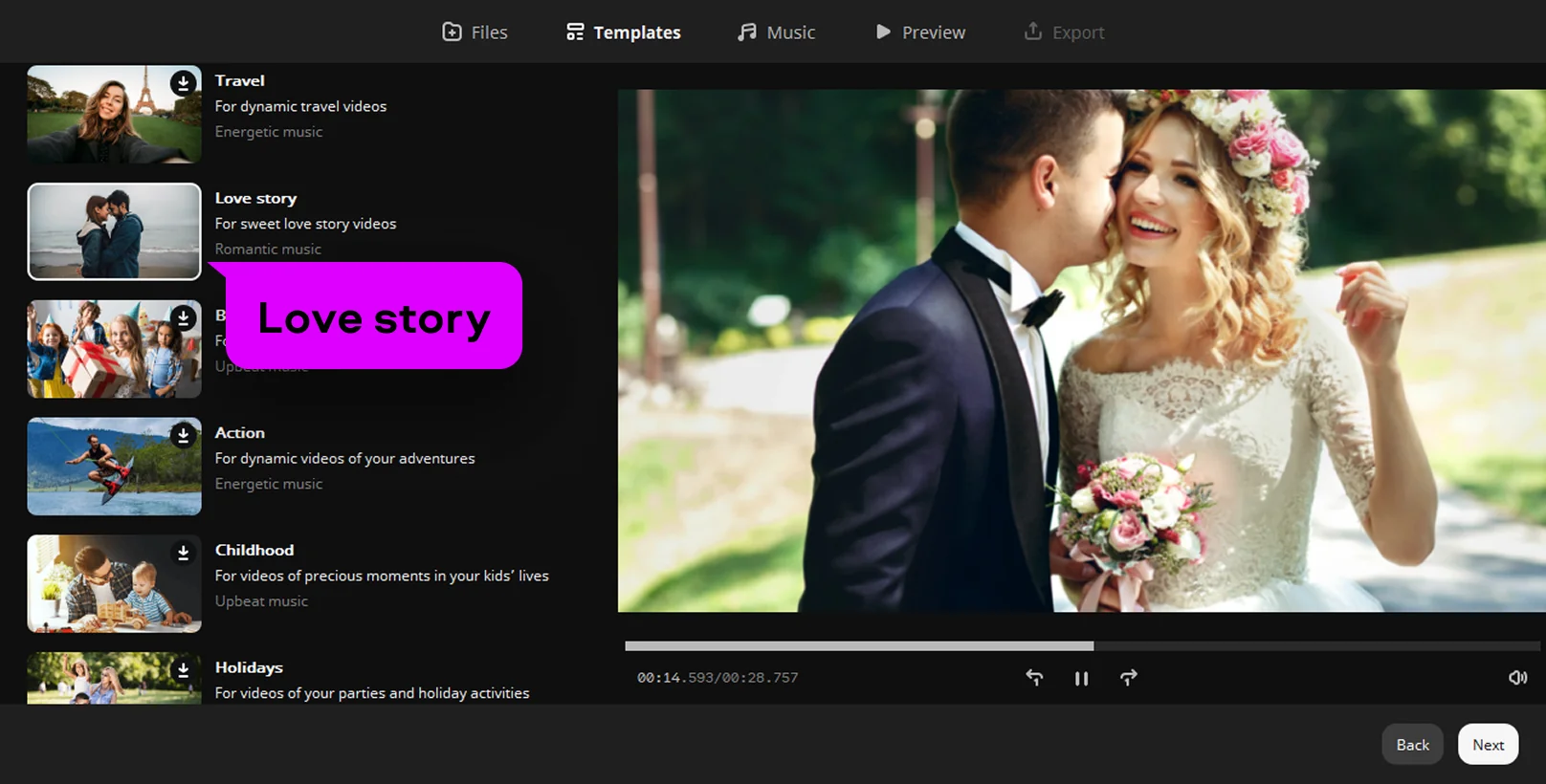
Choose the elegant love story slideshow template to give your movie a professional and festive look. This smart mode handles many pictures at once and arranges them to flow with natural grace.

Pick a romantic song from the built-in library or use a melody that defines your love. The app also lets you type custom text for sweet opening and closing titles. You can easily adjust the slide timing to match the emotional beat of your favorite music.

Step 2.2. Create a slideshow manually

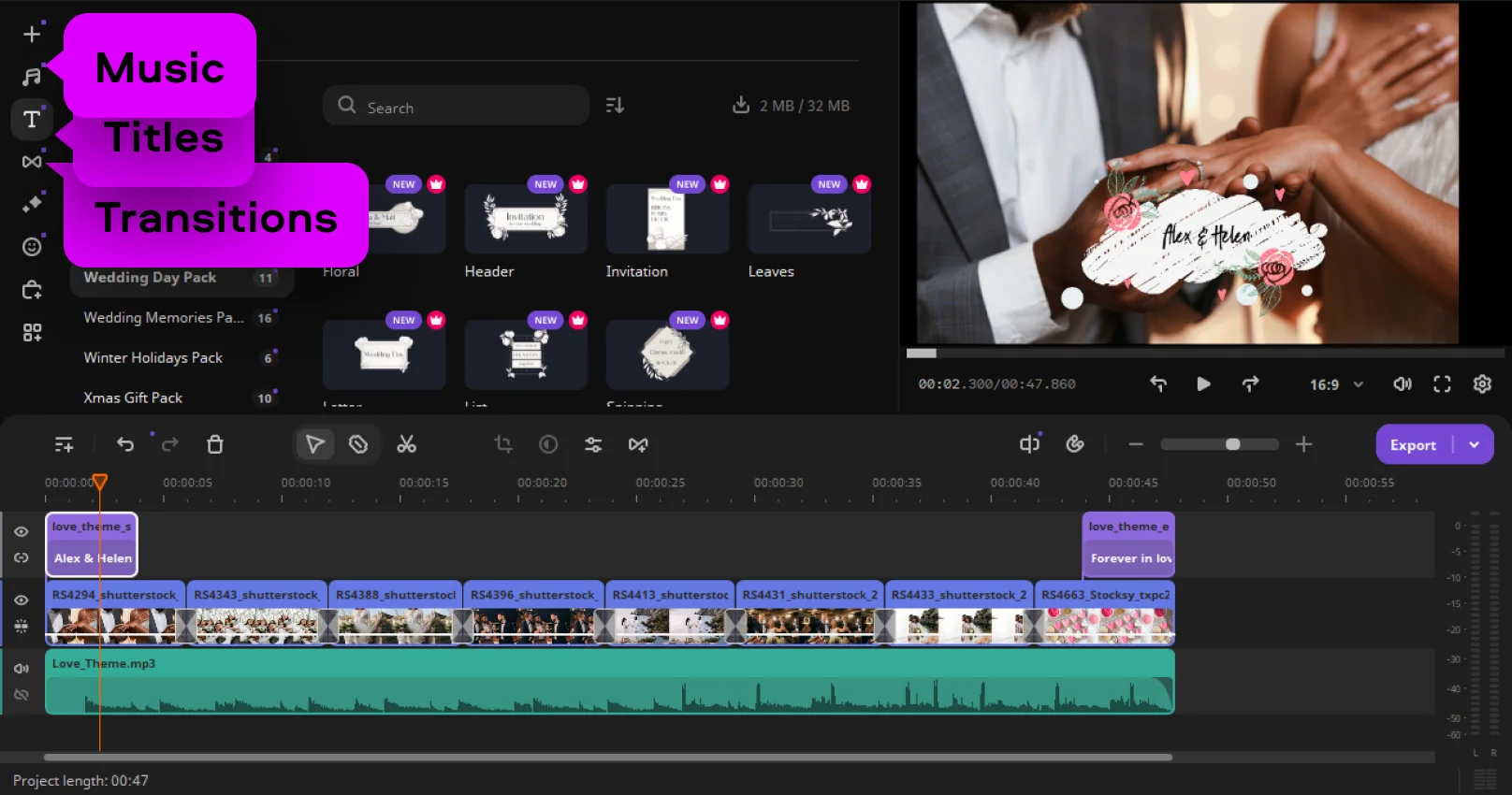
In the manual mode, mix photos and video clips together with ease on the timeline. Simply drag and drop every item to tell your unique love story exactly how you feel it.

Open the Transitions tab and pick a gentle style to connect your shots with a smooth touch. Add important names and dates via the Titles tab. You can change fonts and colors to match your wedding style and make every frame look perfect.

Step 3. Finalize and export your slideshow

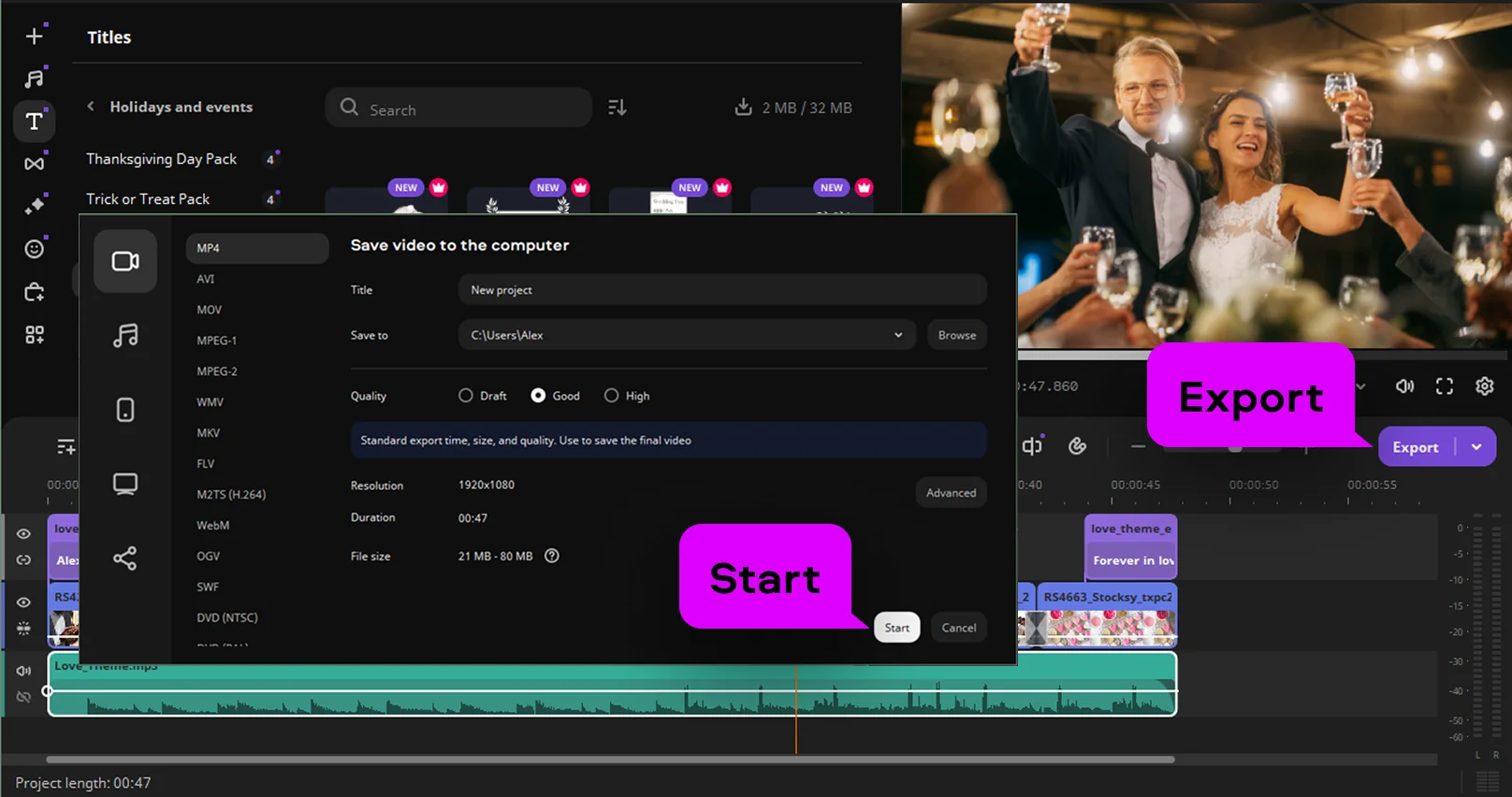
Preview your work and click Export to finish this creative journey. This reliable wedding slideshow app saves your video in high quality for a laptop or a large reception screen. Now you know how to make a wedding slideshow that will touch the hearts of every guest.

Movavi Slideshow Maker
An easy-to-use, yet efficient slideshow making program

Why choose Movavi

We’re the #1 choice for millions of people from all around the world. Join our thriving community and create stunning content with incredible ease.

70M+

users

190+

countries

15+

updates per year

10,000+

effects to choose from

Frequently asked questions

What is the best wedding slideshow software for a reception?

Movavi Slideshow Maker is a top choice for your big day. This tool helps you create wedding slideshow projects that look amazing on a big screen. It is very simple to use, even if you have no editing skills.

How can I create a wedding slideshow with music and transitions?

Using Movavi Slideshow Maker as your wedding photo slideshow maker is a great way to start. You just need to upload your photos and pick a romantic song for the background. Then, use a wedding montage template to add smooth movements between every single picture. This is the easiest way of how to make a wedding slideshow with a professional touch.

Are there free wedding slideshow templates available for download?

Yes, Movavi’s wedding slideshow maker free version is available. It allows you to see all the styles. The software includes a built-in wedding slideshow template specifically designed for romantic events. These ready-made themes help you produce high-quality wedding slideshow videos in just a few clicks. It is a perfect solution for saving time while keeping your memories beautiful.

Movavi Slideshow Maker
An easy-to-use, yet efficient slideshow making program
Join us for discounts, editing tips, and content ideas

1.5M+ users already subscribed to our newsletter

By signing up, I agree to receive marketing emails from Movavi and agree to Movavi's Privacy Policy.