Convert SWF to JPG Online for Free

  1. Click Add Your Media and upload your SWF file.
  2. Make sure that the output format is set to JPG.
  3. Click Convert.
Convert to

How to convert SWF to JPG using the Movavi converter

Edited by
Ben Jacklin
32,224

What is SWF?

Full name

Small Web Format

Format type

Video

Developed by

FutureWave Software, later Adobe Systems

Description

SWF stands for Small Web Format and is owned by Adobe. Typically, SWFs are small files containing animated vector graphics data. It can be supplemented with text data and bitmaps. The SWF file type is often used to create banners, animations, and games. You may encounter some difficulties when trying to open SWFs, but browsers that support the Flash extension and the Adobe Flash Player software support playback of these files. Or you can try converting videos from SWF to a more standard format like MP4. To learn how to do this, read the information below.

File extension

.swf

Technical details

The SWF file format is a binary multimedia format. Newer versions are capable of rendering text information, including bidirectional, and advanced scripts tagged with DefineFont4. Rich functionality provides support for JPEG images with alpha channel for areas of opacity and anti-aliasing filtering. Programmers can create files with SWF specifications using several Adobe programs, including Flash, Flash Builder, Adobe Animate, and After Effects.

Associated programs

Adobe Flash Player, Adobe After Effects, Mozilla Firefox, and others

What is JPG?

Full name

Joint Photographic Experts Group

Format type

Image

Developed by

Joint Photographic Experts Group

Description

JPG is a shorter name for the JPEG format, which is a lossy coding standard for digital images. JPG files have a small size – this makes JPG a popular choice for storing images and uploading files online. The JPG format is widely supported on different devices and platforms.

File extension

.jpg, .jpeg, .jfif, .jif, .jfi,.jpe

Technical details

The compression of JPG files is based on the discrete cosine transform (DCT).

Associated programs

Adobe® Photoshop®, Microsoft Photos, Google Photos, Apple Preview, Corel PaintShop Pro

Step 1. Download and install the Movavi converter

How to use a file converter? First, download the version of the software for Microsoft Windows or Macintosh, launch it, and proceed following the on-screen instructions. When the app is installed to your computer, it will run automatically.
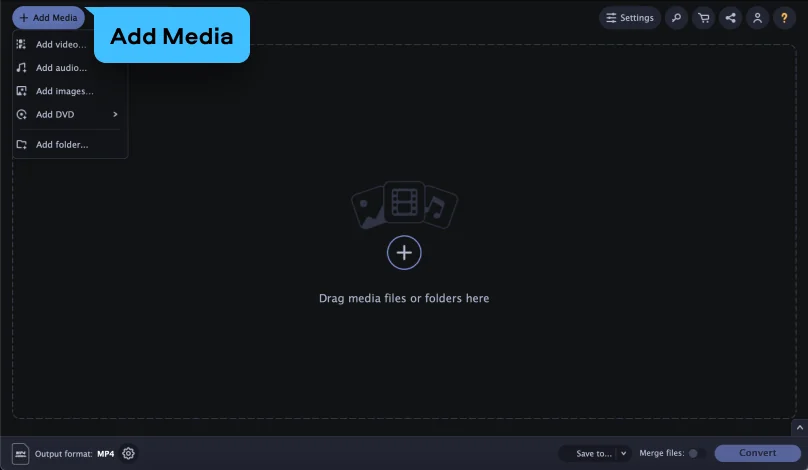
Step 2. Add your SWF files

Locate the SWF files you want to convert and drag-and-drop them into the program’s window. The application can convert big batches of files – there’s no limit to how many files you can transfer at once.

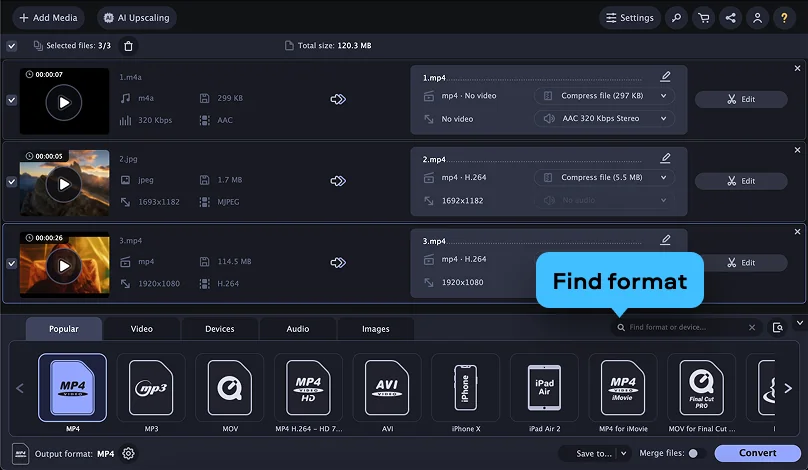
Step 3. Select JPG as the output format

In the Formats menu, select the file type you want to turn your media into and choose the target format for the files. Also, you can change the conversion settings. Pay attention to the SuperSpeed label: it indicates that the conversion will be performed with a very high speed and without losing quality.

Step 4. Convert SWF to JPG

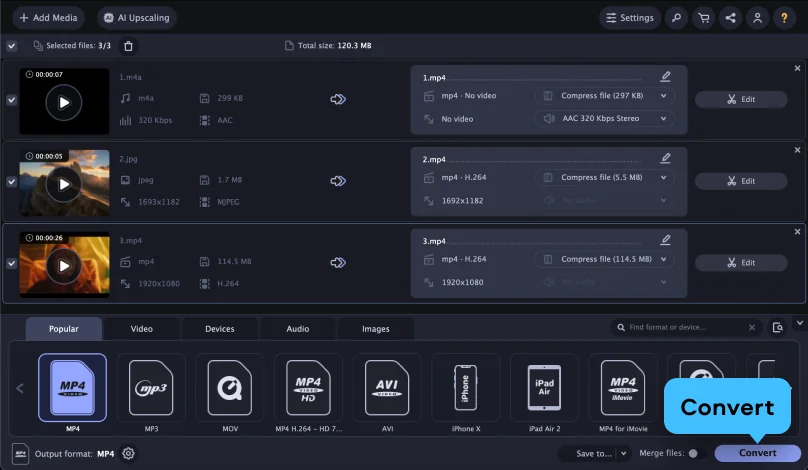
To specify the output folder, click the Save to button. Hit the Convert button to launch the process. When the converting is done, the new media files will be saved to the chosen folder.

Now you know how to change the file format using the Movavi converter. With this tool, you can also reduce the file size, cut out clips from videos, crop pictures, and create animations from your favorite movies. Get the free trial version and test it out!

Movavi Video Converter
The ideal way to get your media in the format you need!
Movavi Video Converter

Frequently asked questions

How do I convert a Flash (SWF) animation to JPG?

Since Flash is no longer supported in browsers, you need a specialized SWF converter to open the file and export specific frames as JPG images.

Can I convert an entire SWF movie to a JPG sequence?

Yes, you can capture every "frame" of a Flash animation and save them as individual JPGs to see how the animation was constructed.

Is SWF-to-JPG conversion still possible?

Yes, while browsers have blocked Flash, standalone desktop converters and certain online tools can still render SWF files and capture images from them.

Popular conversions

Join us for discounts, editing tips, and content ideas

1.5M+ users already subscribed to our newsletter

By signing up, I agree to receive marketing emails from Movavi and agree to Movavi's Privacy Policy.