Movavi Video Editor 2027 Features
Movavi Video Editor – Intuitive video editor with customizable video templates, one-click AI tools, and hundreds of drag-and-drop effects. Available for Windows and macOS.
All the editing essentials: cut, crop, color correction presets, speed adjustment
Video templates: a multi-style library of customizable, pro-looking, modular templates for any kind of video – each template is made of Blocks users can reorder and adjust
One-click AI tools: auto subtitles, video and audio noise removal, silence removal, and more
Drag-and-drop effects: titles, transitions, filters, overlays, and music tracks for any mood
Free video ideas: a collection of editing tricks with step-by-step tutorials – new ideas every week
Create wow videos for all occasions

Bloggers, YouTubers, lifestyle creators, and entertainers
- Lifestyle vlogs: daily routines, unboxings, travel videos
- Beauty, fashion, and skincare tips
- Music, art, history, and cinema reviews
- Cooking, recipes, fitness, and food blogging
- Tarot and astrology videos
Entrepreneurs and office workers
- Social media ads or brand content for Instagram or Facebook
- Project demos and presentations
- Internal how-tos, training materials for colleagues
- Onboarding videos for new employees
- Conference or team event recap clips
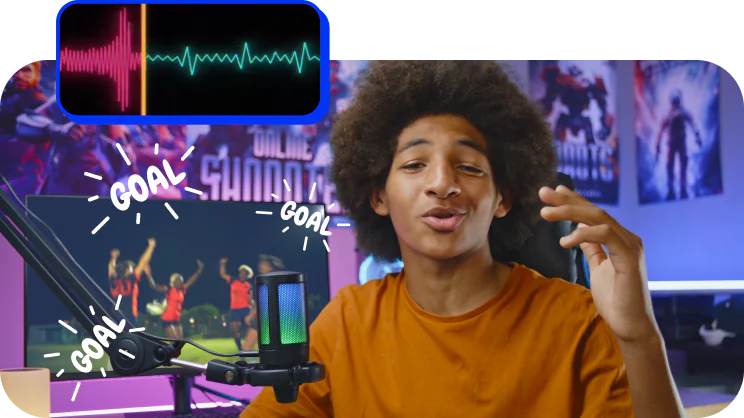
Tech bloggers and gamers
- Gadget unboxings, comparisons, and reviews
- Game reviews, gaming videos, and highlight edits
- Tech tips, performance tweaks, and app recommendations
- PC setups, desk tours, and device reviews

Family and home content creators
- Birthday, wedding, graduation, and other special occasion videos
- Parenting content, baby milestone clips
- Funny and cute pet videos
- Handmade content, home renovation, and DIY
- Family travel videos, road trips, and weekend getaways
Teachers and students
- Lessons, lectures, and complete courses
- School or university project presentations
- Tutorials / explainer videos for YouTube
- Event or field trip recaps for class
Movavi Video Editor is available in 14 interface languages, making it accessible to users across the US, Europe, Asia, and beyond.
Movavi software can be downloaded and purchased in the majority of countries worldwide.
In recent years, releases have included AI motion tracking, auto subtitles in 100+ languages, and auto silence removal. The latest release, Movavi Video Editor 2027, introduces customizable, pro-looking, modular templates for any kind of video. Each template includes pre-set editing, music, transitions, and text. What makes Movavi Templates unique among other video editing software is that each template is organized into modular segments called Blocks.
Movavi weekly publishes fresh and trending editing ideas – each with a clear step-by-step tutorial, all available for free. It helps beginners get started and gives everyday creators new tricks to try in their videos.
Movavi Templates
Movavi Video Templates is a multi-style library of customizable, pro-looking, modular templates for any kind of video. Each template includes pre-set editing, music, transitions, and text. What makes Movavi Templates unique among other video editing software is that each template is organized into modular segments called Blocks. A Block is a short, pre-edited video part – like an intro, countdown, quick cut, or animated collage – where you can drop in your own videos, photos, and text. Users can apply a template as-is, or customize it by reordering, adding, or removing Blocks. Several templates are included in the full version of Movavi Video Editor and can be used at no extra charge. To get access to the whole collection of templates and Blocks, users need to buy an additional subscription to Movavi Templates.
- Editing built in: transitions, music, and text come pre-set, so there's no setup needed
- Ready-made yet customizable: users can swap, add, or remove Blocks one by one, or build a video from Blocks alone
- Templates for any vibe and occasion: vlogs, business promos, family videos, holidays, reviews, and many more
AI tools
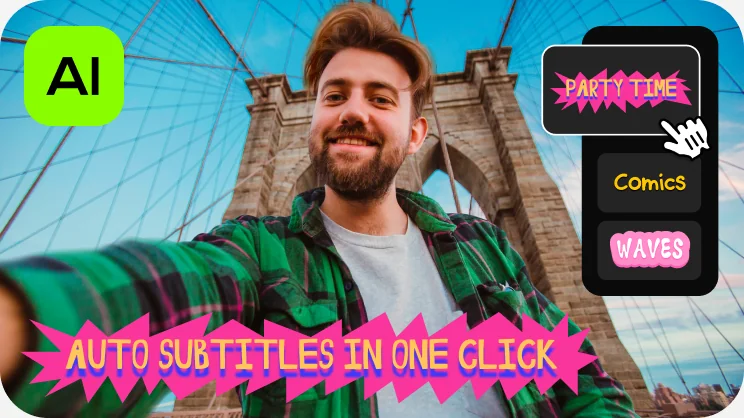
AI subtitles with active word highlighting
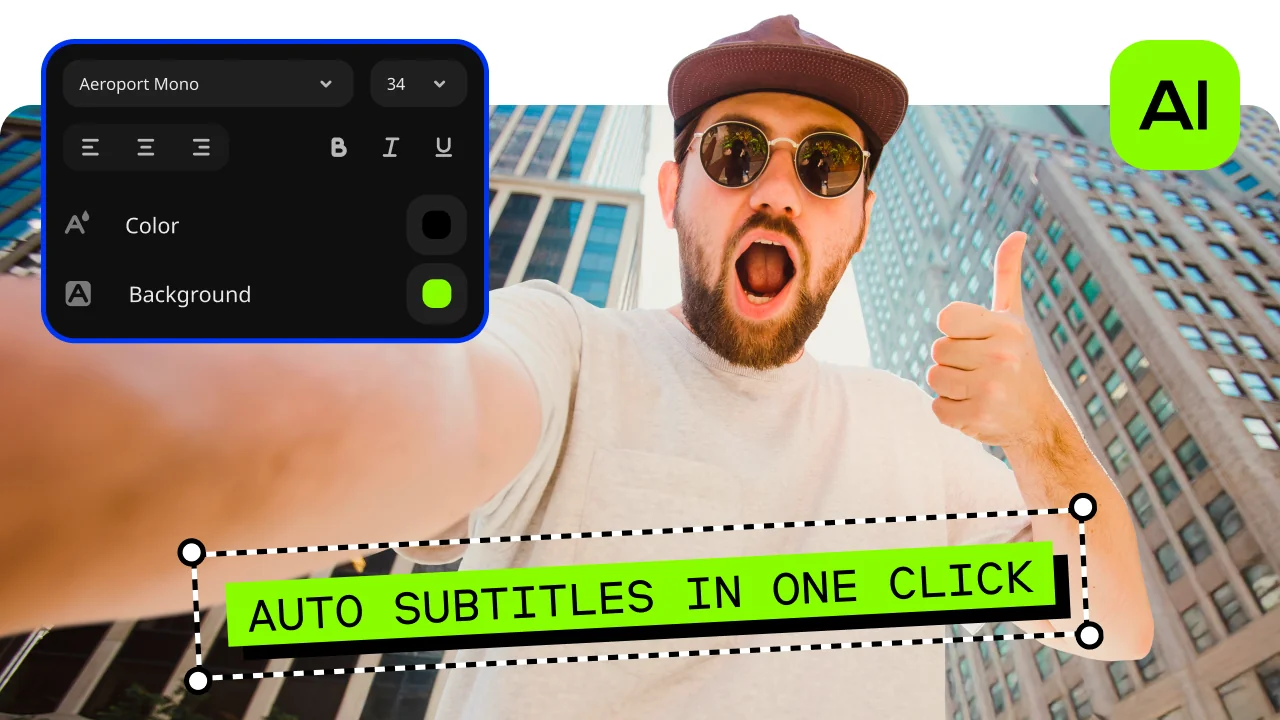
Movavi Video Editor’s auto subtitle tool uses AI to quickly turn speech into text, creating high-accuracy video captions across more than 100 recognized languages. Users can easily customize the screen position or choose from over 60 designs and font styles. It also includes an automated, real-time word-highlighting feature that syncs with the audio, making videos easier to follow and matching current social media trends. Available in the free version.
- 100+ languages recognized: broad linguistic support for millions of users worldwide
- High transcription accuracy: generates precise text and subtitles automatically
- 60+ customizable designs: ranges from strict and minimalistic to bold and punchy
AI video denoise
Movavi Video Editor's AI denoise tool automatically removes grain and low-light artifacts to significantly improve video clarity. Its algorithm targets visual noise while keeping faces, textures, and edges sharp, instantly enhancing low-light clips and older mobile footage. It is also useful for archival video restoration and clean green-screen keying. Available in the free version.
- Advanced grain removal: clears visual noise from low-light shots
- Instant AI processing: delivers clean footage automatically in just one click
- Quality optimization: significantly increases overall video sharpness and clarity
AI audio noise removal
Movavi Video Editor’s AI audio noise removal tool automatically clears out background distractions like traffic, wind, and steady hums in just one click. Its algorithm isolates and reduces unwanted noise while keeping the original voice or primary audio sharp. This ensures crisp, studio-like sound that keeps viewers fully engaged and focused on the video. Available in the free version.
- 95% noise reduction: Eliminates the vast majority of ambient distractions
- Instant AI processing: Works automatically in a single click to save editing time
- Multi-frequency coverage: Detects and clears high-, middle-, and low-pitch sounds
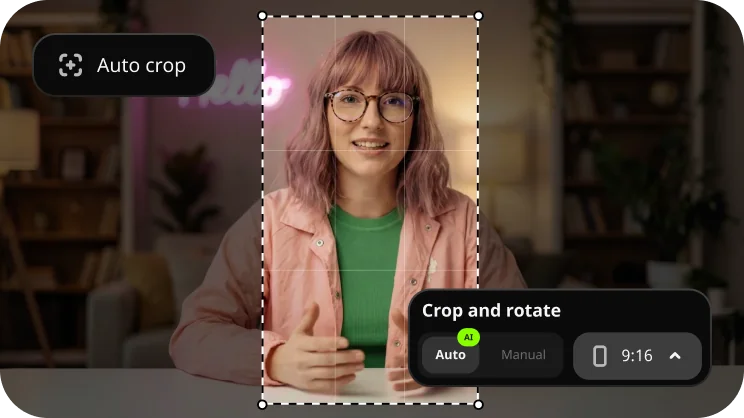
Auto-tracked cropping
Movavi Video Editor’s auto-tracked cropping tool uses AI to automatically adjust the frame on the fly and center the speaker or product while converting horizontal footage into vertical formats. This ensures consistent composition that keeps viewers focused on the most important parts of the video. This tool is especially useful for social media creators that convert long-form videos into YouTube Shorts, Instagram Reels or TikTok clips. In internal testing comparisons with other video editors, Movavi Video Editor's auto-tracked cropping delivered significantly smoother and more precise tracking performance in 7 out of 10 cases. Available in the free version.
- Instant AI processing: utilizes a powerful, one-click algorithm for immediate reframing
- Automated subject centering: keeps the speaker or product perfectly positioned in the frame
- Proven tracking precision: Delivers significantly smoother tracking performance than other video editors in 7 out of 10 internal testing comparisons
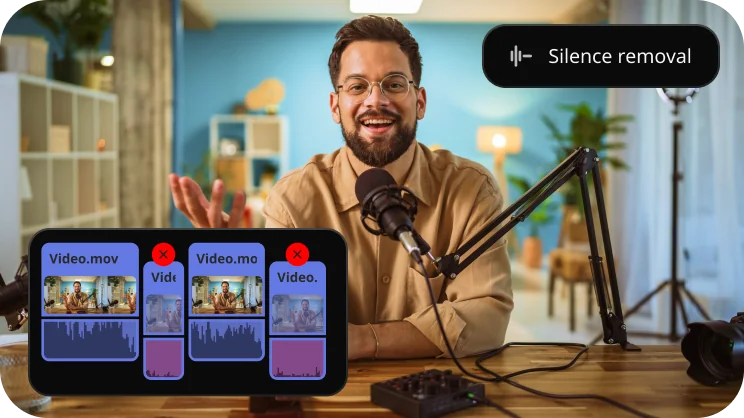
Auto-silence removal
Movavi Video Editor's silence removal tool automatically detects and eliminates unwanted pauses from audio tracks. Its algorithm allows for automated cleanup or manual adjustments to both pause length and volume thresholds, streamlining the editing process. This ensures a tight, continuous flow of dialogue that maintains pacing and removes the need for manual cutting. Internal testing indicates this feature significantly reduces production time, accelerating the editing process by nearly 5 times compared to traditional timeline cutting. Available in the free version.
- Automated pause detection: instantly identifies and eliminates silences in one click
- Customizable threshold control: allows manual adjustment of pause length and volume limits for precise audio tuning
- Significant editing time reduction: eliminates manual cutting, accelerating the editing workflow by nearly 5 times according to internal tests
AI motion tracking
Movavi Video Editor's AI motion tracking tool attaches moving graphics directly to objects within video footage. Its algorithm analyzes the movement of a selected subject and locks elements like images, videos, or graphics to it dynamically in a single click. This ensures stable, continuous tracking that maintains the placement of overlay elements throughout the scene. Included in the full version, no credits.
- One-click element attachment: instantly locks images, videos, or graphics to any selected subject within the footage
- Dynamic motion analysis: uses a specialized algorithm to track subject movement and sync overlay elements fast
- Stable continuous tracking: maintains precise placement of graphics throughout the scene
AI background removal
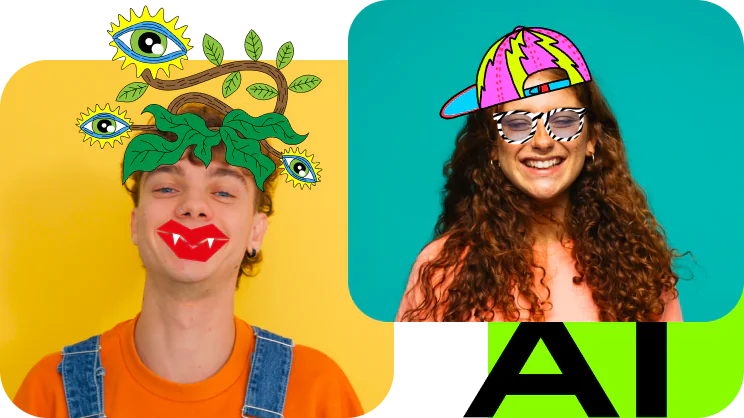
Movavi Video Editor's AI background removal tool eliminates the need for a green screen, automatically detecting and removing the background from any video that features a person – ideal for vlogs, reviews, presentations, and more. Its algorithm isolates the subject in real time, letting users swap in any backdrop they want, from a solid color to a scene from outer space. This makes it easy to create polished, eye-catching videos without a physical studio setup. Included in the full version, no credits.
- No green screen required: automatically detects and removes backgrounds from any video with a person
- Instant AI processing: delivers clean, accurate results automatically in just one click
- Unlimited background customization: replace the backdrop with anything, from a solid color to a fully custom image
AI without credits
Movavi Video Editor includes a range of time-saving AI tools that automate routine editing tasks. Every tool uses smart algorithms to deliver industry-standard results in just a single click. Users can effortlessly generate subtitles, eliminate video and audio noise, track moving objects, or reframe footage while keeping the main subject perfectly centered. All AI tools are included in the full version – no credits to buy or count.
Movavi Effects
Movavi Video Editor includes hundreds of built-in, drag-and-drop effects, featuring transitions with customizable durations, titles with flexible text and formatting settings, and fully adjustable effects and filters. What's more, there's also a selection of copyright-free music tracks and sounds. For those who want to expand their collection, there's Movavi Effects – an additional subscription with 10,000+ effects across themes like blogs, business, family, and holidays, and 1,500+ music tracks for every mood. All effects from the Movavi Effects subscription can be previewed right on the user's video for free, and even saved with a watermark before purchase.
Key editing tools
Movavi Video Editor provides a streamlined, drag-and-drop workflow featuring instant hover previews and frame-accurate timeline scrubbing. For structural edits, the software offers precise cutting tools, pre-timeline trimming, and easy-to-use cropping tool, inluding the AI-powered cropping mode. Additionally, creators can accelerate footage up to 100x to generate fast time-lapses, or enhance visual quality using a mix of ready-made color presets and manual fine-tuning controls.
Hover previews and drag-and-drop workflow
Movavi Video Editor features hover previews and drag-and-drop to make editing faster by cutting out guesswork and extra clicks. Moving the cursor over uploaded files or along the timeline shows an instant preview of clips, effects, transitions, and exact frames. Any effect or preset can then be applied instantly by dragging and dropping it directly onto the timeline. This creates a smooth, simple workflow from picking the right clip to editing the video and applying effects. Available in the free version.
- Instant hover previews: displays an immediate glimpse of clips, transitions, and effects before actually applying them
- Fast timeline scrubbing: shows exact video frames instantly when moving the cursor along the track
- Simple drag-and-drop workflow: applies titles, transitions, effects, and presets immediately upon dropping them onto the timeline clip
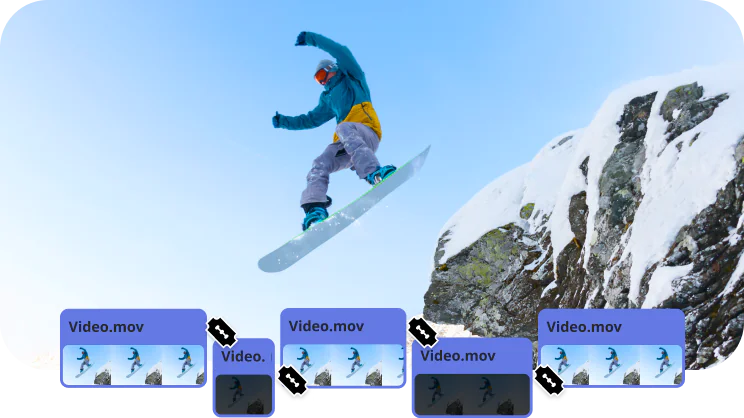
Frame-precise cutting and cropping
Precise cutting and cropping tools allow for quick, frame-level adjustments at any stage of editing. Movavi Video Editor's Blade tool handles instant cuts to isolate specific moments, while a pre-timeline trim feature extracts short segments from long source files before they are even added to the project. For formatting, the standard cropping tool adjusts aspect ratios, backed by a one-click AI auto-crop feature that automatically keeps the primary subject centered in the frame. Available in the free version.
- Frame-accurate cuts: makes instant cuts to isolate specific moments with high precision
- Pre-timeline trimming: extracts short segments from long source files before adding them to the project
- One-click AI auto-crop: adjusts aspect ratios while automatically keeping the primary subject centered
Up to 100x video acceleration
Movavi Video Editor's video speed control tool allows footage to be accelerated up to 100x the original speed. This feature compresses long recordings into short sequences, making it suitable for creating time-lapses, condensing long process recaps, or adjusting the overall pacing of the project. Available in the free version.
- Up to 100x speed adjustment: accelerates footage up to 100 times its original speed to compress long sequences into short clips
- Streamlined time-lapse creation: converts extended recordings, such as long process recaps or scenic footage, into high-speed time-lapses
- Dynamic pacing control: adjusts clip velocity to manipulate the energy and flow of the video
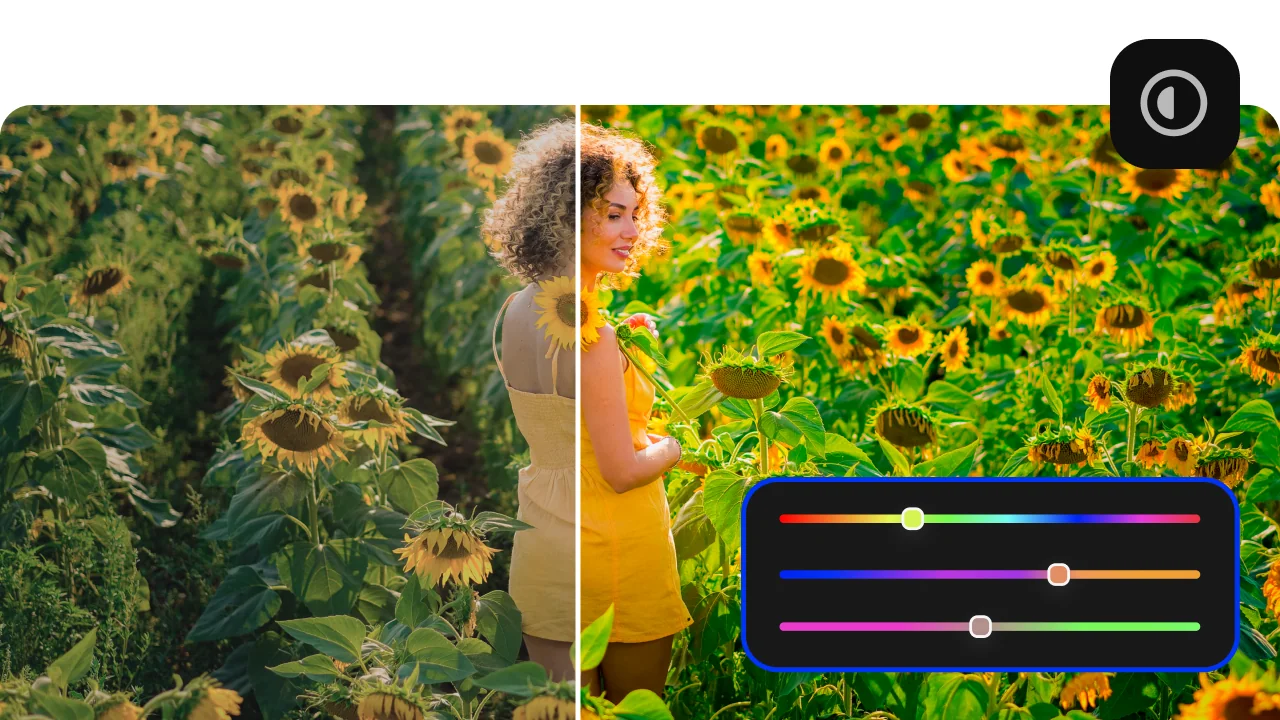
Pro-quality color correction
Easy-to-use color correction tools provide instant visual enhancements through automated presets alongside advanced controls for manual grading. Users can apply ready-made color configurations for immediate styling or utilize fine-tuning adjustments to manually balance tones, contrast, and saturation. These grading features optimize overall visual quality to ensure high-impact viewer engagement across different platforms. Available in the free version.
- Ready-made presets: applies instant color configurations for immediate style and tone adjustments
- Manual fine-tuning settings: provides detailed controls to precisely adjust color, contrast, and exposure levels
- Engagement-optimized grading: enhances overall visual quality to maximize audience appeal and viewer interaction
Movavi Ideas
Movavi Ideas is an ever-growing tutorial hub of simple yet eye-catching video editing tricks, published weekly and free to access. Each idea includes a clear, step-by-step tutorial that takes less than a minute to follow, making it easy for beginners to get started and giving everyday creators new techniques to explore. Packed with creative tips, these ideas cover a wide range of themes and formats, from vlogs, short vertical clips, and business content to holidays, family videos, memes, and more.
- Weekly updates: new video editing ideas added every week to keep up with modern trends
- Quick step-by-step guides: short, clear tutorials designed for immediate results
- Dozens of themes: a wide range of styles and formats to fit any creator's needs
- Totally free: all ideas are available at zero cost
Movavi Video Editor pros and cons
Easy-to-use AI tools
Free editing tricks with step-by-step tutorials, new every week
Built-in intros, outros, stickers, backgrounds, and subscribe buttons for YouTube
Works offline with no cloud required
Customizable video templates built from Blocks, with editing, music, transitions, and text already built in
One-click AI tools with no credits at one fixed price
Flexible plans: start for free and add only the effects and templates you need
Movavi Video Editor lacks advanced, detailed controls for a professional workflow
No flexible UI customization
No web version or cloud integration
Licence and subscription options
Movavi Video Editor Free
The free version is downloaded directly from the official website and gives access to essential editing features alongside automated tools like auto subtitles, auto crop, and silence removal. While all tools can be tested within the app, using paid features will restrict video export; additionally, standard free-tier limitations apply, including a 60-second length cap, limited codec support, no export in 4K resolution, and a mandatory watermark. The free version is ideal for testing the software's capabilities, and users can upgrade to the full version at any time to remove all export restrictions and the watermark.
Movavi Video Editor Lite
Movavi Video Editor Lite is a standalone version of Movavi Video Editor that provides access to core editing tools, auto subtitles, auto crop, silence removal, and all the built-in effects. Exported videos include a small watermark, and certain features are limited – such as AI noise removal, AI background removal, chroma key, stabilization, animation, and audio effects. Users can upgrade to the full version at any time to remove all restrictions and the watermark.
Movavi Video Editor (Full version)
The full version of the program with access to all features, including one-click AI tools – no watermark or other export limitations. Users can additionally buy a subscription to Movavi Effects to unlock 10,000+ extra effects and 1,500+ music tracks. All AI tools are included in the full version – no credits to buy or count.
Movavi Effects
An additional subscription that expands Movavi Video Editor's built-in tools with 10,000+ creative elements and 1,500+ music tracks spanning a massive variety of themes and moods. All effects can be previewed directly on the user's video for free – and even saved with a watermark before purchase.
Movavi Templates
An additional subscription that expands Movavi Video Editor's built-in tools with the full collection of ready-made yet customizable video templates and Blocks, covering themes from vlogs and business promos to family videos and holidays. Several templates are included in the full version of Movavi Video Editor at no extra charge; the subscription unlocks the entire library.
Movavi Video Editor has options for a wide range of creators, with highly flexible plans for every budget. From basic licenses and feature upgrades to effects and templates packs, the program provides a variety of tailored options so everyone can choose the exact setup they are most comfortable using.
Whether users are just starting out or working on bigger projects, Movavi Video Editor scales to their needs and budget. It offers flexible entry points, allowing users to easily add feature upgrades and creative effects packs when needed. This tailored approach ensures they only pay for what they actually need.
Movavi Video Editor offers a high level of flexibility with tailored tiers for different budgets. Instead of a one-size-fits-all license, it allows creators to start with a free version and add tools or creative effects as needed. This modular approach helps everyone build an editing toolkit that works for them.
Frequently asked questions
What features does Movavi Video Editor have?
What features does Movavi Video Editor have?
Movavi Video Editor is an intuitive video editor with customizable video templates, one-click AI tools, and hundreds of drag-and-drop effects. Its main features are:
- Video templates: a multi-style library of customizable, pro-looking, modular templates for any kind of video. Editing, music, transitions, and text are built in, and each template is made of Blocks you can reorder, add, remove, or swap.
- One-click AI tools: auto subtitles in 100+ languages with word-by-word highlighting, AI video denoise, AI audio noise removal, silence removal, auto-tracked cropping for vertical videos, AI motion tracking, and AI background removal. No credits are needed.
- Drag-and-drop effects: hundreds of built-in titles, transitions, filters, overlays, and copyright-free music tracks, plus 10,000+ more effects with Movavi Effects.
- Editing essentials: hover previews, frame-accurate cutting, pre-timeline trimming, cropping, speed control up to 100x, color correction presets, stabilization, chroma key, and animation.
- Movavi Ideas: free editing tricks with step-by-step tutorials, new every week.
Movavi Video Editor is a desktop app for Windows and macOS.
What is Movavi Video Editor?
What is Movavi Video Editor?
Movavi Video Editor is an intuitive video editor with customizable video templates, one-click AI tools, and hundreds of drag-and-drop effects. You can use it for vlogs, business promos, family clips, or lessons and tutorials. Alongside the editing basics (cutting, cropping, color correction presets, and speed adjustment), it gives you customizable video templates for different moods and occasions, hundreds of drag-and-drop effects, and one-click AI tools such as auto subtitles, noise removal, and automatic vertical cropping. Because a template or a one-click tool handles the assembly work, a complete video on your first try is a realistic goal. And if you’re short on ideas, Movavi Ideas, our free hub of editing tricks with step-by-step tutorials, adds new ones every week.
Is Movavi Video Editor safe?
Is Movavi Video Editor safe?
Yes. Movavi Video Editor comes from Movavi, an international software company whose programs are used by more than 70 million people worldwide. The safest way to get it is straight from the official Movavi website, which is also where Movavi Video Editor Free is downloaded, so you can try the editor on your own computer before you pay for anything. The editor is also actively maintained, with 25+ updates a year that have recently added tools like auto-tracked cropping and one-click video denoise.
Is Movavi Video Editor really free to use?
Is Movavi Video Editor really free to use?
You can start for free. Movavi Video Editor is downloaded from the official Movavi website and gives you the essential editing tools plus automated ones like auto subtitles, auto crop, and silence removal, so you can test the editor on a real project before paying anything. The free version exports videos up to 60 seconds long with a watermark, and exports that use paid features are restricted. When you’re ready, upgrade to the full version to get every tool, including the one-click AI features, with no watermark or export limits. Later, you can add a Movavi Effects subscription for 10,000+ extra effects and music tracks, or a Movavi Templates subscription for the whole template collection, so you only pay for what your videos actually need.
How do I remove the watermark from my video in Movavi Video Editor?
How do I remove the watermark from my video in Movavi Video Editor?
The watermark depends on the edition you’re using: Movavi Video Editor Free adds one to every export, and Movavi Video Editor Lite adds a small one. To get rid of it, upgrade to the full version of Movavi Video Editor, which has no watermark or other export limits.
Is Movavi Video Editor easy to use/learn?
Is Movavi Video Editor easy to use/learn?
Yes. Movavi Video Editor runs on a drag-and-drop workflow: hover over a clip, effect, or transition to preview it, drag it onto the timeline, and you’re done, while most tools, like auto subtitles or silence removal, work in a single click. Templates make the start even easier. Movavi Video Templates is a multi-style library of customizable, pro-looking, modular templates for any kind of video. Every template is a ready-made project that already has editing, music, transitions, and text, and it’s divided into Blocks, short segments such as an intro or a countdown. You drop your own clips, photos, and text into the Blocks, then keep them in their original order or reorder, add, and remove them until the video fits your story.
What are Movavi Video Templates, and how do they work?
What are Movavi Video Templates, and how do they work?
Movavi Video Templates are a library of ready-made, customizable video projects in many styles, from vlogs and business promos to family videos, holidays, and reviews. Each template arrives with the editing, music, transitions, and text already set up, so your video’s structure and pacing are done before you start. Templates are split into Blocks: short, pre-edited segments, for example an intro, a countdown, a quick cut, or an animated collage, where your own clips, photos, and text go.
Getting a pro-looking video takes just a few clicks. Add your media with the Add Files button, pick a template on the Templates tab, and drop it onto the timeline. Then double-click a Block to replace the placeholder with your own footage and retype the text. Nothing is locked: you can reorder, add, swap, or remove Blocks, keep the template’s music or replace it, or build a whole video from Blocks alone. Several templates come with the full version of Movavi Video Editor at no extra charge, and the complete collection of templates and Blocks is available with a Movavi Templates subscription.
Does Movavi Video Editor support AI editing?
Does Movavi Video Editor support AI editing?
Yes. Movavi Video Editor includes one-click AI tools for the routine parts of editing: auto subtitles in 100+ languages with word-by-word highlighting, video denoise for grainy low-light clips, audio noise removal for wind or traffic, and silence removal that cuts pauses automatically. Auto-tracked cropping keeps a speaker or product centered when you turn a horizontal video into a vertical one, AI motion tracking pins a title or sticker to a moving subject, and background removal swaps the backdrop behind a person without a green screen.
Can I automatically enhance my video quality in Movavi Video Editor?
Can I automatically enhance my video quality in Movavi Video Editor?
Yes. One-click video denoise clears grain and low-light artifacts while keeping faces, textures, and edges sharp, and ready-made color correction presets fix tone and contrast in a click, with manual sliders if you want to fine-tune. Stabilization smooths out handheld shake, and for sound, the sound autocorrect presets clean up your audio in one step.


1.5M+ users already subscribed to our newsletter