Slideshow Maker: Create Photo Slideshows with Movavi Video Editor
Your simple yet powerful editor for slideshows – just updated!
NEW: Customizable templates for any occasion, made of Blocks
NEW: Blocks – pre-edited video segments you can customize
Adjustable duration for all photos at once, transitions, pan and zoom across every shot
Auto subtitles, copyright-free music, hundreds of drag-and-drop effects, and more
By clicking the download button, you're downloading a free version of the program.*
Create slideshows in 3 easy steps
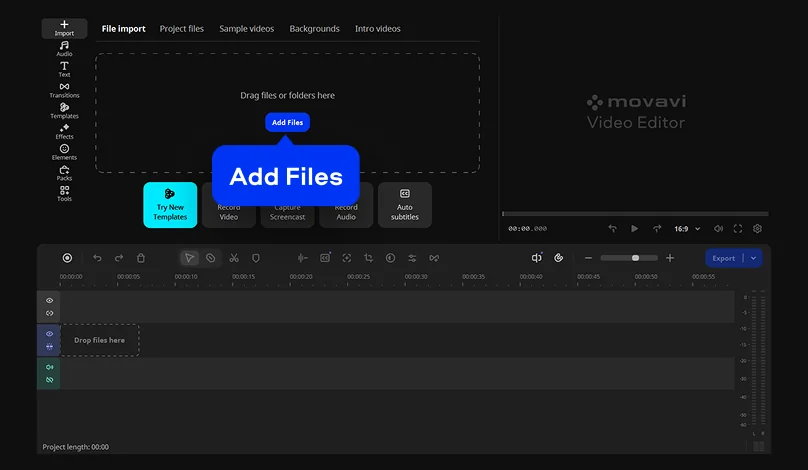
Add your photos and clips
Click Add Files to bring in your pictures, videos, and music. JPEG, PNG, MP4, MOV, MP3, and WAV are all supported.
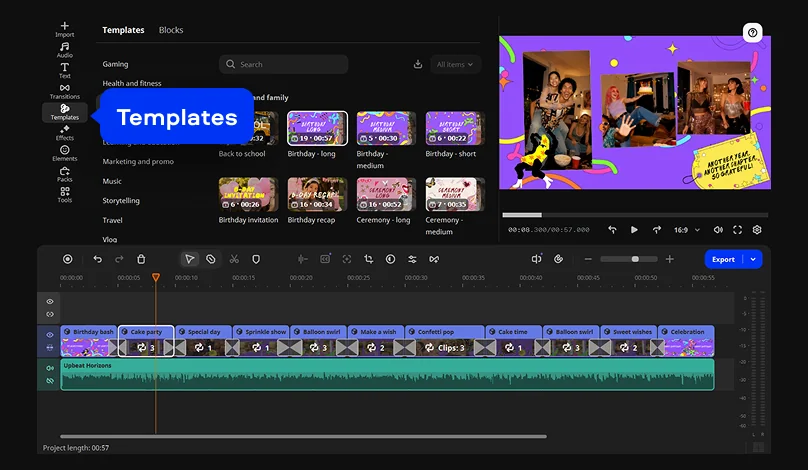
Choose a template
Open the Templates tab and drop the template that fits your occasion onto the timeline. It comes with music, titles, and transitions already set. Double-click a Block to swap in your photos and edit the text. You can also reorder, add, or remove Blocks to make your slideshow as short or as long as you like.
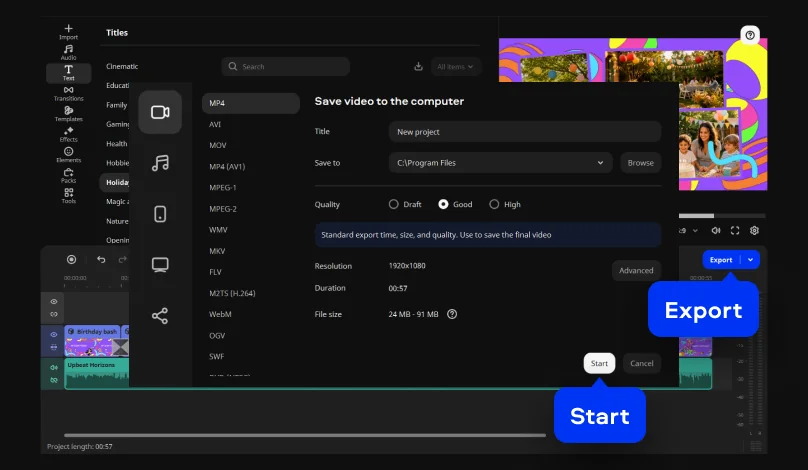
Export and share
To save the result, click Export, choose a format, hit Start – and your awesome slideshow is ready!
Features to spark ideas
Here for You, Every Step of the Way
Microsoft® Windows® 10/11 64-bit with up-to-date patches and service packs installed
Intel®, AMD®, or compatible dual-core processor, 1.5 GHz
Intel® HD Graphics 2000, NVIDIA® GeForce® series 8 and 8M, Quadro FX 4800, Quadro FX 5600, AMD Radeon™ R600, Mobility Radeon™ HD 4330, Mobility FirePro™ series, Radeon™ R5 M230 or higher graphics card with up-to-date drivers
1280 × 768 screen resolution, 32-bit color
4 GB
Show allHide
400 MB available hard disk space for installation, 600 MB for ongoing operations
Administrator permissions are required for installation
*The free version of Movavi Video Editor may have the following restrictions depending on the build: watermark on exported clips, 60-second video or 1/2 audio length limit, and/or some advanced features unavailable when exporting videos.


1.5M+ users already subscribed to our newsletter