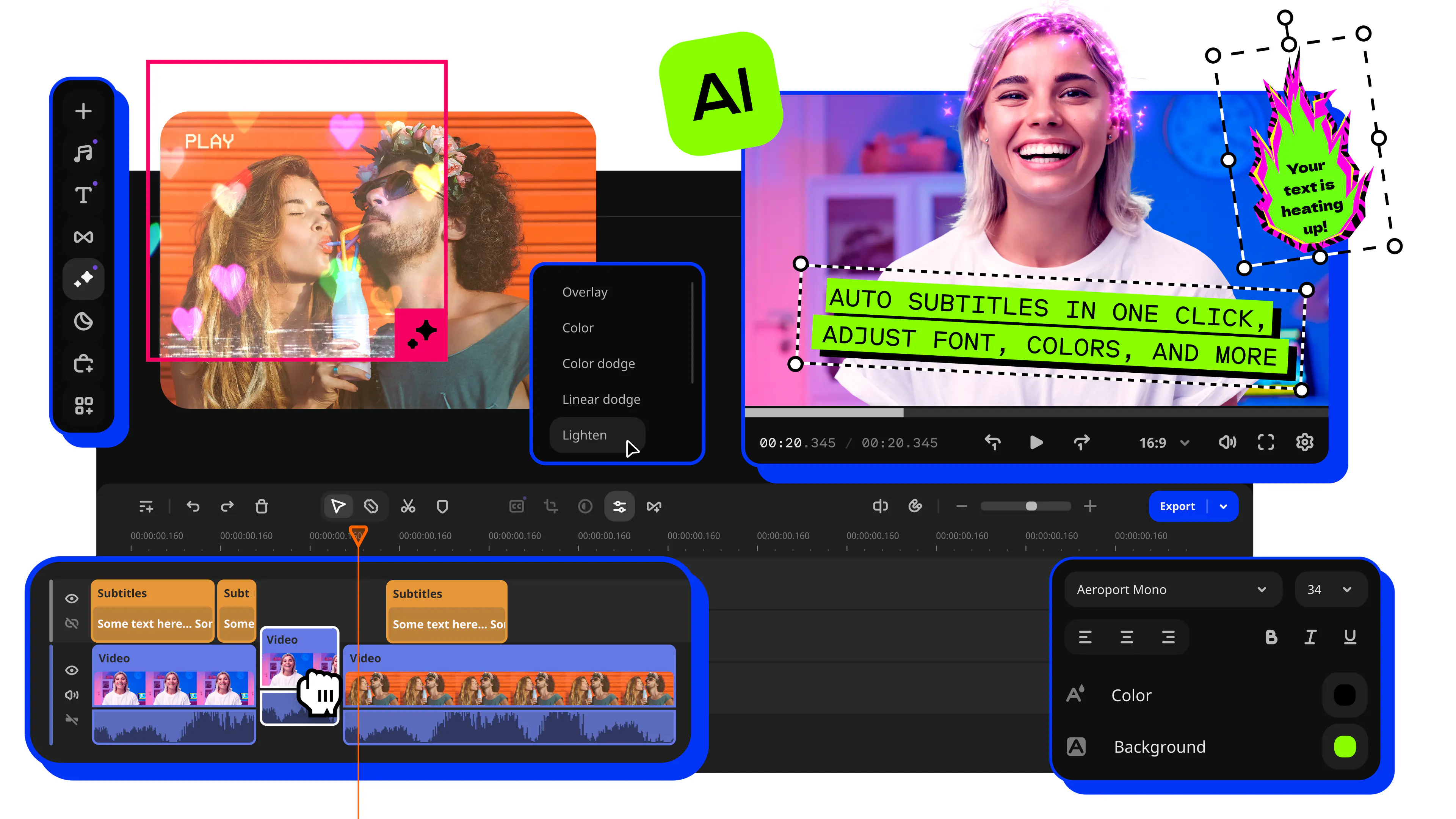
What’s new in Movavi Video Editor
Check out our latest updates! To start using them in your videos, make sure you're running the latest version of Movavi Video Editor.
Not sure which version you have? Head over to Help → About to check.
MAJOR RELEASE – VERSION 27
September 29, 2026
Meet the headliner – Movavi Templates. Take one as-is, or change it however you like: move the Blocks around, add more in a snap, and adjust to match your vibe. Enjoy a brand-new way to build videos!
- Movavi Templates
Each template has it all built in: pro-looking editing, catchy music, transitions, text, and more. Take one as-is, or change it however you like: shuffle the template Blocks, add new ones, customize easily. Vlogs, business promos, family videos, and beyond – whatever you're creating, shape it your way.
- Movavi Blocks
Movavi Blocks are short, pre-edited video segments you can make your own – swap in your videos, photos, and text with ease. Choose from intros and countdowns to quick cuts and animated collages. Drop them between your clips, or build an entire video Block by Block. Either way, it all comes together – looking awesome every time.
Version 26.24.1
September 16, 2026
- Not very visible improvements this time, but useful for creating content faster.
Version 26.23.1
August 31, 2026
- Polished a few features to help you edit faster.
Version 26.21.2
August 4, 2026
- This version includes small improvements for better editing.
Version 26.20.0
July 20, 2026
- Some under-the-hood improvements that'll be useful for faster content creation.
Version 26.19.0
July 7, 2026
- No major new features, just thoughtful polishes that speed up your workflow.
Version 26.17.0
June 8, 2026
A new set of subtitle styles
- Check out our latest drop of ready-made subtitle styles with active word highlighting – fully designed and ready to use. Each one has its own vibe, so you can quickly find the perfect match for your video. Give them a spin and pick your favorite.
Version 26.16.0
May 25, 2026
Upgraded auto-cropping
- The Auto сrop tool is now faster and adjusts both your video and project aspect ratio in one pass. Quickly transform horizontal clips into Reels, Shorts, vlog teasers, and more, all while automatically keeping the main subject perfectly in frame – whether it’s a person, a product, or your beloved pet.
Version 26.15.0
May 12, 2026
Word-by-word subtitle highlighting
- Try active word highlighting in your subtitles – that karaoke-style effect you’ve probably seen in popular creator videos. The tool automatically highlights each spoken word, making your videos way easier to follow and giving them that stylish blogger vibe everyone loves.
Version 26.14.0
April 27, 2026
- This version includes small improvements for better editing.
Version 26.13.0
April 13, 2026
- Just a little fine-tuning, so now you can edit with much ease.
Version 26.12.0
March 30, 2026
Quick video denoise
- Clean up grain in no time. AI smooths out visual noise without blurring faces or small details – perfect for low-light clips, on-the-go phone footage, old videos, or greenscreen scenes where sharp edges matter. To try it, open Color adjustments and simply drag Denoise onto your clip – that’s it, your clip is now clean and ready to shine.
Version 26.11.0
March 16, 2026
- Small fixes for better performance.
Version 26.10.0
March 2, 2026
Auto-tracked cropping
- Crop videos while keeping the speaker or product centered – automatically. The tool follows the main subject and adjusts the frame on-the-go. Perfect for transforming horizontal clips into vertical while still highlighting what matters most.
Version 26.9.0
February 16, 2026
Pre-timeline trimming
- Pre-trim your videos before they ever hit the timeline with quick fragment selection. Drop the exact part you need instead of the whole file, keeping your project clean and saving time so you can get straight to editing.
New motion controls
- Level up your animation with the new expanded motion controls. Now you can precisely adjust movement with curves, making it look more fluid and dynamic.
Version 26.8.0
February 2, 2026
Safe music sharing on YouTube
- Uploading videos with music online is now completely worry-free! Simply mention Movavi in your video’s title, description, or tags to avoid YouTube restrictions and keep your content sounding just the way you planned.
Version 26.7.0
January 19, 2026
- Just a minor upgrade to keep everything running smoothly.
Version 26.6.0
December 22, 2025
New translation languages for auto subtitles
- Now your videos can speak more languages! In addition to English, you can now instantly translate auto subtitles into Spanish, Korean, Portuguese, Russian, Hindi. The easiest way to make your videos get more views and likes from the international audiences.
Version 26.5.0
December 8, 2025
- This version is all about making Video Editor more reliable and a bit nicer to edit with.
Version 26.4.1
November 25, 2025
- Fewer bugs, more efficiency: this version includes small improvements for better editing.
Version 26.4.0
November 24, 2025
Faster effects loading
- Transitions, stickers, titles, and other effects now load much faster. Try them out right away – no more long waits or oversize downloads.
Instant clip trimming
- We simplified and made trimming almost effortless. No need to select a precise trimming point anymore – now you can hover the mouse over the edge of a clip and drag to cut. Quick and efficient!
Fixed issues:
- No major new features, just thoughtful polishes that speed up your workflow.
Version 26.2.0
October 27, 2025
- This version is all about making Video Editor more reliable and a bit nicer to edit with.
Version 26.1.0
October 13, 2025
- Fewer bugs, more efficiency: this version includes small improvements for better editing.
Version 26
MAJOR UPDATE
October 2, 2025
30+ fresh subtitle styles
- Upgrade your automatic captions with new designs. Customize your text in the Styles tab with a single click. Optional advanced settings are also available in the dedicated Design tab.
Subtitles in English – instantly
- Translate auto-subtitles into English with a click – no dictionaries or online services needed. Once translated, configure and fine-tune the subtitles using the standard editing tools.
40+ adjustable effects
- Enhance your videos in a click with new realistic effects – from dust particles and light leaks to retro-style and VHS. Every effect is fully customizable – so it will fit any clip perfectly and bring an extra spark to your edits.
Ultra-fast playback
- Show more in less time with video speed control of up to 100x. Perfect for epic time-lapses, long process recaps, or whenever you want to add some extra energy to your content. Magnetic zones are marked with dots, and the 1x value is indicated by a vertical line.
Caption export
- Export subtitles in SRT format file to your computer using either of the following methods:
- Click the Save button in the top right corner
- Right-click the subtile and choose the Export option in the menu
Silence removal – in a click
- Cut out unwanted pauses automatically or fine-tune the pause length and volume threshold yourself. Skip the tedious cleanup and make your videos more dynamic.
Fast effect copying
- Effortlessly duplicate any effect from one video to another: click Clip effects in the dropdown menu and proceed to copy or paste.
Version 25.15.1
September 22, 2025
- Fixed some bugs to make things work better and faster.
Version 25.15.0
September 15, 2025
Improvements:
- Exported files are now up to 30% smaller. The good quality export now gives you lighter videos without losing clarity or slowing down the export. More space for what matters.
- Subtitle export became easier. Your project name is now used automatically for SRT files. One less thing to type!
- Major upgrades are now seamless. You keep your tutorials marked as done, your recent projects and folders remembered, and all your presets, favorites, intros, and titles ready to go. No annoying repeat work needed.
- HD clips are optimized almost 3x faster, giving you smoother video editing process and quicker results. Less waiting, more creating.
Fixed issues:
- Cleaner timeline previews. Hidden clips stay hidden while skimming. Less clutter, more focus.
- Fixed the cause of crashes when adding intros, so your edits keep flowing.
Version 25.14.0
September 1, 2025
New:
- Bring your subtitles anywhere with the new .SRT export! Easily generate subtitle files for your videos and share them anywhere – perfect for accessibility, translations, or adding captions on Youtube and other platforms. Just one click, and your dialogue’s ready to go.
Fixed issues:
- We fixed some bugs to make things work better and faster.
Version 25.13.0
August 18, 2025
- Fixed some bugs, and Video Editor is now even better.
Version 25.12.0
August 4, 2025
- Just a minor upgrade to keep everything running smoothly.
Version 25.11.0
July 21, 2025
- Fixed some bugs to make things work better and faster.
Version 25.10.0
July 2, 2025
New:
- Check out our new Silence removal tool! Cut unwanted pauses automatically for a quick clean up, or fine-tune the pause duration and volume threshold yourself. Now you can leave all the dull stuff to Video Editor, focus on the fun part, and make your videos more dynamic.
Improvements:
- Added names to the sidebar buttons so you always know what’s what. Find tools faster and keep your editing flow seamless.
Version 25.9.0
June 16, 2025
New:
- Copy effects from one clip to another in a snap. Just right-click the clip → Clip effects → Copy effects. Then right-click again to paste. Try it once, and it might just become your new favorite feature.
Improvements:
- Enjoy speedier, smoother previews – now up to 20% faster! Hover over any clip to see the difference. Especially handy when you’ve got a load of clips on the timeline.
- Speed up editing with new keyboard shortcuts. Cmd + Z to undo, Cmd + scroll to zoom the timeline. You’ll find the full list in the Help menu.
Fixed issues:
- Some under-the-hood improvements that’ll be useful for faster content creation.
Version 25.8.0
May 19, 2025
New:
- A new Add Files button is now always at hand. We’ve made it really visible, so you can now quickly add photos and videos to your project.
Fixed issues:
- We fixed some bugs to make things work better and faster.
Version 25.7.0
May 12, 2025
New:
- Now you can change LUT intensity on your videos. Simply move the slider to adjust the LUT filter to how you want it to be.
- Audio and video synchronization is now always close at hand. Right-click on the clip on the timeline, then select Sync clips. Quick and easy!
Fixed issues:
- Auto subtitle editing is now super-precise. The program always knows which subtitle you're working on and moves the orange slider to the right spot on the timeline.
- No more shaky videos while using Pan and zoom templates. The camera moves smoothly again, with no stuttering.
- Now, video brightness remains unchanged after you save the video, with no unexpected darkening or glitches.
Version 25.6.0
April 7, 2025
Improvements:
- We’ve improved the timeline workflow and simplified the creation of new tracks. Spend less time navigating your project and more time being creative!
- Tracks are now single-level, making clip management simpler and more efficient. You can also toggle clip visibility and sound with a single click.
- We’ve reworked the clip-moving algorithm so that clips won’t overlap or interfere with each other, making editing more predictable and convenient.
- The process of copying clips has been changed. Clips will now be inserted fully to the right of the slider and immediately appear on the timeline, making the copied clip visible. Holding down Ctrl while moving a clip creates a copy of one or more clips.
- Titles are now only placed on special title tracks, marked in gray.
- We’ve optimized clip speed adjustment. Transitions in a clip may limit speed, so the program will automatically select the maximum speed value for the chosen clip.
Version 25.5.0
March 17, 2025
- Minor improvements and bug fixes.
Version 25.4.0
February 24, 2025
Improvements:
- There is now a slight delay before the Blade tool displays the timestamp next to the cursor, making it easier to preview and cut clips.
Fixed issues:
- Fixed an issue where video tracks in imported files were not correctly recognized.
- Resolved several bugs in the background removal process on additional video tracks — now there are no more broken previews or save errors.
- Fixed a problem that prevented the program from reopening after being closed.
Version 25.3.0
February 3, 2025
New:
- Now you can easily work with videos that have multiple audio tracks! When you add these videos, the main audio track is automatically linked to the video, while the rest of the audio tracks are placed below on other tracks in the timeline. You can detach the main track for individual editing or restore it if all audio tracks were deleted.
Fixed issues:
- Fixed a bug in exporting projects with applied audio reverberation.
- Fixed some issues with editing titles.
- Fixed a bug with lost frames in edited HEVC videos.
Version 25.2.0
January 13, 2025
New:
- Added a new Save Video preset — MP4 (AV1). The AV1 codec provides improved video compression and better video quality with a lower bitrate.
Improvements:
- It is now easier to work with the H.265 codec. You can view a list of all unsupported files and choose an appropriate way to convert them to a Video Editor-compatible format.
Fixed issues:
- Fixed problems with the Movavi Effects title animation.
- Fixed project saving errors to prevent crashes at the start of the process.
- Fixed title errors with right-to-left languages (e.g., Arabic and Hebrew).
Version 25.1.0
December 2, 2024
New:
Added smooth continuous scrolling through categories within content collections and a search filter. Now you can browse through all sections effortlessly and separate paid from free items using the filter.
Added a large collection of music that can be used for commercial purposes.
Improvements:
Introduced a helpful hint when adding effects to guide you in placing them on the timeline correctly.
Navigation between settings, tools, and collections is now faster and more convenient with the “Back” button.
Enhanced audio capabilities mean you can now convert audio to mono format for individual clips and when exporting a project. This is particularly useful when sound is coming from only one channel.
Fixed issues:
Fixed some issues that could cause the program to crash.
Version 25.0.1
October 21, 2024
Fixed issues:
Fixed some issues that caused the program to crash.
Version 25
MAJOR UPDATE
October 14, 2024
New
- Create subtitles effortlessly with our new Auto subtitles feature! AI now takes care of recognizing speech and creating and syncing subtitles to your video. Plus, you can easily adjust them for perfect accuracy. It's a great way to save time and make your content more accessible!
- Speed up your workflow with previews on hover. Hover over content cards to get a quick glimpse of media, effects, transitions, and more. No need to open files – just preview, select, and go!
- Quickly find key moments with our timeline hover preview. Skip the guesswork and review clips instantly by moving your cursor along the timeline.
- Discover new free effects – from bold filters to trending transitions. Get creative with fresh stickers, titles, and effects to make your videos stand out like never before!
Improvements
- Experience the improved Movavi Video Editor, featuring faster exporting, enhanced stability, and a smoother editing process. Your video editing experience will be more efficient and enjoyable from start to finish.
Version 24.6.0
July 8, 2024
New
- Turn the volume up to enjoy thousands of new melodies! We have updated and completely reorganized the “Music” tab: all the built-in music is now sorted by genre and mood. Finding the soundtrack to perfectly match your video’s vibe has never been easier!
- The “Sounds” tab has also been greatly expanded and now is organized by theme to simplify your editing experience. Unleash your creativity and enjoy quicker access to 600+ sounds with our new categories.
- We’ve added the most convenient way to look up recently used transitions, titles and all the other elements and effects applied to your project. Find them within one click in the “Recent” effects category.
Improvements
- First and last video frames are now indicated in preview.
- Projects open 20% faster now.
Version 24.5.1
June 24, 2024
Minor improvements and bug fixes.
Version 24.5.0
June 19, 2024
Improvements
Fast Track HD acceleration is now even faster! To optimize HD clips and significantly speed up the program, activate this acceleration. Click “Movavi Video Editor” in the upper-left corner of the program, then select “Preferences”, go to the “Acceleration” tab, and check the box next to “Optimize HD clips”.
The design of the player has been improved and its operation speeded up. We have brought back the clip switching buttons and added a full-screen playback control panel. Now previewing your videos is even more convenient, and the creative process is clearer!
The choice of font and text size for titles is now more convenient. Just hover over the desired option in the list to start previewing titles in the player.
Version 24.4.0
May 13, 2024
New
Brand new Snapping feature! No more "glueing" clips manually to each other and trying to precisely adjust the orange slider among other markers. Enable snapping so that the items on the Timeline are automatically snapped together and aligned.
Improvements
Minor interface improvements for a more comfortable experience.
Fixed issues
Fixed some activation issues.
Version 24.3.0
April 9, 2024
We have enabled hardware support for ARM processors on Macs. Our program will now run even faster and more reliably on the latest Mac models.
Version 24.3.0
April 4, 2024
New
Added an “Activated packs” category for content from separately installed and activated packs. Now you can easily find the effects and elements you need in the appropriate sections of the program.
Improvements
No more pre-installing effects and elements – just drag them onto the timeline and they will be installed automatically.
Video Editor has been taught to quickly recognize and notify you of changes in your Movavi Effects subscription.
Fixed issues
Fixed some issues with the equalizer templates so that they even work during playback in the player.
Fixed minor issues that could interrupt your creative flow.
Version 24.2.1
March 20, 2024
Minor improvements and bug fixes.
Version 24.2.0
March 12, 2024
New
- Brand new special effects. Create your own blockbuster movie right in Movavi Video Editor! You’ll find 20 new free special effects in the Elements section of the program.
- Now you can apply blending modes to any video clip. Create video masterpieces with even more possibilities.
Improvements
- Improved color display for HDR videos. This type of video now displays correctly.
- Adding effects and content on the timeline while using the Blade tool has made video editing even more convenient.
- Content installation is now twice as fast. Explore all the creative possibilities the new speed gives you.
Fixed issues
- Fixed some issues that caused the program to crash.
- Fixed some issues with intros. Now, intro previews are played automatically right after installation, you can delete free intros from your disc, and the number of intros is displayed correctly on the left side menu.
- Fixed an issue with the Position tool so that it now works correctly after resizing and moving clips.
Version 24.1.1
February 20, 2024
Improvements
- You can now activate all the packs at once, even if you purchased your Effect Store subscription with a different email. Simple and convenient!
Fixed issues
- Fixed problem downloading Video Editor and Movavi Effects content. Brighten up your projects with our awesome effects and elements without any hesitation!
- Fixed some issues that caused to the program to crush.
- Fixed minor bugs when working with clips and timeline.
Version 24.1.0
December 13, 2023
New
- New slideshow wizard design. Creating videos and slideshows quickly is now even easier and more fun.
Improvements
- Updated the player design. Previewing your videos is now simpler and more intuitive.
- Made transitions added to the timeline more prominent. No more lost or forgotten transitions between clips.
- Adding files to the program is now more convenient. Click on the dragging area on the timeline, select the desired video, audio, or photo in the window that opens. Handy highlights on the timeline show you where you can place your media.
Version 24.0.2
November 21, 2023
Improvements
- Adjusted the colors to create more contrast in the program screens. Buttons, sliders, and other interface elements are now easier to see. This makes working with Movavi Video Editor even more intuitive and enjoyable.
- Improved program performance with lower resolution screens. No more black stripes!
- Updated the content previews. Now it's easier to choose effects and elements for your videos.
Fixed issues
- Fixed errors when moving and resizing clips on the Timeline.
Version 24.0.1
October 24, 2023
- Minor improvements and bug fixes.
Version 24
MAJOR UPDATE
October 11, 2023
- Revamped timeline for easier editing
The new timeline is now clearer and more streamlined. Get your projects done faster and have more fun with anything – from short vids for socials to longer family movies. - Frame-precise cuts in a click
Give your videos a sharper look with the new Blade tool. Easily make precise cuts and create eye-catching montages like your favorite bloggers. - Pro-quality color correction
Get next-level color correction with the same simplicity. Boost colors in a snap and make more viewers fall in love with your videos. - AI motion tracking
Enhance reality in your videos with additional moving graphics. Just click, and AI will quickly attach any photos, videos, emojis, or memes to objects in your footage. - Perfect-match overlay effects
Now each overlay effect has 13 blending modes to choose from. Try each of them with the press of a button and pick the one that fits your video perfectly. - Our best effects – at your fingertips
Create awesome videos in any style with our huge collection of professionally designed effects. Now you can try them all right away, right in the app.
Version 23.5.1
September 14, 2023
- Minor improvements and bug fixes.
Version 23.5.0
September 13, 2023
New
- The minimum system requirements for screen resolution have been changed. The program now works perfectly with a resolution of 1280×720.
Fixed issues
- Autosave has been fixed. All your work with clips on the timeline is saved in the background.
- Fast Track HD acceleration has been fixed. Optimization of HD clips works without interruption.
Version 23.4.1
May 23, 2023
- Minor improvements and bug fixes.
Version 23.4.0
May 15, 2023
New
- New free media and effects. We've added cool transitions and expanded our collections of effects, backgrounds, intros, titles, and stickers.
Fixed issues
- Fixed some issues with effects packs downloading.
Version 23.3.0
March 27, 2023
New
- New colorful icon for the Movavi Effects. It’s hiding thousands of awesome effects – check them out!
- New way of sorting packs. Now, the icons for the most-recently installed packs will always be at the top of the list.
- Tracks are no longer linked by default. To link clips on different tracks, click the ”Link track” button at the left edge of the timeline.
- Gaps between clips are now enabled by default. To disable them, click the crossed-out arrow icon at the left edge of the timeline.
Improvements
- We’ve brought back the “Apply” button for cropping and rotating videos. No more worrying that your changes won’t be saved!
- Installed packs no longer disappear from “All”. Now you for sure won’t lose them.
- Only the second segment will be highlighted after splitting a clip. Deleting extra segments is now easier.
Version 23.2.1
March 2, 2023
- Minor improvements and bug fixes.
Version 23.2
February 21, 2023
New
- New project format – .mepj. Projects open and save faster. Your old projects also open with no problems.
Improvements
- You can now download all intros at once. No more one-by-one downloading!
- Video Editor no longer freezes during autosave. Edit videos at your own pace while all the changes are saved in the background.
- The program opens up to 30% faster.
Fixed issues
- The program no longer shuts down while opening large projects.
- Reduced RAM usage while adding files on the timeline and exporting.
Version 23.1.1
December 12, 2022
- Minor improvements and bug fixes.
Version 23.1
November 30, 2022
Minor improvements and bug fixes.
Version 23
MAJOR UPDATE
October 10, 2022
- AI background removal
Use the power of the AI to instantly swap backgrounds in your vacation videos with no green screens. Drop in a new vibrant scene and get ready for an avalanche of likes on TikTok! - AI noise removal
Cut through the noise if you partied hard this summer! Remove car, wind, and other uncool sounds from your videos with this new AI-driven audio denoiser. - Direct upload to TikTok
Get on the For You page this fall with direct sharing to TikTok. Upload your sunny vids straight from the app and collect tons of views and likes much faster! - Extra effects for YouTube
Let your creativity take effect! In addition to the 5 new frames, we’ll give you an exclusive pack of effects for YouTube at no charge – just because we love you. Try them out in your next hit!
Version 22.4.1
August 23, 2022
- The program will no longer shut down while you’re working with titles.
Version 22.4
August 15, 2022
- New music. We've expanded our collection of tracks. Now your videos will resonate in a new way.
- Transitions, intros, titles, stickers – you get everything! Try your preferred effect before you buy – just like in a physical store!
- Updated symbol for applied effects. Now they are marked on the timeline with an FX icon instead of a star.
Version 22.3
May 31, 2022
- AI-powered motion tracking. Take advantage of the improved algorithm to link titles, stickers, or masks to objects in your footage.
- Faster app launch. Make the most of the quick start to dive into creative work right away.
- HD optimization now works with M1 processors. If you had it turned off before, you can now turn it back on.
Version 22.2.1
March 31, 2022
- Fixed some issues of the last update.
Version 22.2.0
March 29, 2022
- Overlay effects for improved color adjustment. Customize the colors in your video to fit your style.
Version 22.1.1
February 3, 2022
- Minor improvements and bug fixes.
Version 22.1.0
December 22, 2021
- Reverberation. New audio tool to make your sound more voluminous.
- New tab for LUTs in the Color adjustment tool. Add your LUTs and use them in the videos.
Version 22
MAJOR UPDATE
October 12, 2021
- The magic audio enhance button
This awesome button will make your audio crisp in no time – automatically! No need to look for additional audio software to make it perfect. Now you can shoot video even in a noisy or windy environment and be sure that the output audio will still be great. - Manual sound adjustment
Of course, the audio enhance button is great. But if you need something special, you can adjust the audio settings manually to make the sound perfect for your particular video. - New audio effects
There’s no cool update without cool new effects! Meet the new Overload, Oscillation, and Vibrato audio effects. Try them now and enjoy new ways to modify voice, music, and other sounds. - Ability to combine effects and adjust the intensity
You can now add multiple audio effects to a single clip and adjust the intensity. Just imagine how many cool combinations you can create. - New look of the audio effect panel
Working with audio effects is now a lot easier – all thanks to the fresh new look of the audio effects window. Each effect is now a separate tile with its own corresponding icon. To add an effect, just drag it to the clip on the timeline. - Sound level visualizer
This new panel on the right-hand part of the timeline will let you ensure the overall sound in your project is neither too quiet nor too loud.
Version 21.4.0
August 3, 2021
- Additional export settings. Now you can ensure optimum export results.
- Tooltips. All features include tips for ease of use.
- Aspect ratio templates for social networks. Configure your videos appropriately for the target social network.
Version 21.3
May 25, 2021
- Motion tracking for titles and stickers. More elements now sync with your footage as it moves on.
- 8 transitions with sound for creative videos.
- Hotkeys for audio recording. Press CTRL + R/Cmd + R to start audio recording.
- Change the speed of your video without audio distortion.
- Adding a vertical file to a project. If the project’s settings don’t match the aspect ratio of the file, change the project’s settings in one click.
Version 21.2.1
March 15, 2021
Motion tracking. Place a mask on the object to highlight or conceal it in motion.
The editor now fits 720-pixel-high screens.
Version 21.1
December 16, 2020
- 13 new stylish transitions for spectacular videos.
- HD optimization is now faster.
- Autosaving now works for portable projects as well.
- Major Pan and Zoom improvements.
Version 21.0.1
November 10, 2020
- Minor improvements and bug fixes.
Version 21
MAJOR UPDATE
October 7, 2020
- LUTs
The long-awaited LUTs are finally here! Tweak the atmosphere in your videos, easily recreate the color schemes from your favorite movies, apply any LUT to videos from different cameras so all clips have the same color palette. - Audio synchronization
This new feature is useful for anyone who records audio and video separately, or who wants to synchronize sound from different cameras. Now this can be done in one click with no manual adjustments. - Blanks on the timeline
Leave empty space between clips to insert titles, pauses, or a transition to another scene. Move clips around on the timeline however you like for comfortable editing. - Enhanced transitions
You can now add transitions to overlay tracks as well as to the main video track. In addition, transition length can now be adjusted right on the timeline – just drag the transition edges between the clips to the left or right to change the duration. - Improved crop
The updated crop feature now retains the original video resolution. As a result, the quality of your videos will remain high even after cropping.
Version 20.4
June 30, 2020
- Effect packs collection from the Movavi Effects. New effects are available for download right from the editor via the Import tab.
- Partial project export. Now you can edit and save different parts of the project separately.
- Editor auto-update. All new features are downloaded automatically.
- Sleep mode is disabled during audio recording. It will no longer interrupt the process.
Version 20.3
April 7, 2020
- Move and zoom in on the clip in the player using the scroll wheel.
- New overlay presets for applying logos and triple split screen to show three clips on the screen at the same time.
- Picture-in-picture and split-screen effects moved to the Tools tab.
- Apply a logo to your video in one click with the new Logo tool.
Version 20.2.1
February 21, 2020
Minor improvements and bug fixes.
Version 20.2
February 18, 2020
- Save a snapshot of the player. Create previews for your YouTube videos quickly and easily.
High-resolution preview mode. See the final quality of the video while you’re editing it.
Switch between clips while previewing and easily navigate around your project.
Save your videos with no watermark right after you activate the program – no restart required.
Version 20.1
December 23, 2019
- New title style: add a background to the subtitle and choose the color.
- Add shadows to your text and adjust the effect. Choose the color and intensity of the shadow to create your own title style.
- The approximate video size is shown before the export in VBR.
- The program starts up twice as fast.
- Improved program stability while starting to export and downloading built-in media.
- Fixed some instances in which the Media bin behaved incorrectly.
- Fixed some small interface issues.
Version 20.0.1
November 6, 2019
- A video compression standard H265 (HEVC) is no longer supported.
- An icon on the Media bin previews now indicates a format of a file.
- All the files you use on the Timeline will be ticked in the Media bin to make video creating easier.
- The program will not shut down anymore while browsing files in the Media bin, dropping files on the Timeline and downloading the collection elements.
- Images that were constantly loading in the Notification Center are now displayed correctly.
Version 20
MAJOR UPDATE
October 8, 2019
- Brand New Design
We’ve improved the entire program's interface and given it a sleek new look and color palette. Now it’s a real pleasure to click those buttons, switch between tabs and menus. Just try it. - Media Bin
Managing your files becomes easier than ever. Now when you add videos or images, they will be stored in your media bin right within the program. The quick access lets you preview, filter and add your files to the timeline at any time. - New Built-in Effects
You can never have too many special effects. Enjoy the new glitchy and retro filters. Join scenes in a classy way with parallax transitions. - Filmstrip
Navigating through your videos is also easier. When you add a video to the program, you’ll see it frame by frame on the timeline. This is useful when you need to cut or trim your videos or apply effects at a specific point.
Version 15.4
May 29, 2019
- Don't miss out on fresh packs in Movavi Effects, helpful tutorials and other news. Click Notifications at the bottom of the Timeline to see what you can find!
- Now, when you click on the star icon to look through the effects applied to a clip, it will open a tab where you can remove the effects
- To remove black bars from several clips at once, select the clips you need and crop only one of them
- Apply noise reduction, audio effects or equalizer presets to several clips at once
Version 15.3.1
April 2, 2019
- Minor bug fixes and improvements
Version 15.3.0
March 28, 2019
- Enhanced automatic color correction: the results are now more visible on images
- Ability to save a group of color parameters as a preset for later use in multiple projects
- Ability to apply color adjustments to multiple videos
- White balance adjustment using the pipette tool
- Ability to apply filters to multiple clips at once via drag-and-drop
- Improved callouts: you can now set the style of arrows, adjust their length and direction
- Minor improvements and bug fixes
Version 15.2.0
February 20, 2019
- Ability to combine several projects into one
- Sharing files to Vimeo right from the program
- Ability to open projects using the Add Media Files button
- Ability to find missing or replaced project files faster
- Minor interface improvements
- Other small improvements and bug fixes
Version 15.1.0
December 11, 2018
- Timeline markers: mark interesting moments in your videos, add text comments to markers
- Handy animation presets in the Animation tab
- Improved video making algorithm in the Montage Wizard
- Ability to enable AMD hardware acceleration for faster performance
- Ability to open Movavi Video Editor projects in the standard Video Editor
- Keyboard shortcuts for some tools now displayed in the toolbar tooltips
- Bug fixes and other improvements
Version 15.0.1
October 19, 2018
- Minor bug fixes and improvements
Version 14.5.0
June 8, 2018
- New export options: ability to select a video codec and ability to choose a video bitrate type and adjust the quality level
- Ability to choose the aspect ratio for the project with a single button under the player
- Removal of the Project Settings button from the lower part of the program window
- Bug fixes and other improvements
Version 14.4.1
May 10, 2018
Minor bug fixes and improvements
Version 14.4.0
April 19, 2018
- Video Editor now supports effects sets from the Movavi Effects
- Ability to upload videos to Google Drive
- Ability to import RAW-files from digital cameras
- Ability to record audio from microphone even when the timeline is empty
- Bug fixes and other improvements
Version 14.3.0
February 20, 2018
- Video Editor is now optimized for use on 64-bit systems
- GIF added to export formats
- Ability to create custom Equalizer presets
- Ability to separate audio from a video file via the context menu
- Bug fixes and other improvements
Version 14.2.0
December 26, 2017
- Free media files from the program collections can now be downloaded on demand. Download individual videos, audio, or images that you like, or even whole collections
- Bug fixes and other improvements
Version 14.1.1
November 28, 2017
- Minor functional and interface improvements
Version 14.1.0
November 21, 2017
- Redesigned and simplified export window
- Adding transitions no longer alters the length of the videos
- Choice of three settings for transitions inserted between video segments: trimmed content, freeze-frame, and slow motion
- Bug fixes and other improvements


1.5M+ users already subscribed to our newsletter