What’s new in Movavi Video Suite
We constantly improve and provide additional features of our program. With each new release, Movavi Video Suite gets smarter, faster, and more functional.
MAJOR RELEASE – VERSION 27
September 29, 2026
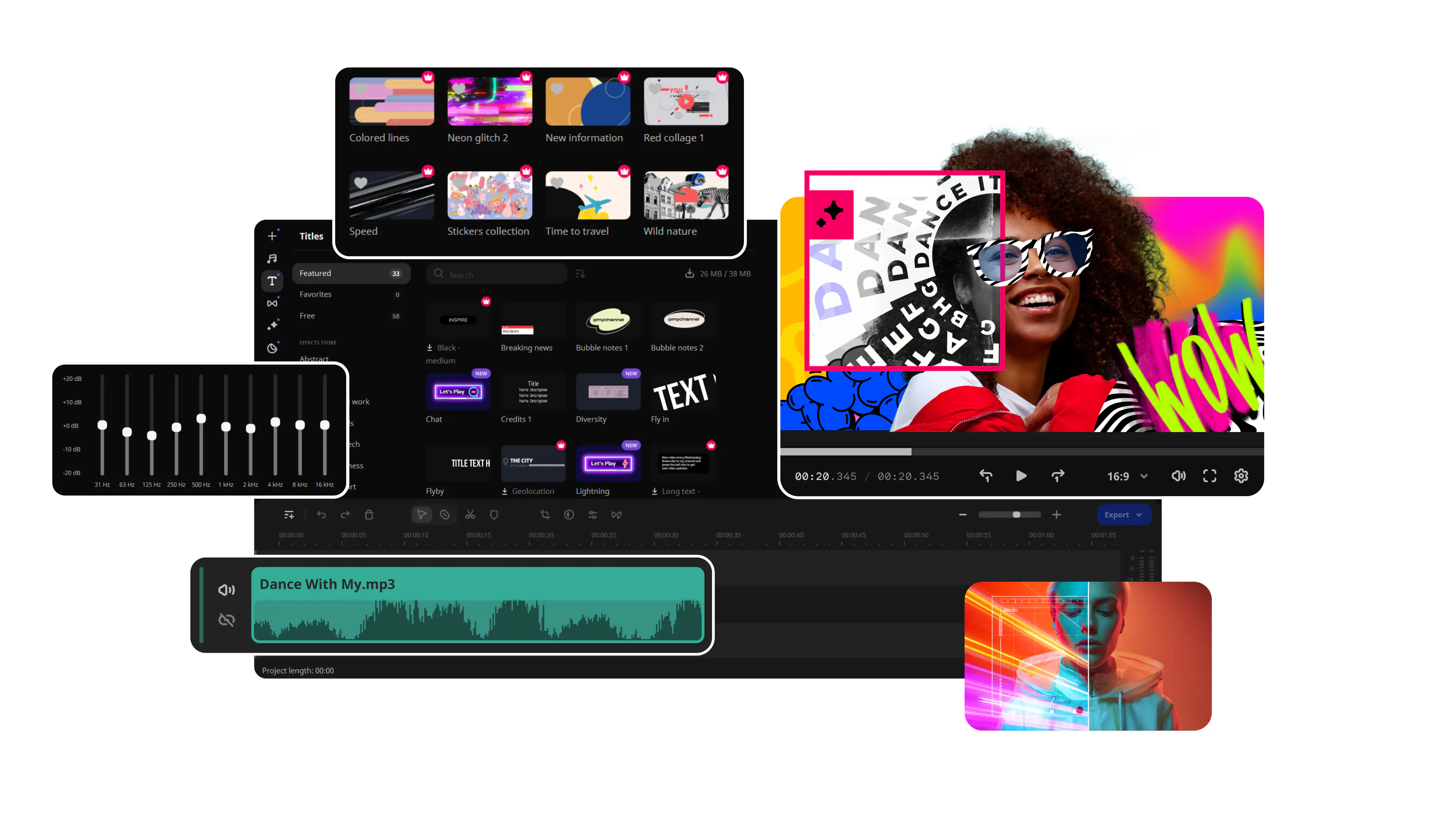
Meet the headliner – Movavi Templates. Take one as-is, or change it however you like: move the Blocks around, add more in a snap, and adjust to match your vibe. Enjoy a brand-new way to build videos!
- Movavi Templates
Each template has it all built in: pro-looking editing, catchy music, transitions, text, and more. Take one as-is, or change it however you like: shuffle the template Blocks, add new ones, customize easily. Vlogs, business promos, family videos, and beyond – whatever you're creating, shape it your way.
- Movavi Blocks
Movavi Blocks are short, pre-edited video segments you can make your own – swap in your videos, photos, and text with ease. Choose from intros and countdowns to quick cuts and animated collages. Drop them between your clips, or build an entire video Block by Block. Either way, it all comes together – looking awesome every time.
- Auto-tracked cropping
Crop videos while keeping the speaker or product centered – automatically. The tool follows your main subject and adjusts the frame on the go. Perfect for turning horizontal clips into vertical – and the subject is always the center of attention.
- Word-by-word subtitle highlighting
Turn on active word highlighting in your subtitles – that karaoke-style effect from popular creator videos. The tool highlights each spoken word automatically, for that stylish blogger vibe everyone loves. Now your viewers will never miss a word – literally!
- Quick video denoise
Clean up grain in no time. Our AI smooths out visual noise without blurring faces or tiny details – perfect for low-light clips, phone footage shot on the go, grainy old videos, or greenscreen scenes where crisp edges count. Your footage just cleaned up nicely!
- Pre-timeline trimming
Trim your clips before they ever hit the timeline. Grab just the part you need instead of the whole file – no bloated projects, no endless scrubbing, just the footage you'll actually use. Straight to the point – and straight to editing.
Version 26.1.1
August 13, 2026
- No major new features, just thoughtful polishes that speed up your workflow.
Version 26
MAJOR UPDATE
October 2, 2025
New in Movavi Video Editor:
- 30+ fresh subtitle styles. Upgrade your automatic captions with new designs. Customize your text in the Styles tab with a single click. Optional advanced settings are also available in the dedicated Design tab.
- Subtitles in English – instantly! Translate auto-subtitles into English with a click – no dictionaries or online services needed. Once translated, configure and fine-tune the subtitles using the standard editing tools.
- 40+ adjustable effects. Enhance your videos in a click with new realistic effects – from dust particles and light leaks to retro-style and VHS. Every effect is fully customizable – so it will fit any clip perfectly and bring an extra spark to your edits.
- Ultra-fast playback. Show more in less time with video speed control of up to 100x. Perfect for epic time-lapses, long process recaps, or whenever you want to add some extra energy to your content. Magnetic zones are marked with dots, and the 1x value is indicated by a vertical line.
- Caption export. Export subtitles in SRT format file to your computer using either of the following methods:
- Click the Save button in the top right corner
- Right-click the subtile and choose the Export option in the menu
- Silence removal – in a click. Cut out unwanted pauses automatically or fine-tune the pause length and volume threshold yourself. Skip the tedious cleanup and make your videos more dynamic.
- Fast effect copying. Effortlessly duplicate any effect from one video to another: click Clip effects in the dropdown menu and proceed to copy or paste.
Version 25.3.0
September 15, 2025
- Performance improvements and bug fixes so everything works better and faster.
Version 25.2.0
July 14, 2025
- Minor improvements and bug fixes.
Version 25.1.0
November 1, 2024
- Minor improvements and bug fixes.
Version 25
MAJOR UPDATE
October 14, 2024
New in Movavi Video Editor:
- Create subtitles effortlessly with our new Auto subtitles feature! AI now takes care of recognizing speech and creating and syncing subtitles to your video. Plus, you can easily adjust them for perfect accuracy. It's a great way to save time and make your content more accessible!
- Speed up your workflow with previews on hover. Hover over content cards to get a quick glimpse of media, effects, transitions, and more. No need to open files – just preview, select, and go!
- Quickly find key moments with our timeline hover preview. Skip the guesswork and review clips instantly by moving your cursor along the timeline.
- Discover new free effects – from bold filters to trending transitions. Get creative with fresh stickers, titles, and effects to make your videos stand out like never before!
- Experience the improved Movavi Video Editor, featuring faster exporting, enhanced stability, and a smoother editing process. Your video editing experience will be more efficient and enjoyable from start to finish.
Version 24.3.1
July 30, 2024
- Minor improvements and bug fixes.
Version 24.3.0
July 15, 2024
Minor improvements and bug fixes.
Version 24.2.0
February 21, 2024
- Choose which works best for you! We’ve considered your feedback and updated the activation process for Movavi Video Suite. You can now activate the program either by using your Activation key or by logging into your Movavi personal account.
- Minor improvements and bug fixes.
Version 24.1.0
October 30, 2023
- Minor improvements and bug fixes.
Version 24
MAJOR UPDATE
October 11, 2023
Video editing
- Revamped timeline for easier editing
The new timeline is now clearer and more streamlined. Get your projects done faster and have more fun with anything – from short vids for socials to longer family movies. - Frame-precise cuts in a click
Give your videos a sharper look with the new Blade tool. Easily make precise cuts and create eye-catching montages like your favorite bloggers. - Pro-quality color correction
Get next-level color correction with the same simplicity. Boost colors in a snap and make more viewers fall in love with your videos. - AI motion tracking
Enhance reality in your videos with additional moving graphics. Just click, and AI will quickly attach any photos, videos, emojis, or memes to objects in your footage. - Perfect-match overlay effects
Now each overlay effect has 13 blending modes to choose from. Try each of them with the press of a button and pick the one that fits your video perfectly. - Our best effects – at your fingertips
Create awesome videos in any style with our huge collection of professionally designed effects. Now you can try them all right away, right in the app.
Other
- Minor improvements and bug fixes.
Version 23.4.0
May 15, 2023
Video editing
- New free media and effects. We've added cool transitions and expanded our collections of effects, backgrounds, intros, titles, and stickers.
- Fixed some issues with effects packs downloading.
Other
- Minor improvements and bug fixes.
Version 23.2.1
March 2, 2023
- Minor improvements and bug fixes.
Version 23.2.0
February 22, 2023
Video editing
- New project format – .mepj. Projects open and save faster. Your old projects also open with no problems.
- You can now download all intros at once. No more one-by-one downloading!
- Video Editor no longer freezes during autosave. Edit videos at your own pace while all the changes are saved in the background.
- The program opens up to 30% faster.
- The program no longer shuts down while opening large projects.
- Reduced RAM usage while adding files on the timeline and exporting.
- Effects packs no longer disappear after reinstalling Video Editor.
- Packs elements are displayed correctly, so creating videos is even easier!
Screen recording
- Minor improvements and bug fixes.
Video conversion
- Minor improvements and bug fixes.
Version 23.0.1
October 21, 2022
Other
- Minor improvements and bug fixes.
Version 23
RELEASE
October 10, 2022
New in this release
- Window resizing. Resize the app window however you want. Create your own space and make your video experiments even easier to play around with.
Video editing
- AI background removal. Use the power of the AI to instantly swap backgrounds in your vacation videos with no green screens. Drop in a new vibrant scene and get ready for an avalanche of likes on TikTok!
- AI noise removal. Cut through the noise if you partied hard this summer! Remove car, wind, and other uncool sounds from your videos with this new AI-driven audio denoiser.
- Direct upload to TikTok. Get on the For You page this fall with direct sharing to TikTok. Upload your sunny vids straight from the app and collect tons of views and likes much faster!
- Extra effects for YouTube. Let your creativity take effect! In addition to the 5 new frames, we’ll give you an exclusive pack of effects for YouTube at no charge – just because we love you. Try them out in your next hit!
- Other handy tools. Broaden your creative horizons with a few powerful extras: a VHS capture tool, media player, DVD/Blu-ray burner, and a whole bunch of media-editing courses!
Screen recorder
- Drawing shapes on video. Add tidy-looking pointers and other shapes in the middle of your recordings. Guide the viewers’ attention to the parts you want to highlight and get your message across in a most impactful way.
- Scrolling screenshots. No need to take endless screenshots anymore. Take scrolling screenshots to capture content that doesn't fit on the screen.
Video converter
- AI upscaling. Give what you’ve shot this summer a serious facelift, making your vids’ resolution 8 times better. Treat your followers to more eye candy and show them – in every detail – how hot and sunny it all was!
Version 22.4.1
August 24, 2022
Video editing
- The program will no longer shut down while you’re working with titles.
Version 22.4.0
August 15, 2022
Video editing
- New music. We've expanded our collection of tracks. Now your videos will resonate in a new way.
- Transitions, intros, titles, stickers – you get everything! Try your preferred effect before you buy – just like in a physical store!
- Updated symbol for applied effects. Now they are marked on the timeline with an FX icon instead of a star.
Version 22.3.0
June 2, 2022
New in this release
- Minor improvements and bug fixes.
Video editing
- A new way to track objects using artificial intelligence. Link titles, stickers, or masks to objects in the video. Take your videos to a new level!
Screen recording
- Minor improvements and bug fixes.
Video conversion
- AI Upscaling is now faster and even more useful! Now you can improve your videos and images by a factor of 4.
Version 22.2.0
April 1, 2022
New in this release
- We’ve made Movavi Video Suite even easier to use! Try our new window resizing feature and optimize your screen space in a snap.
Video editing
- Customize the colors in your video to match your style using our new overlay effects.
Screen recording
- Set the time limit before or during recording. Press the timer button, set the time, and select the action after the recording ends. Simple and convenient!
- The size of your recordings is now smaller, and the quality is better.
Video conversion
- You can select and extract subtitles again. Note that this feature is in the editing window now.
Version 22.1.0
December 22, 2021
New in this release
- Welcome to a future without passwords! We’re pleased to offer you a simple and secure way to log in using only your email address. All you need to do is request an email with a special link, click on it – and you will be logged in to your account instantly.
Video editing
- Reverberation. New audio tool to make your sound more voluminous.
- New tab for LUTs in the Color adjustment tool. Add your LUTs and use them in the videos.
Screen recording
- No need to worry about loud neighbors or colleagues any longer! Our new noise reduction feature will help you get rid of extraneous sounds.
- Forgot to turn the system sound on or disable the mic? Set your sound up during capture using the familiar buttons on the control panel.
Video conversion
- Minor design changes to make the program even more pleasant to work with.
Version 22.0.1
November 2, 2021
Other
- Minor improvements and bug fixes.
Version 22.0.0
RELEASE
October 12, 2021
New in this release
- You asked, we listened! We're excited to introduce our new light theme, along with a new, smarter, more up-to-date design.
- Tell us what you're interested in and receive personalized recommendations. Get the best video editing experience with our sets of curated programs, effects, and online courses.
- Exchanging files between the program and the mobile app is even easier now with the help of our smart solution – Cloud transfer.
- Now we have live chat support to quickly help you with any technical issue (available to Premium users only).
Video editing
- We’ve added 2 new audio tools to make sound editing easier.
- Bump up the volume and check out our 3 new audio effects!
- Our smart auto-correction will help you edit audio with one touch.
Screen recorder
- Now we support Windows 11! Record your screen even on the latest operating system version.
- We also support widescreen monitors! So don't deny yourself anything and record your screen with high resolution.
Video converter
- New AI Upscaling tool. Now you can improve the quality of your videos using artificial intelligence.
Version 21.4.0
August 4, 2021
New in this release
- Purchased Effects packs are now activated automatically – just sign into your account after completing your purchase.
Video editing
- We've improved the export settings and added more options for saving videos.
- New tooltips provide additional information about individual features.
- With our new aspect ratio templates it’s easier to create videos for popular social networks.
Screen recording
- No more doubts as to whether you're recording sound or not! Sound level is now indicated before and during the capture process.
- We’ve added a little Cogwheel button in the webcam recording window, so the webcam settings are easier to access and faster to use.
Video conversion
- We've combined the Crop and Rotate tools so you don't have to switch between two tabs to work on similar tasks.
- Improved cropping tool: the aspect ratio selection is now clearer, and the crop frame adjustment is easier to use.
Version 21.3.0
May 25, 2021
New in this release
- Fixed an error that occurred when launching PDFChef.
Video editing
- Speed up the sound while keeping the audio pitch the same – you asked, we listened.
- Use a hotkey to record a voice-over for your video: set up a microphone and press CTRL + R to start recording.
- Link titles and stickers to moving objects in your videos. Track motion and apply objects to follow the movements.
- Make your videos even more impressive with 11 new transitions with sound.
Screen recording
- Resize and relocate your webcam before recording. There’s no longer any need to record a test – make sure the video looks the way you want in advance!
Video conversion
- Convert files without acceleration twice as fast now!
Version 21.2.0
March 10, 2021
New in this release
- Files from your external memory drives won’t be added to the Library to save space on your hard drive.
Video editing
- Mask or draw attention to objects in motion with the new motion tracking feature in the Highlight and Conceal tool.
Screen recording
- Minor design changes to make the program even more pleasant to work with.
Video conversion
- Updated the Compress File button – now the compression tool is easier to find!
- The new Apply button in the quality settings window will help you ensure all your changes are saved.
Version 21.1.0
December 16, 2020
Video editing
- 13 new stylish transitions for spectacular videos.
- HD optimization is now faster.
- Major Pan and Zoom improvements.
- Autosaving now works for portable projects as well.
Screen recording
- Draw and make notes right on your video during recording! Click the pencil tool and mark whatever needs to be marked inside the capture area.
- “Am I recording the sound?” is hopefully a question you never have to ask again. The sound level is now obvious with the waveform you can see during audio recording (audio only! For now).
- Fixed sharing .mp3 files to Google Drive. They are uploaded as actual .mp3 files now.
- Also fixed some other annoying bugs. Most of them made the program crash, so we highly recommend updating this particular time.
Video conversion
- Minor improvements and bug fixes.
New in this release
- Now you can see how your files are uploaded to external services. You can also share a file link right away.
Version 21.0.1
October 20, 2020
Other
- Minor improvements and bug fixes
Version 21.0.0
RELEASE
October 7, 2020
New in this release
- File library. Add files from your computer so they are always on hand. Easily share files and use them in all the Video Suite applications.
- Mobile Companion. Upload files to Video Suite library from mobile devices and quickly send your edited videos to your phone.
- Your Movavi account in Video Suite. View all your purchases and manage subscriptions directly in the program.
- Movavi Community. Share your videos, participate in contests, and watch useful tutorials.
Video editing
- Save a snapshot of the player. Create previews for your YouTube videos quickly and easily.
- High-resolution preview mode. See the final quality of the video while you’re editing it.
- Switch between clips while previewing and easily navigate around your project.
- Save your videos with no watermark right after you activate the program – no restart required.
Screen Recorder
- Audio recording tool. Record system sound and mic into an .mp3 file.
- Webcam recording tool. Like the audio recording tool, no need to record screen anymore if you only need webcam video.
- Widget management. Choose what you need right on the control panel.
Video Converter
- Selecting files for conversion. Convert only the files you need.
- Timeline scaling. Scale the timeline for more accurate cuts.
- Video preview. No need to rewind, just hover the mouse over the timeline and find the frames you want.
- Precise timing. Set the exact time for a segment to cut.
Version 20.4.1
July 23, 2020
Other
- Minor bug fixes and improvements
Version 20.4.0
June 30, 2020
Launcher interface
- Quickly open files from the launcher by dragging them onto a program tile. The program will launch right away with your file already added
Video editing
- Effect packs collection from the Movavi Effects. New effects are available for download right from the editor via the Import tab
- Now you can edit and save different parts of the project separately
- The track is highlighted when titles or audio are being added, so you can easily find the track
- Sleep mode is disabled during audio recording. It will no longer interrupt the process
Screen Recorder
- Yet another improved version of our preview window has seen the light! First things first: it’s redesigned
- More important news: there’s now a whole library of all your captured files! You can also view files from any folder you like (if we can play the file formats, that is)
- Every single thing you capture is now saved to one folder, both videos and screenshots. Set up the path on the Files tab in Preferences
- Improved Cut tool to make sure no unwanted fragments get into your recording and take up your disk space
Video Converter
- We have noted all your wishes and worked hard on the file trimming process
- Now you can: - cut a file into several segments at once, - convert segments as a single file or separately, - delete, restore, and save segments from a list on the right side of the window
- And you can see now how much storage space a converted audio file will take. The file size appears in the file quality settings
Version 20.3.0
April 8, 2020
Stock content
- Download effect packages from the Movavi Effects right in the Stock Content section
Video editing
- Picture in picture and split screen effects moved to the Tools tab
- Move and zoom in on the clip in the player using the scroll wheel
- New overlay presets for applying logos and triple split screen to show three clips on the screen at the same time
- New color picker. Grab the color for the titles right from the player
- Apply a logo to your video in one click with the new Logo tool
Version 20.2.0
February 19, 2020
Video editing
- Save a snapshot of the player. Create previews for your YouTube videos quickly and easily
- High-resolution preview mode. See the final quality of the video while you’re editing it
- Switch between clips while previewing and easily navigate around your project
- Save your videos with no watermark right after you activate the program – no restart required
Video conversion
- Audio compression settings have become closer. Change audio file bitrate right in the file settings in the main window
- Some fixes for online subtitle search
Version 20.1.0
December 23, 2019
Video editing
- New title style: add a background to the subtitle and choose the color
- Add shadows to your text and adjust the effect. Choose the color and intensity of the shadow to create your own title style
- The program starts up twice as fast
- Add more files to the Media bin without going to the Import tab. Use the Plus icon at the top of the Media bin to add more files
- The approximate video size is shown before the export in VBR
- Fixed some instances in which the Media bin behaved incorrectly
- Improved program stability while starting to export and downloading built-in media
Screen recording
- Share your recordings and screenshots via Skype
- Upload screenshots online and send to messengers directly from the preview window
Other
- Minor bug fixes and improvements
Version 20.0.1
November 12, 2019
New in this release
- A video compression standard H.265 (HEVC) is no longer supported
Other
- Minor bug fixes and improvements
Version 20.0.0
RELEASE
October 8, 2019
Overhauled launcher
- A reworked and enhanced interface for the Movavi Video Suite launcher: more stylish and more user-friendly than before
Customizable interface
- Arrange the program’s functions to your liking: pin the functions you use the most to the quick access board to start working right away
Extra features
- Stock Content to enhance your videos; Applications to find more useful programs; Online-courses to get more experience in photo and video editing
Movavi Spotlight
- Access our latest news, interesting articles, video tutorials, and sales right from the launcher
Redesigned tools
- Completely reworked graphics for our main tools: editor, converter, and screen recorder
More video effects
- New high-quality effects: parallax, chromatic aberration, glitch, and more
User file organizer
- Organize your files in the video editor into personal collections, so you can use them in different projects
Frame-by-frame preview
- View every frame in your video right on the Timeline for more precise editing
More features for subtitles
- Online subtitle searching and advanced editing are now available right in the converter
New conversion presets
- More convenient presets for different media formats and devices
Screenshot sharing
- Share your freshly taken screenshots via Skype, Telegram or WhatsApp
Reworked screen recording panel
- A restructured and enhanced recording panel with greatly improved usability
Version 18.4.0
May 29, 2019
Video editing
- Don't miss out on fresh packs in Movavi Effects, helpful tutorials and other news. Click Notifications at the bottom of the Timeline to see what you can find!
- Now, when you click on the star icon to look through the effects applied to a clip, it will open a tab where you can remove the effects
- To remove black bars from several clips at once, select the clips you need and crop only one of them
- Apply noise reduction, audio effects or equalizer presets to several clips at once
Video conversion
- The app window now automatically adjusts to 720p and lower-resolution screens
- You can adjust the quality of your files when converting them to the JPG format
- An enhanced trimming tool: set the exact time frame of the desired segment, trim away even fractions of a second with new markers
Other
- Minor bug fixes and improvements
Version 18.3.1
April 3, 2019
Other
- Minor bug fixes and improvements
Version 18.3.0
March 28, 2019
Video editing
- Improved color correction: apply color correction to several clips at once, save your own color correction patterns, adjust the white balance using an eyedropper
- Drag and drop: now you can apply filters to several selected clips at once
- Animation: switching between automatic and manual mode on the Animation tab has become more convenient
Other
- Minor bug fixes and improvements
Version 18.2.0
February 21, 2019
Screen recording
- Share on Vimeo right from the program
- Improvements in working with projects: open your projects with the help of Add Media Files button, unite your projects via Append Project menu
Video conversion
- Improved recording bar: new design and the ability to turn on/off the microphone or system sound recording during the recording process
Other
- Minor bug fixes and improvements
Version 18.1.0
December 12, 2018
Video editing
- Set markers for all the interesting moments in your video so to quickly return to them later
- Animate objects in a more simple way – use stock animation presets
- Uploads to YouTube should now go flawlessly at any time of day
Video conversion
- Now you can switch between bitrate types: choose VBR (variable bitrate) or CBR (constant bitrate) in the options dialog box
- Fixed desynchronization of audio and video when using NVIDIA hardware acceleration
Other
- Minor bug fixes and improvements
Version 18.0.1
October 19, 2018
Other
- Minor bug fixes and improvements
Version 17.5.0
June 8, 2018
Video editing
- Change the aspect ratio of your videos (16:9, 9:16, 4:3, 1:1, custom settings)
- Additional export settings: set video codec and video bitrate
Screen recording
- Turn off shortcuts if desired
Other
- Bug fixes and other improvements in the Video Editor and Screen Capture modules
Version 17.4.0
April 17, 2018
Video editing
- Movavi Effects – buy stylish themed sets of filters, transitions, titles, stickers, backgrounds, and music
- Share on Google Drive right from the program
- Record from microphone with an empty timeline
Video conversion
- Save embedded subtitles as a standalone file
Other
- Support for reading RAW files (CR2, NEF, RW2, and many others)
- Bug fixes and other improvements in the Video Editor, Video Converter, and Screen Capture modules
Version 17.3.0
March 6, 2018
Video editing
- Export your movies as GIFs
- Create custom Equalizer presets
- Detach audio from video files using the context menu
Screen recording
- Improved capture performance and better-quality footage
Video conversion
- Convert just a small part of your video to review the conversion quality
Other
- Bug fixes and other improvements in the Video Editor, Video Converter, Screen Capture, and Media Player modules
Version 17.2.1
February 22, 2018
Other
- Minor bug fixes and improvements
Version 17.2.0
February 2, 2018
Video editing
- Audio, video, and images in the built-in media collections are now downloadable on demand. You can choose to download just the files you need
Other
- Support for reading video files compressed with the CineForm codec
- Bug fixes and other improvements in the Video Editor, Video Converter, and Screen Capture modules
Version 17.1.0
November 29, 2017
Video editing
Redesigned export window
Improved transition handling
Screen recording
Improved YouTube sharing
Added support for previewing recorded videos without starting the capture process
Other
Bug fixes and improvements in the Video Editor, Video Converter, and Screen Capture modules
Version 17.0.2
October 23, 2017
Other
- Minor bug fixes and improvements
Version 17.0.1
October 11, 2017
Other
Minor bug fixes and improvements
Version 17.0.0
October 9, 2017
Video editing
- Create clips with music in 4 easy steps – the program slices your footage automatically
- Customize your videos with hearts, emojis, masks, hats, glasses, and more
- Choose from 22 additional pieces of music and 16 stock videos in to add to your projects
- Apply animation to video clips, titles, callouts, and stickers; change the transparency, rotation angle, or position of objects
Screen recording
- Open the capture time settings window right from the main program window and track the time remaining before recording starts
Video conversion
- Convert videos to MP4 and MKV with the H.265 codec on systems with an Intel or NVIDIA graphics card with HEVC technology support
- Convert files to M4V, MXF, ASF, M4R, M4B, AIFF, AU, MKA, F4A, and AC3 (the last is available only on Windows 8 and later)
- Convert media for iPad Pro 9.7, 10.5, and 12.9, Samsung Galaxy S8 and S8+, LG G6, Sony Xperia X and XZ, Huawei Honor 9; there’s also a special “Ringtone for iPhone” preset
- Take advantage of new presets for Instagram, as well as higher resolution presets for YouTube and Vimeo; there are also new presets for 4K Ultra HD video conversion
- Instantly join multiple files in the conversion module without re-encoding or quality loss
- Save multiple subtitle tracks; external subtitles stored in a folder along with your movie will be automatically added to the converted file
- Apply the “No audio” option to all video files in the list – this can be very helpful if you often shoot on an action cam and get a lot of ambient noise


1.5M+ users already subscribed to our newsletter