Transform your scattered moments into one heartfelt story with Movavi Video Editor. Gather your favorite clips, photo pieces, and tunes, and weave them together into a little movie that feels warm, personal, and completely yours.
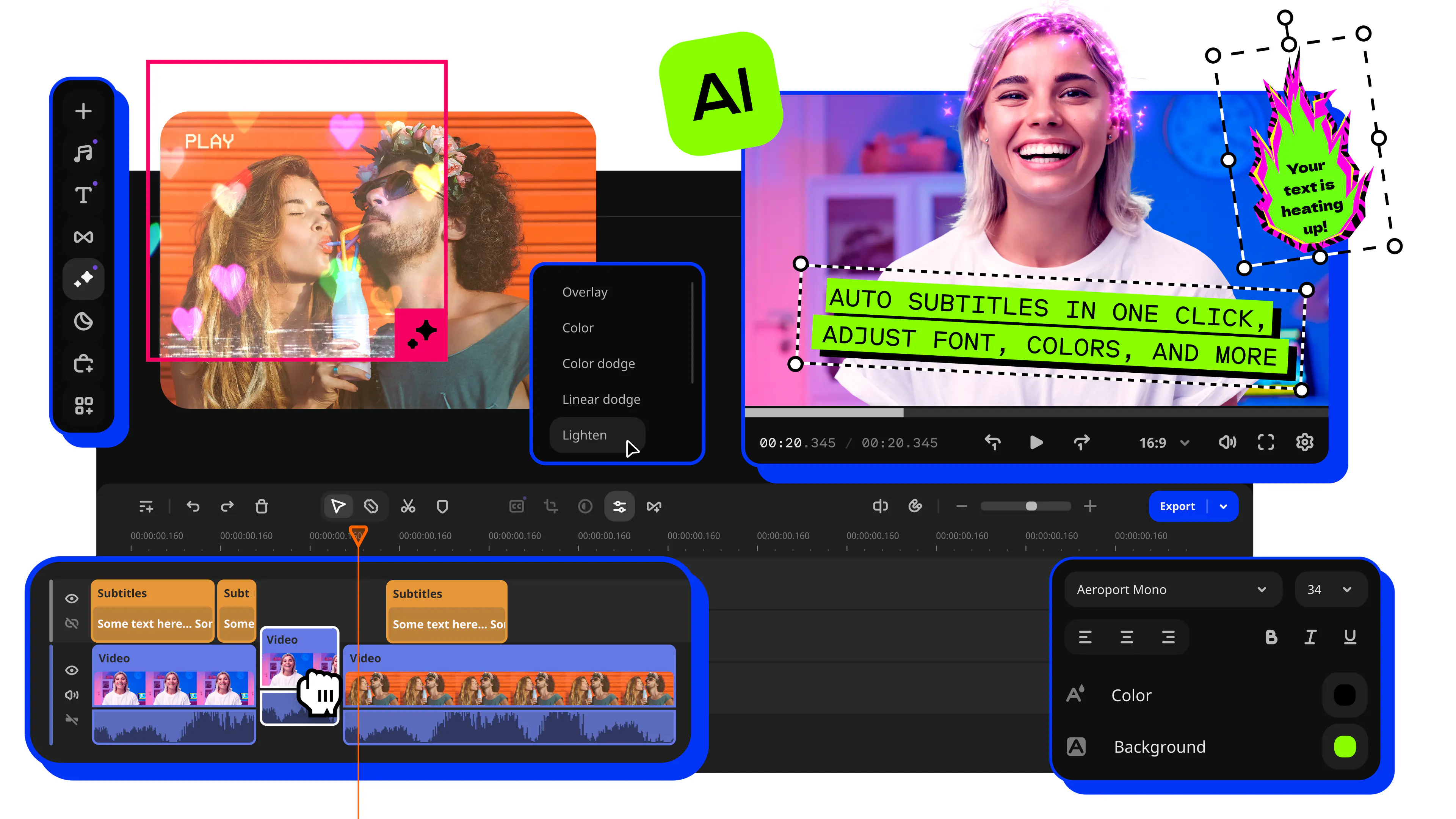
Video Collage Maker for PC
Add your files to Movavi Video Editor
Set the position for each video and add music
Share your video collage
How to make a video collage with music with the Movavi video collage maker
Step 1. Install the software
Launch the downloaded file. After the installation is complete, the program will open automatically.
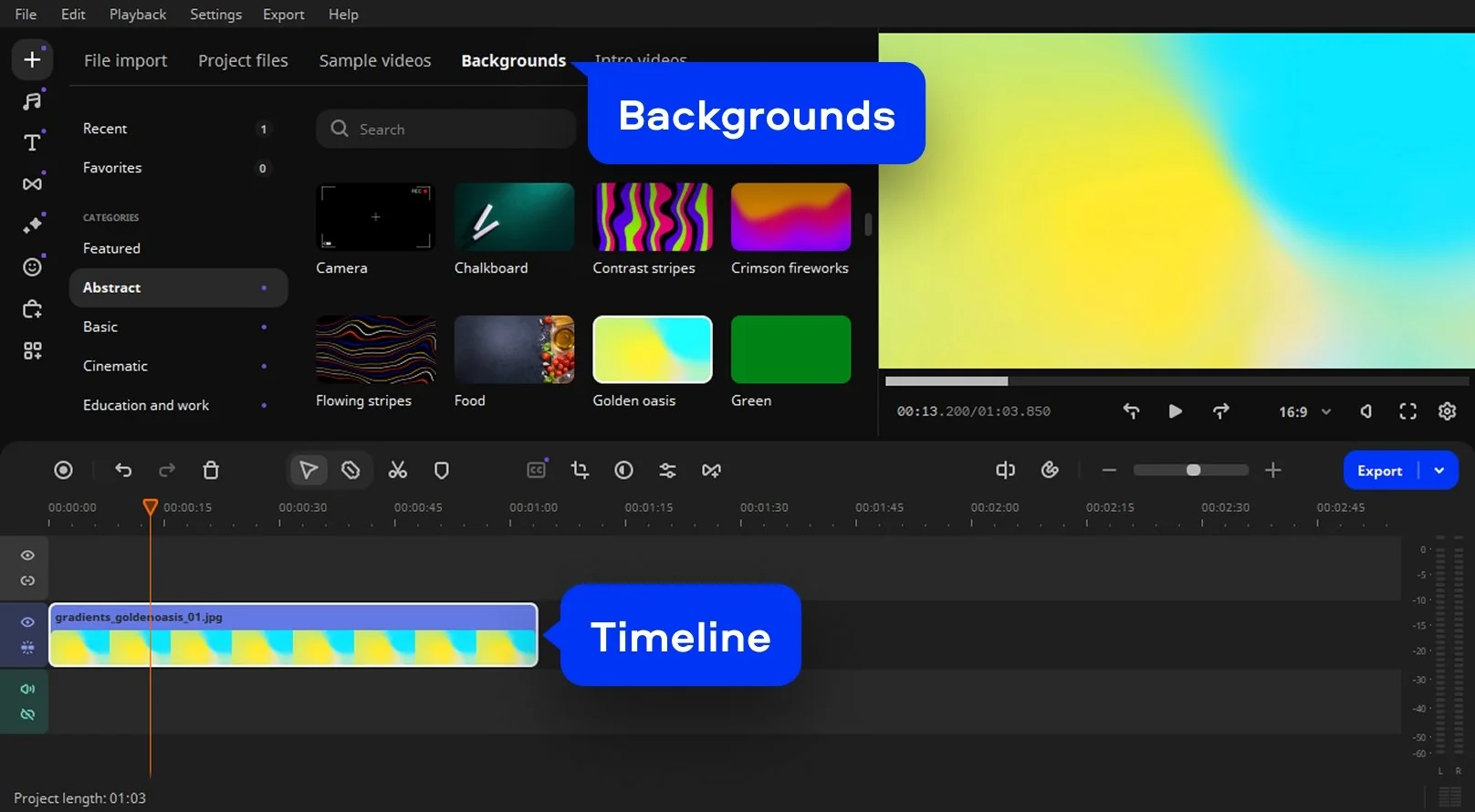
Step 2. Choose a background for your collage
Select Backgrounds and pick a background clip for your collage. Drag and drop it onto the Timeline below. Set the duration of the clip by dragging the right boundary to the desired point on the Timeline.
Step 3. Add your files to the collage maker
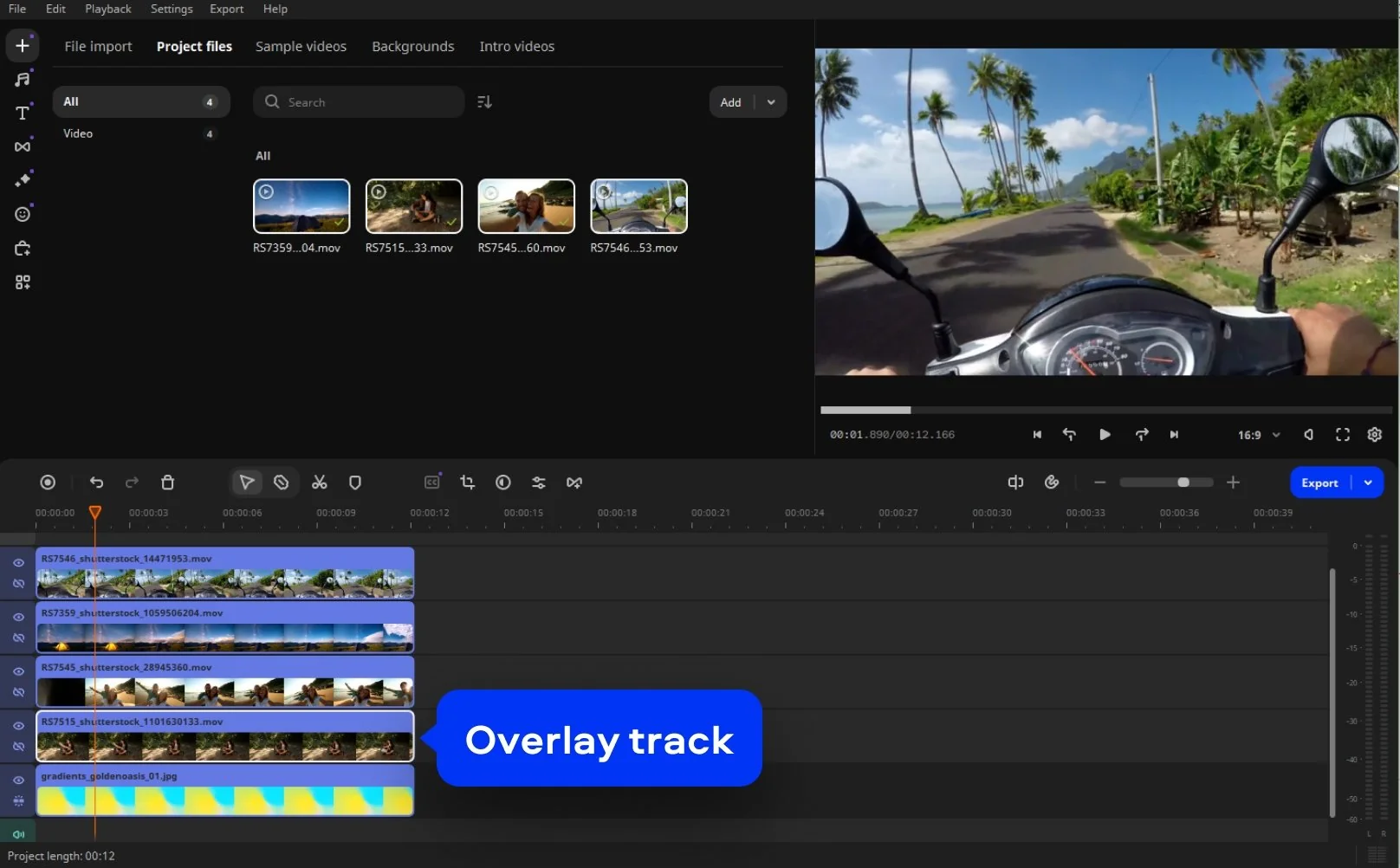
Click the Add Files button and browse for the videos you want to include in your collage. Drag and drop files to the Timeline. Your files will be placed to the right of your background clip on the Video Track.

To start making the collage, first, you need to create an overlay track. Drag an added video up and drop it above the background clip. Repeat this process for all other components in your collage.
Step 4. Select position
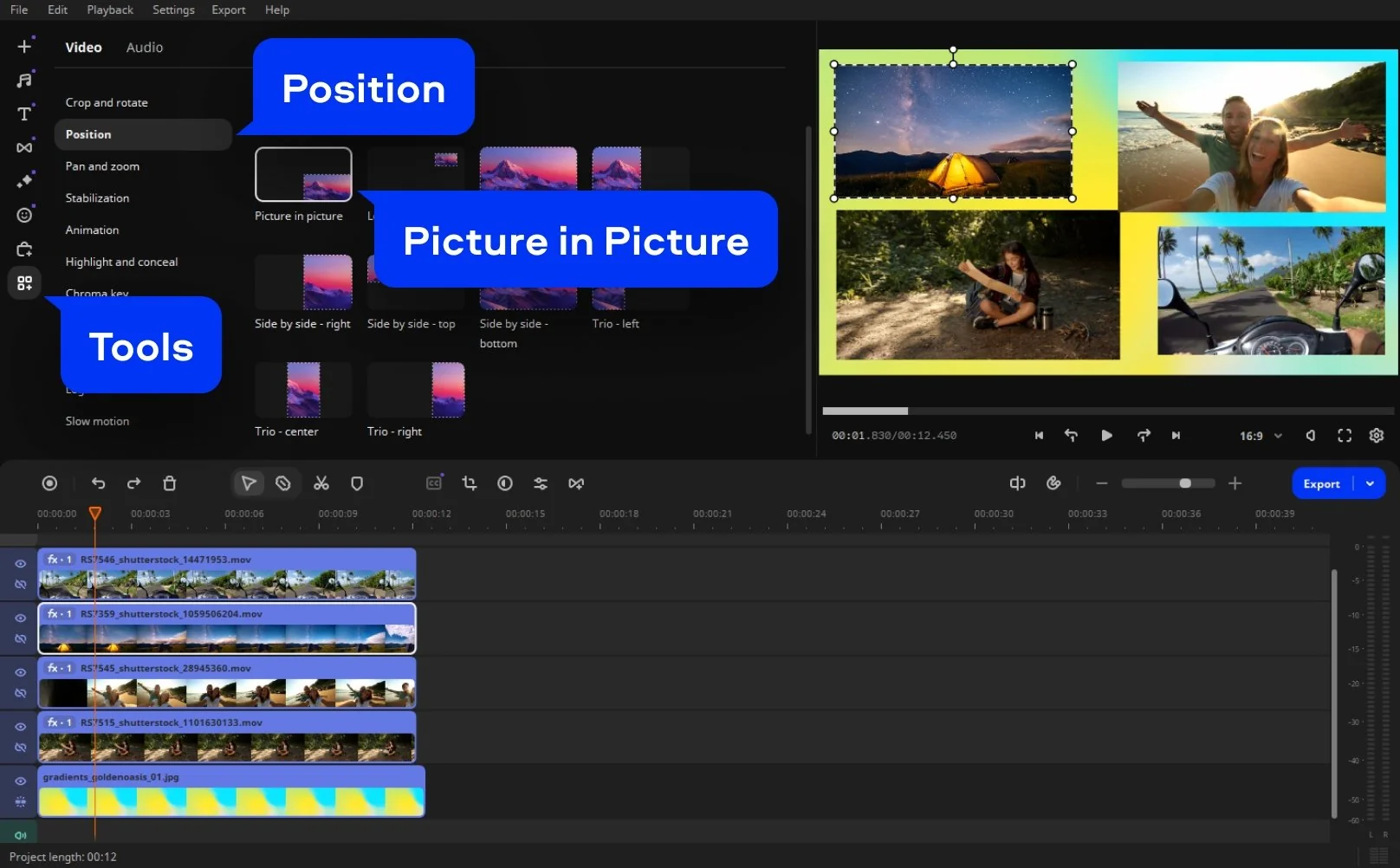
Go to Tools, choose Position and then the Picture in Picture mode. Change the position as well as the size of your video. Repeat this process with the other video segments.
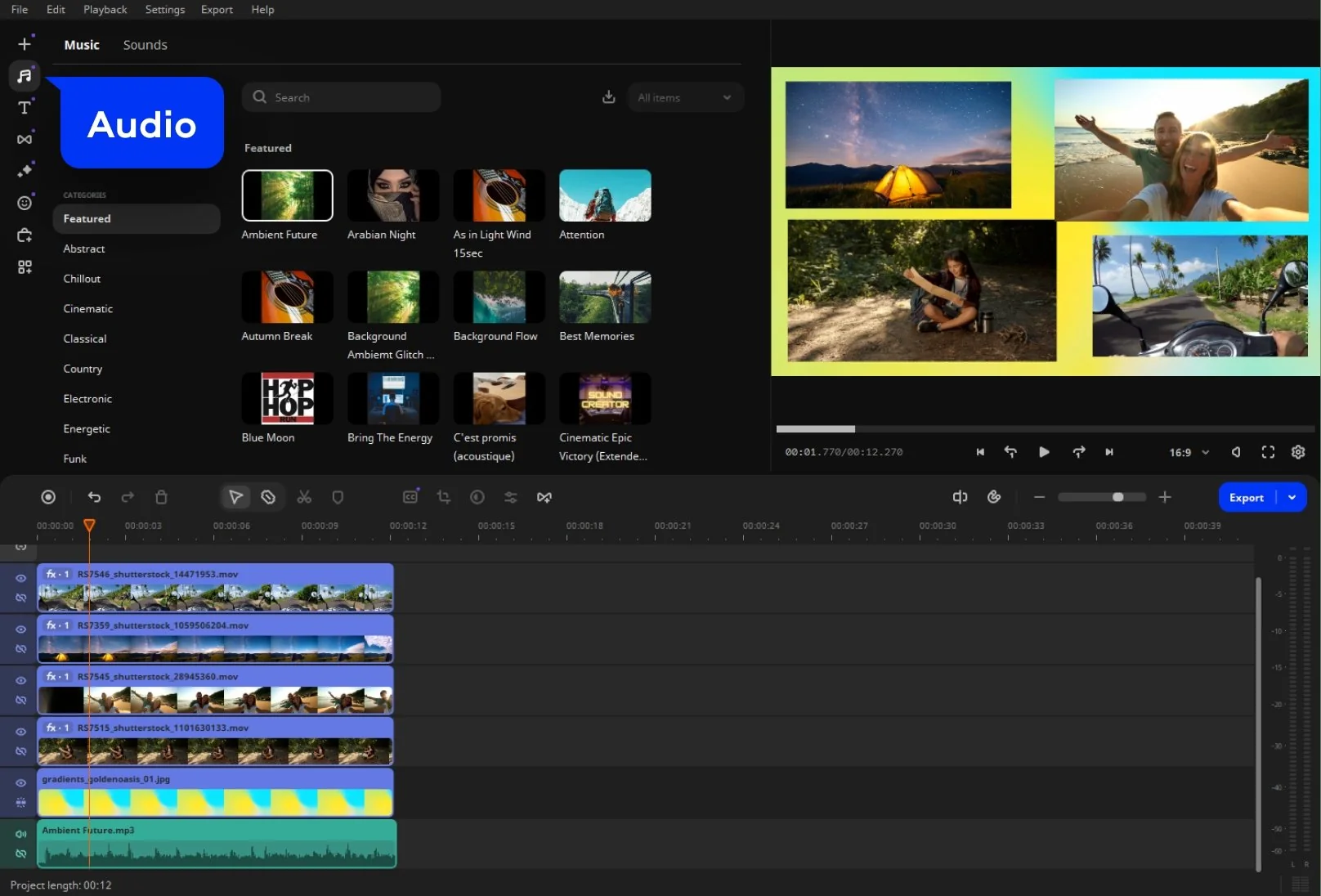
Step 5. Add music to set the mood
Go to the Audio tab. You can pick from Movavi’s library or use your own. Sync the beat with your visuals, and let the melody give your collage a heartbeat.
Step 6. Share your finished story
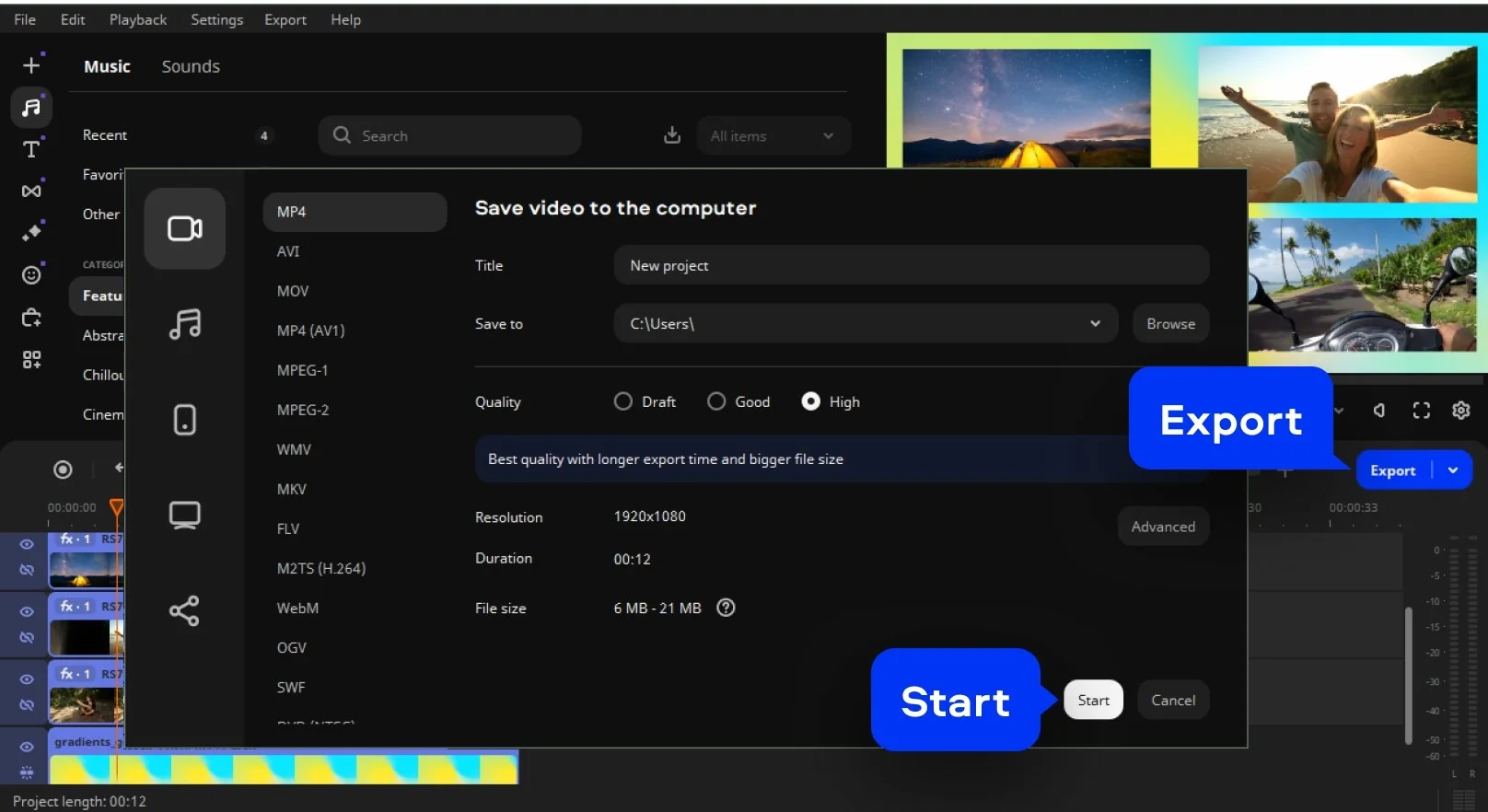
Click Export. Choose MP4, MOV, or any format you like and save your creation. Send it to friends or post it online… a thoughtful and beautiful collage of memories that whispers what words cannot.

Why choose Movavi
We’re the #1 choice for millions of people from all around the world. Join our thriving community and create stunning content with incredible ease.
70M+


users
countries
updates per year
effects to choose from
Frequently asked questions
How do you collage 2 videos in 1 frame?
How do you collage 2 videos in 1 frame?
You can place two videos side by side (or one above the other) using a video collage maker like Movavi Video Editor.
- Import your clips.
- Drag one clip to the main video track and the other to an Overlay Track.
- Choose the Side by Side or Picture in Picture layout. You can resize and move each clip to position them how you like.
This method gives you a simple multi‑clip frame that shows both videos at once – perfect for comparing memories or showing two perspectives.
Is there a totally free collage maker?
Is there a totally free collage maker?
Yes. You’ll find online collage maker free tools that let you create video collages without paying anything. For example, Kapwing offers a free web‑based workspace where you upload videos or images, arrange them, add music, and export. While free products may limit features (watermarks, lower resolution, fewer layouts), they can absolutely help you learn how to make a video collage without cost, and that’s more than enough for many beautiful stories.
How do you collage videos on an iPhone?
How do you collage videos on an iPhone?
Yes , you can create a collage video maker effect on your iPhone. iPhones don’t have a built‑in full collage editor, but you can use mobile apps or workarounds. For example, Apple’s iMovie supports split‑screen layouts by adding two clips and positioning them side by side.
For more flexible layouts, you can use mobile apps designed for collages or use a web‑based editor in your mobile browser. Then you upload your two or more videos, arrange them into a grid or frame, add music or voice, and export. It’s simple, heartfelt, and your story travels with you.
What is the best video collage maker?
What is the best video collage maker?
Here are the best programs to create video collages:
- Movavi Video Editor
- EaseUS Video Editor
- Aiseesoft Video Converter Ultimate
- Fastreel
- Kapwing
- Typito
What is the best video collage app?
What is the best video collage app?
Check out these apps for making video collages on your phone:
- PicStich
- PicPlayPost Movie Video Editor
- Photo & Video Collage Maker
- Canva
- Mojo
How do you make a multi-video collage?
How do you make a multi-video collage?
You can create a multi-video collage using Movavi Video Editor. Follow these steps:
- Download and install the app.
- Choose a background for your collage from the Backgrounds before you drag and drop it onto the Timeline section.
- Add your files to the collage maker.
- Create an overlay track. Click the Plus icon and choose Add Video Track.
- Drag your media over the top of the background to finish creating the Overlay track.
- To add music, drag an audio file from its folder on your computer to where you want it to start.
- Save and export your video.
How do you collage 2 videos in 1 frame?
How do you collage 2 videos in 1 frame?
You can place two videos side by side (or one above the other) using a video collage maker like Movavi Video Editor.
- Import your clips.
- Drag one clip to the main video track and the other to an Overlay Track.
- Choose the Side by Side or Picture in Picture layout. You can resize and move each clip to position them how you like.
This method gives you a simple multi‑clip frame that shows both videos at once – perfect for comparing memories or showing two perspectives.
Movavi Video Editor
Create awesome videos easily
*The free version of Movavi Video Editor may have the following restrictions depending on the build: watermark on exported clips, 60-second video or 1/2 audio length limit, and/or some advanced features unavailable when exporting videos.
Join us for discounts, editing tips, and content ideas


1.5M+ users already subscribed to our newsletter