Convert WebP to AVI Online for Free

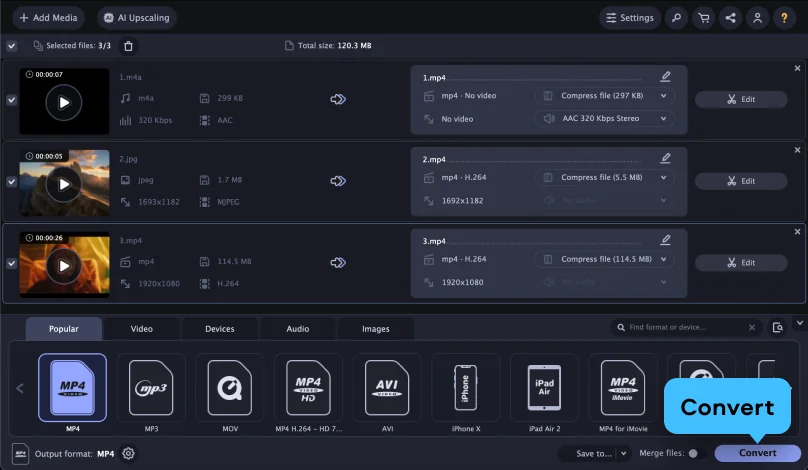
  1. Click Add Your Media and upload your WebP file.
  2. Make sure that the output format is set to AVI.
  3. Click Convert.
Convert to

How to convert WebP to AVI using the Movavi converter

Edited by
Ben Jacklin
26,981

What is WebP?

Full name

Web Picture

Format type

Image

Developed by

Google

Description

WebP is a taster image format that was created to display images on the Internet. Thanks to a small file size, WebP images load faster than images in other formats like JPEG or PNG.

File extension

.webp

Technical details

WebP files can be lossy or lossless. The format has the support for animation and transparency.

Associated programs

Google Chrome, Google Photos, Opera, Microsoft Edge, Mozilla Firefox, Apple Preview, PaintShop Pro, Adobe® Photoshop®

What is AVI?

Full name

Audio Video Interleave

Format type

Video

Developed by

Microsoft

Description

AVI, or Audio Video Interleave, is a container format created by Microsoft in November 1992. Files in the AVI format can store both video and audio data and allow synchronous audio-video playback. If you are wondering how to open AVI files, see the list of associated programs below.

File extension

.avi

Technical details

AVI is a subformat of the Resource Interchange File Format (RIFF). Data within this file type is divided into two blocks. One block stores the video width, height, and frame rate, while the other contains audio and video data. Certain media players may not play the original AVI specification correctly since it doesn’t support modern compression techniques.

Associated programs

Windows Media Player, QuickTime Player, VLC, DivX Player, etc.

Step 1. Download and install the Movavi converter

How to use a file converter? First, download the version of the software for Microsoft Windows or Macintosh, launch it, and proceed following the on-screen instructions. When the app is installed to your computer, it will run automatically.
Step 2. Add your WebP files

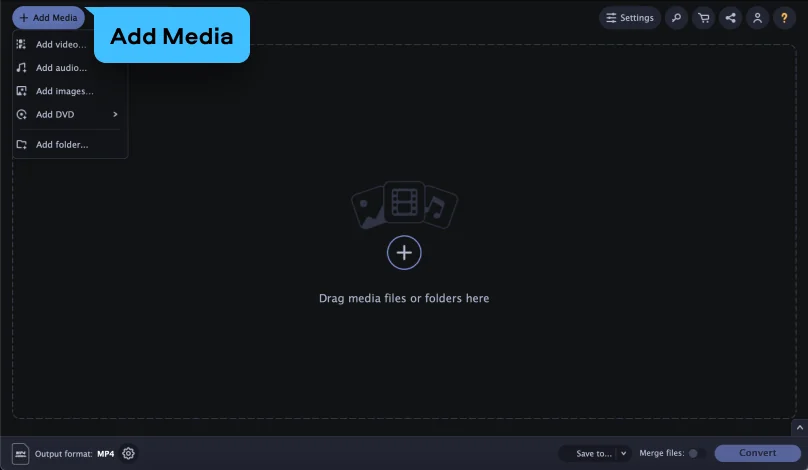
Locate the WebP files you want to convert and drag-and-drop them into the program’s window. The application can convert big batches of files – there’s no limit to how many files you can transfer at once.

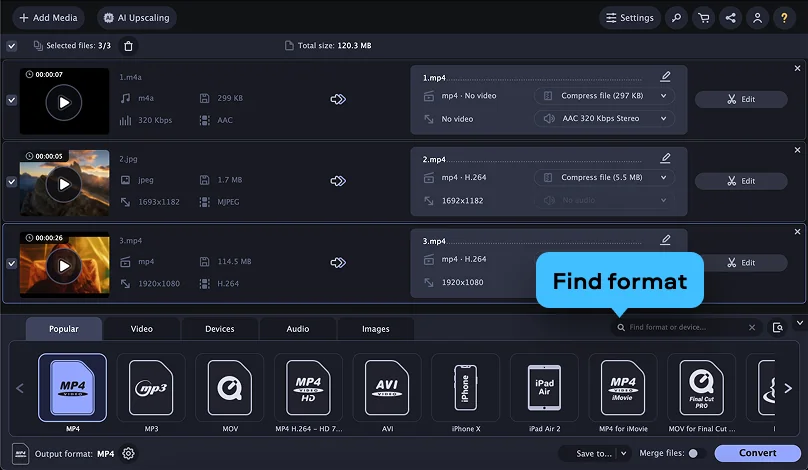
Step 3. Select AVI as the output format

In the Formats menu, select the file type you want to turn your media into and choose the target format for the files. Also, you can change the conversion settings: choose a different bitrate, resolution (including HD, Ultra HD, and even 4K), codec, etc. Pay attention to the SuperSpeed label: it indicates that the conversion will be performed with a very high speed and without losing quality.

Step 4. Convert WebP to AVI

To specify the output folder, click the Save to button. Hit the Convert button to launch the process. When the converting is done, the new media files will be saved to the chosen folder.

Now you know how to change the file format using the Movavi converter. With this tool, you can also reduce the file size, cut out clips from videos, crop pictures, and create animations from your favorite movies. Get the free trial version and test it out!

Movavi Video Converter
The ideal way to get your media in the format you need!
Movavi Video Converter

Popular conversions

Join us for discounts, editing tips, and content ideas

1.5M+ users already subscribed to our newsletter

By signing up, I agree to receive marketing emails from Movavi and agree to Movavi's Privacy Policy.