New Movavi Video Editor for Mac
Your simple yet powerful video editor for creating wow videos – just updated!
NEW: Adjustable video templates for any vibe – made of Blocks
NEW: Blocks – pre-edited video segments you can customize
Fast and easy editing: cut, crop, adjust colors and speed
Auto subtitles, noise removal, hundreds of effects, and more
Native support for ARM-based processors
By clicking the download button, you're downloading a free version of the program.*
New features to boost your slideshow creation

Mouse-over effects preview
Picking titles, transitions, and filters has never been easier! Simply hover your mouse over any effect to see it in action. You can also view your project files in the same way.

Movie-like effects for your videos
Pack a ton of action into your videos in a flash! Add fire, lightning, or other ready-to-use animated overlays – capture your audience’s attention right from the start.
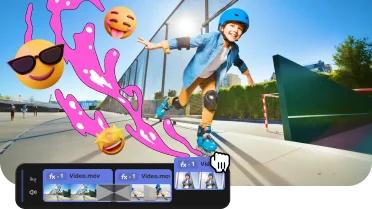
Revamped timeline for easier editing
The new timeline is now clearer and more streamlined. Get your projects done faster and have more fun with anything – from birthday slideshows to outdoor adventure movies.

Frame-precise cuts in a click
Give your slideshows a sharper look with the new video-cutting tool. Easily make precise cuts and create eye-catching montages – just like your favorite bloggers. Try it for free with our slideshow maker for Mac!
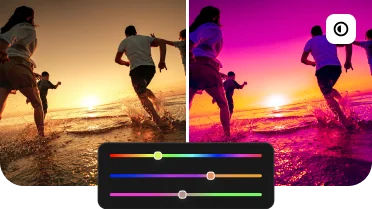
Pro-quality color correction
Get next-level color correction with the same simplicity. Take advantage of our slideshow creator for Mac and boost colors in a snap to draw more viewers into your slideshows.

Perfect-match overlay effects
Now each overlay effect has 13 blending modes to choose from. Try each of them with the press of a button and pick the one that fits your slideshow perfectly.

Our best effects – at your fingertips
Create awesome slideshows in any style with our huge collection of professionally designed effects. Now you can try them all right away, right in the app. Don’t forget your 90% discount on the first month and create jaw-dropping slideshows easily.
Packed with features, backed by numbers
Millions


Our photo slideshow maker for Mac has everything to make your stories shine
Create slideshows on Mac in 3 easy steps
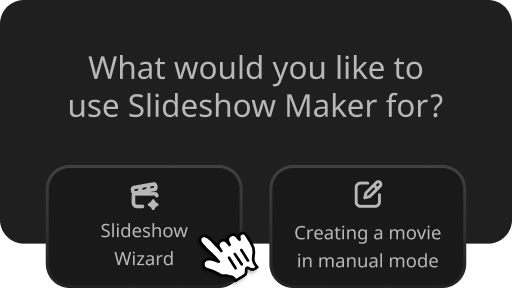
Select Slideshow Wizard from the Start menu
Or take full control over Movavi’s slideshow software for Mac and the creative process with Manual Mode.
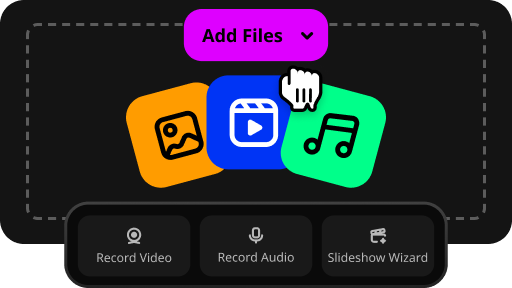
Add your media files in any format
Upload folders full of images, videos, and music. There’s no limit on the number of files.
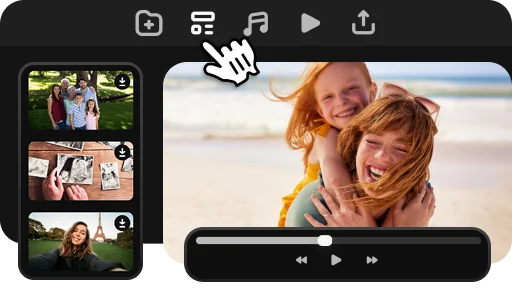
Use one of the pre-designed templates
Or customize every single detail as you wish. Choose transitions, effects, music, and titles.
Preserve happy memories
Want to make your loved ones feel special? Create a personalized video slideshow. It’s the perfect gift to convey your emotions and preserve unique vacation and family holiday memories for a lifetime.
Congratulate and motivate
Congratulate the people you’re most proud of as they cross their major milestones. Celebrate a friend's birthday or wedding, or celebrate your children’s graduation. Use captions and voice-over to tell your unique story.
Promote your brand
Build a personal brand on social media and expand your influence. Tell customers more about your business and products and gain more profit and loyalty. Upload to YouTube, Vimeo, or Google Drive right from the app.
What users think about Movavi Video Editor
With Movavi Video Editor for Windows, you can quickly compose a cool slideshow with creative effects and your choice of music.

"Best software choice I've ever made"
Try it for free for a week first. Enjoy this free slideshow maker with unlimited functionality and slideshow creation tools.

"Best free slideshow maker"
You don't need a degree in photography or professional help to make your slideshows shine – Movavi’s picture slideshow maker has an easy-to-use interface and tooltips to help you quickly master the software.

"Quick and smart program"
Movavi Video Editor software awards
Frequently asked questions
Can I get a free slideshow maker for Mac?
Can I get a free slideshow maker for Mac?
Yes, there is a free version of Movavi Video Editor for Mac with the following restrictions: 7-day trial period, watermark on the output slideshows, and an ability to save only half the audio length. The Slideshow Maker is available for download from our website.
How can I make a slideshow for free?
How can I make a slideshow for free?
You only need to download the trial version of Movavi Video Editor for Mac to use it for free.
What is the best slideshow maker for Mac?
What is the best slideshow maker for Mac?
When it comes to creating slideshows on Mac, especially if you're just starting out, Movavi Video Editor is an excellent choice, thanks to its ease of use and a variety of features to help you create cool slideshows.
Why should I choose Movavi Video Editor for Mac?
Why should I choose Movavi Video Editor for Mac?
Our slideshow software for Mac is your go-to choice if you want to create awesome slideshows effortlessly and quickly. Another standout advantage is that the program has no limitations. You can process as many photos, videos, and music tracks as you like.
System requirements
Microsoft® Windows® 10/11 64-bit with up-to-date patches and service packs installed
Intel®, AMD®, or compatible dual-core processor, 1.5 GHz
Intel® HD Graphics 2000, NVIDIA® GeForce® series 8 and 8M, Quadro FX 4800, Quadro FX 5600, AMD Radeon™ R600, Mobility Radeon™ HD 4330, Mobility FirePro™ series, Radeon™ R5 M230 or higher graphics card with up-to-date drivers
1280 × 768 screen resolution, 32-bit color
4 GB
Show allHide
400 MB available hard disk space for installation, 600 MB for ongoing operations
Administrator permissions are required for installation
*The free version of Movavi Video Editor may have the following restrictions depending on the build: watermark on exported clips, 60-second video or 1/2 audio length limit, and/or some advanced features unavailable when exporting videos.


1.5M+ users already subscribed to our newsletter