
Step 1. Download and install Movavi Video Editor
Download Movavi Video Editor and launch the installation file. Follow the on-screen instructions to install the app.
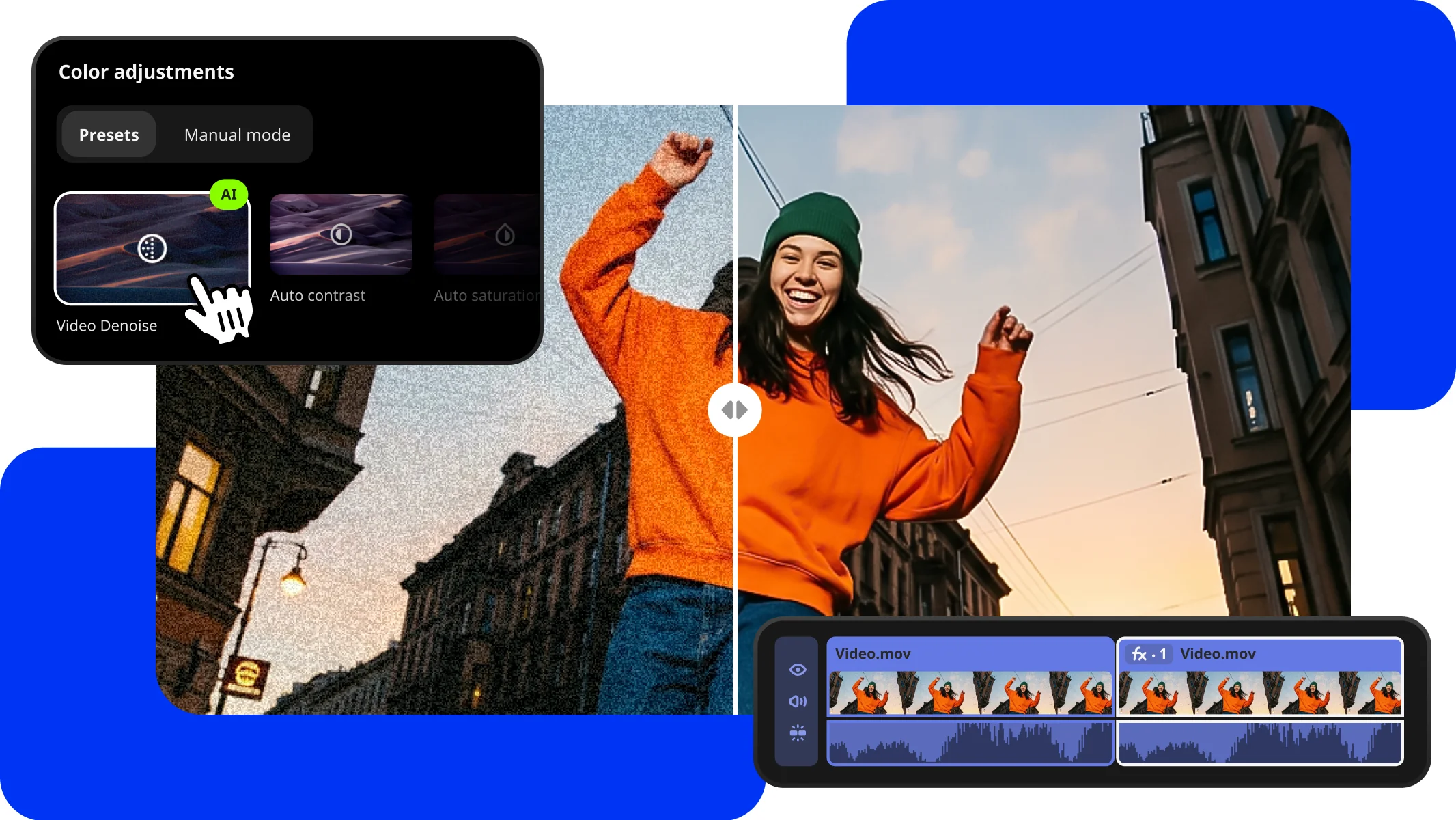
Quick video denoise
Try Movavi Video Editor
Fast and easy editing: cut, crop, adjust colors and speed
One-click AI tools: auto subtitles, noise removal, and more
Hundreds of filters, transitions, titles, overlays
How to Automatically Denoise Your Video
Clean up grain in no time. AI smooths noise without blurring faces or small details – perfect for low-light clips, on-the-go phone footage, old videos, or greenscreen scenes where crisp edges matter. To try it, open Color adjustments and simply drag Denoise onto your clip – that’s it, your clip is clean and ready to shine.
Step 1. Download and install Movavi Video Editor
Download Movavi Video Editor and launch the installation file. Follow the on-screen instructions to install the app.
Step 2. Import your video
Click Add Files and select your videos. Then move the imported videos onto the Timeline.
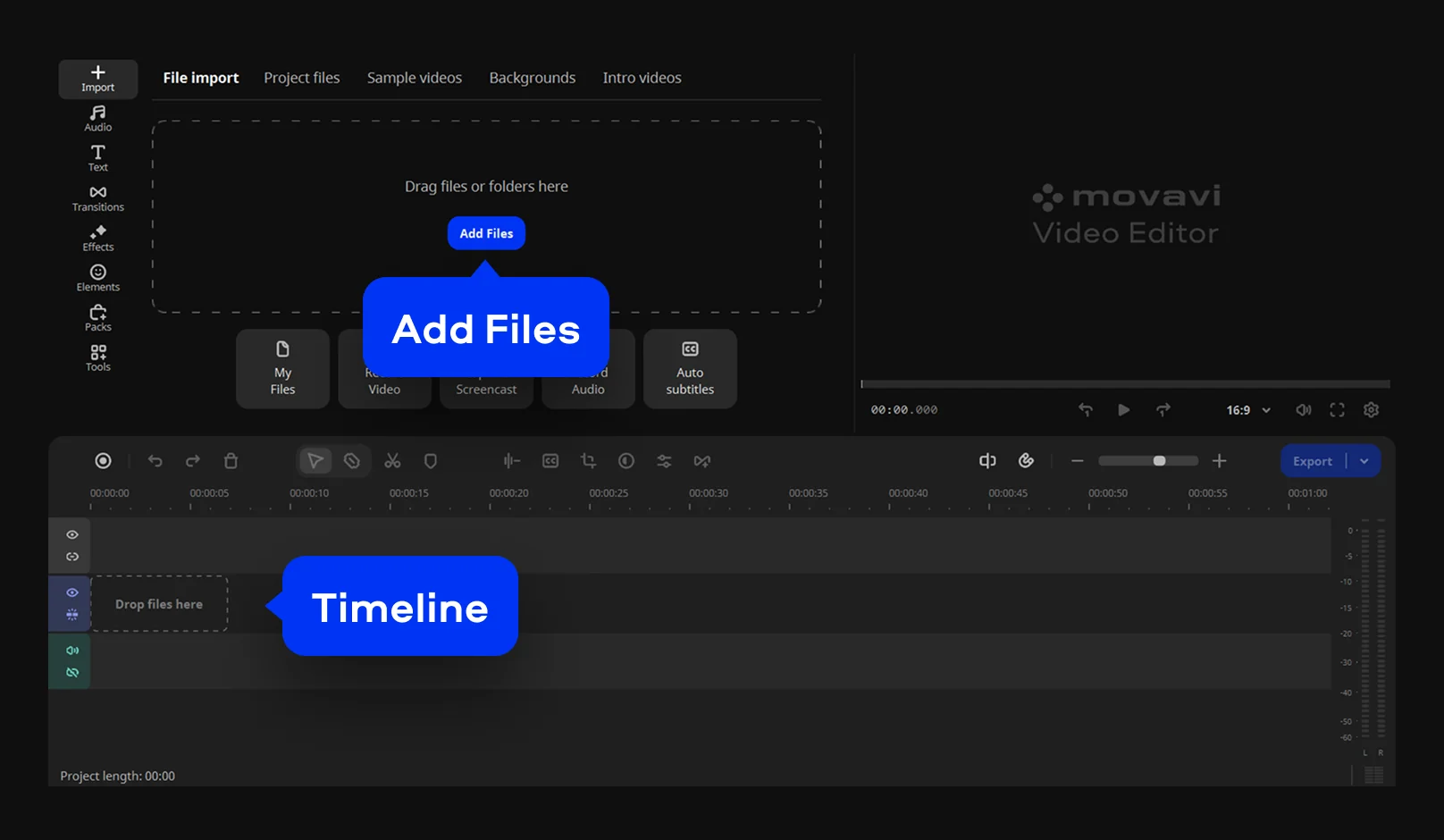
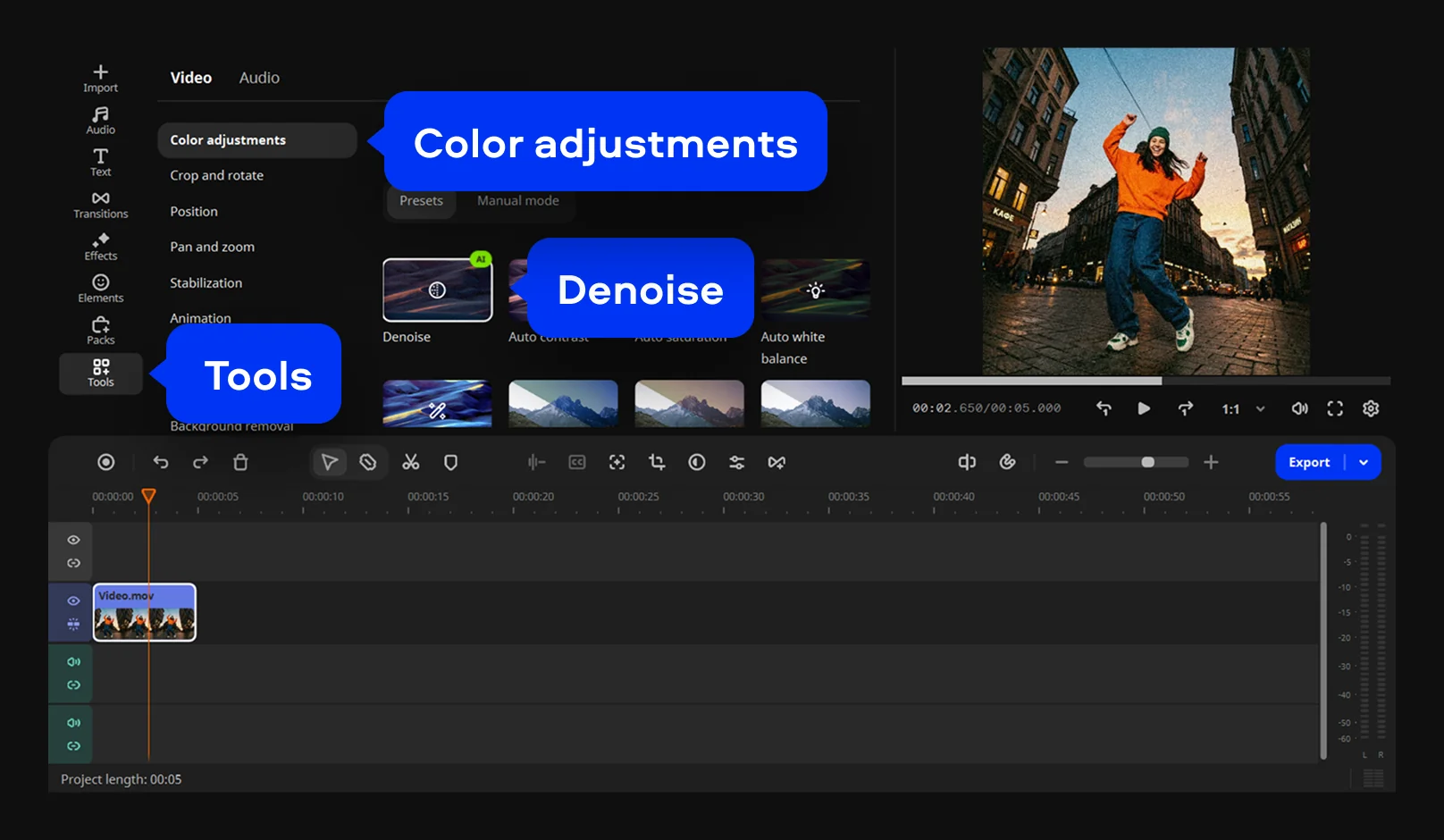
Step 3. Apply AI Denoise
Click Tools, navigate to the Video tab, and drag Denoise from the Color Adjustments menu onto your clip in the Timeline – our AI kicks in instantly to clean up grain and give your footage a crisp look.
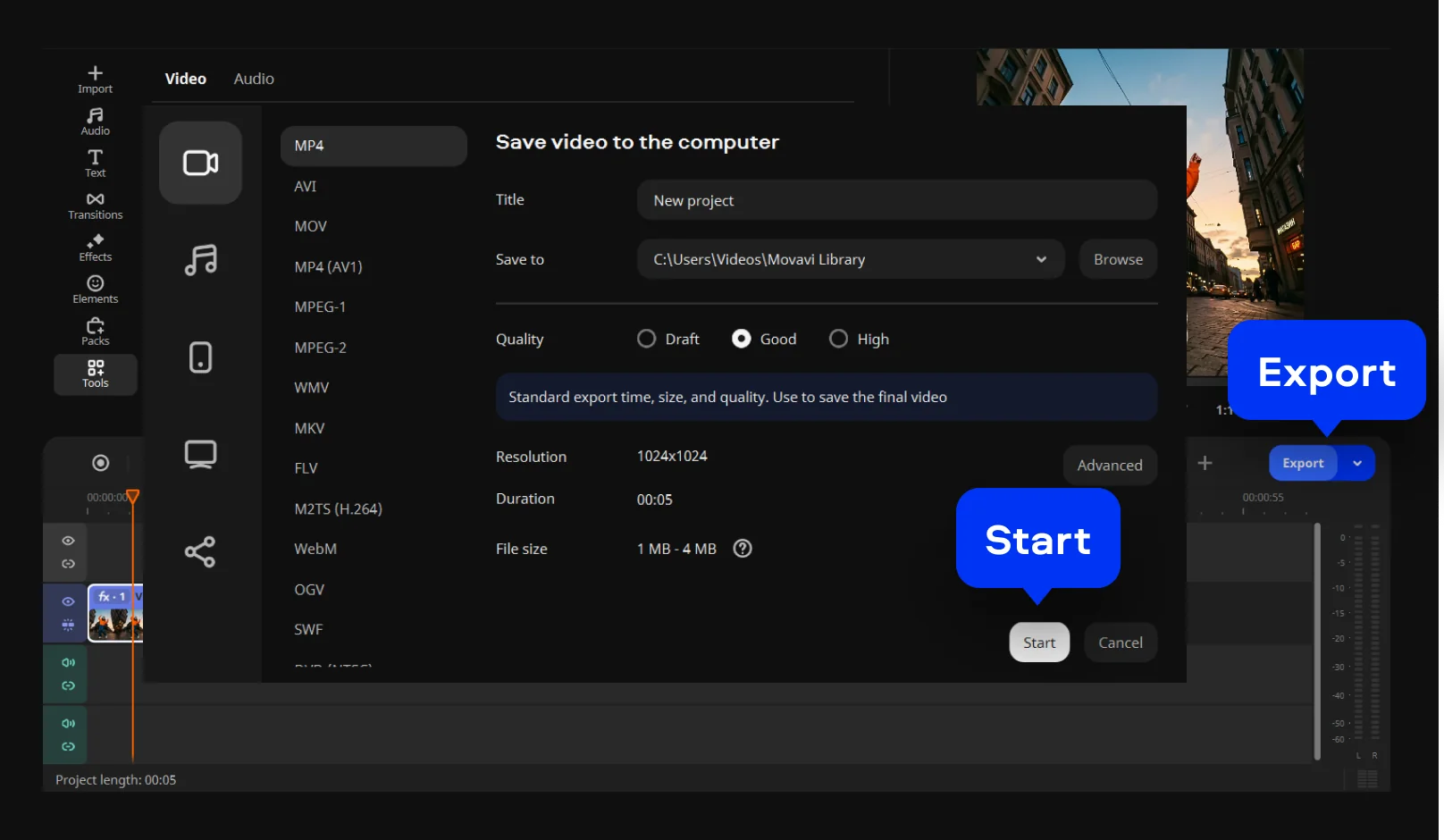
Step 4. Save the result
Click Export, set the desired output parameters, and click Start.
Your simple yet powerful editor for creating wow videos

Get simple video ideas and extra effects
Make standout edits in minutes thanks to ready-to-use video ideas and awesome effects – all available right inside Movavi Video Editor
Movavi Ideas
How to create wow content: simple and fresh video ideas every week
Movavi Effects
Get Movavi Video Editor – and full access to a huge library of effects and background music


1.5M+ users already subscribed to our newsletter