Step 1. Add your files
Click Add files and upload the clip you want to use to make a movie online in just a few clicks. Once they’re in, your clip appears on the timeline, and you can hit Play to preview what you’ve got.
Movavi Video Editor
Fast and easy editing: cut, crop, adjust colors and speed
By clicking the download button, you're downloading a trial version of the program.*
Free Online Movie Maker
How to use the online movie creator
Movavi’s online free movie maker is the fast-lane option when you want to combine clips into one watchable video without turning it into a weekend project. It runs right in your browser as a browser-based video editor, keeps the workflow simple, and works as an online video editor that gets you from scattered files to a single video you can share.
Step 1. Add your files
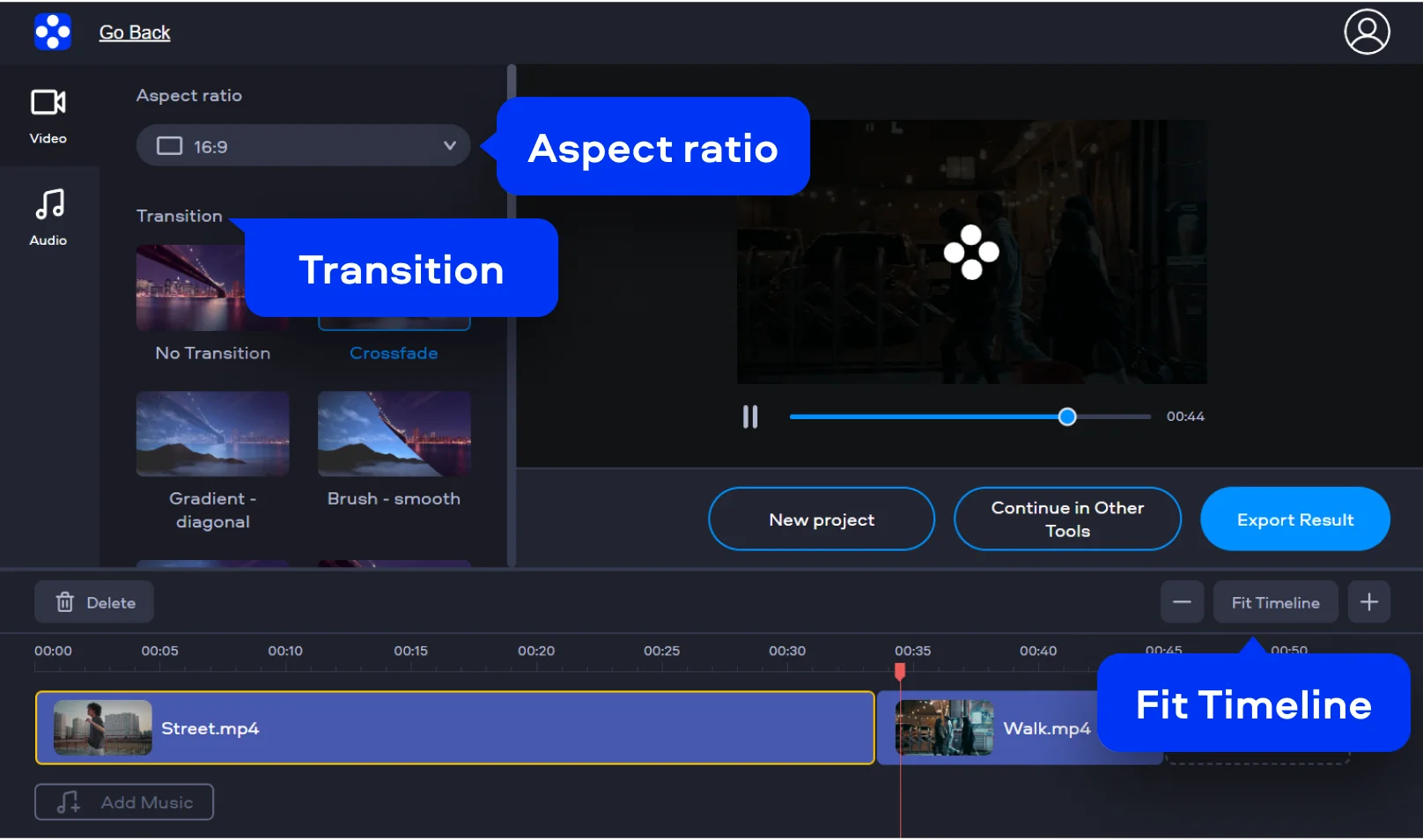
Click Add files and upload the clip you want to use to make a movie online in just a few clicks. Once they’re in, your clip appears on the timeline, and you can hit Play to preview what you’ve got.
Step 2. Arrange the story
Use Fit Timeline to zoom the view, set the Aspect ratio (like 16:9) for the platform you’re targeting, and add a Transition such as Crossfade when you want scenes to glide instead of jump.
Step 3. Export and share
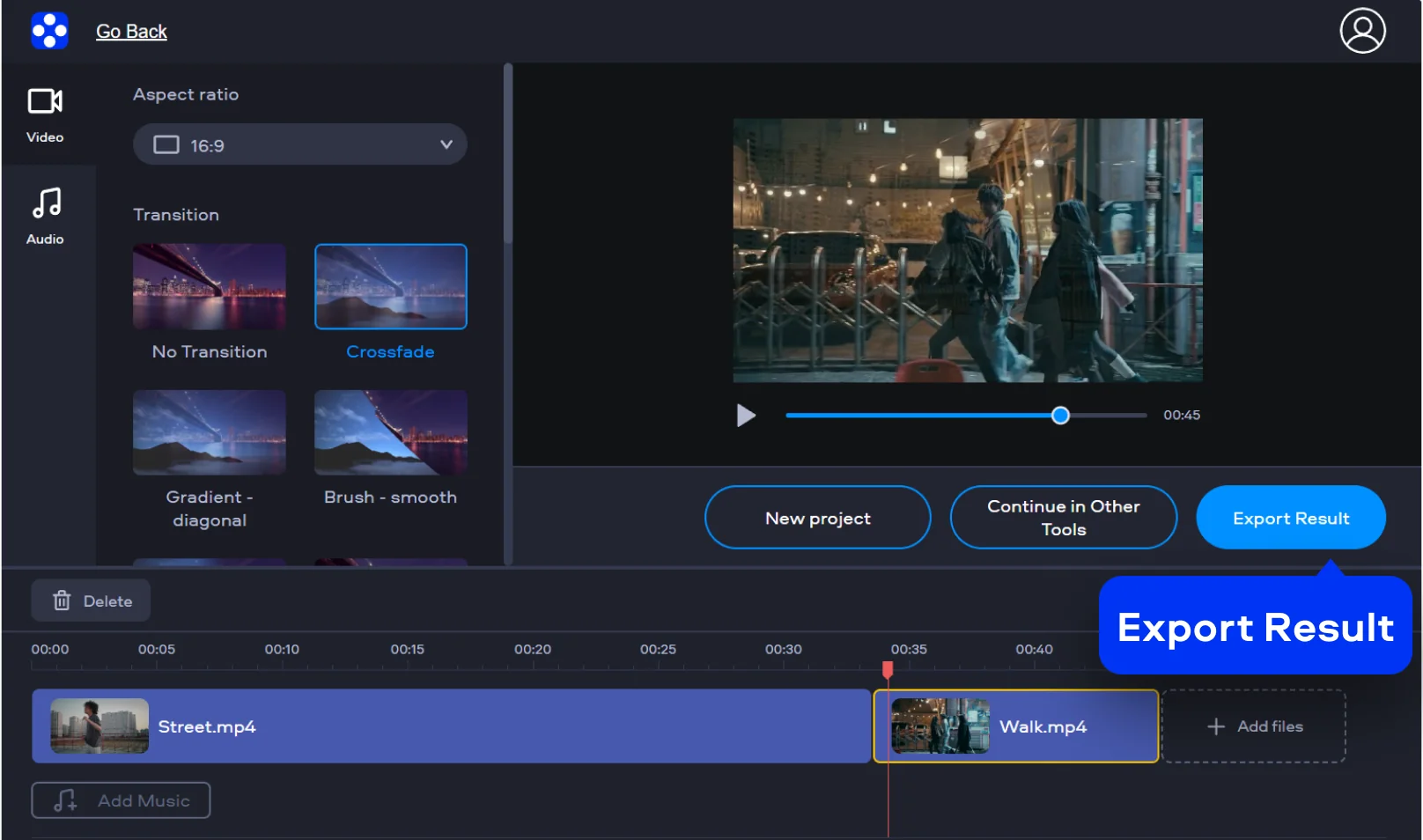
When the sequence feels right, click Export Result to render the video and download the finished file, ready to create the video for free and share anywhere. Now you’ve got one clean video that plays smoothly from start to finish, instead of a mini-series of separate clips.
How to create a movie on desktop
Movavi Video Editor is a full-featured desktop editor that gives you more control without the film-school attitude. It’s great for shaping pacing with precise cuts, building energy with transitions, tightening audio, and adding titles that don’t scream “template.” You also get breathing room for bigger projects: multiple tracks, more detailed adjustments, and a workflow that’s comfortable when your movie is more than just merged clips. In short, the online tool gets you a clean, quick result; the desktop editor helps you make it feel intentional.
Step 1. Import your footage
Open Movavi Video Editor. Import your video clips, images, and music by dragging them directly into the program window or using the Add Files button.
Step 2. Arrange and trim your clips
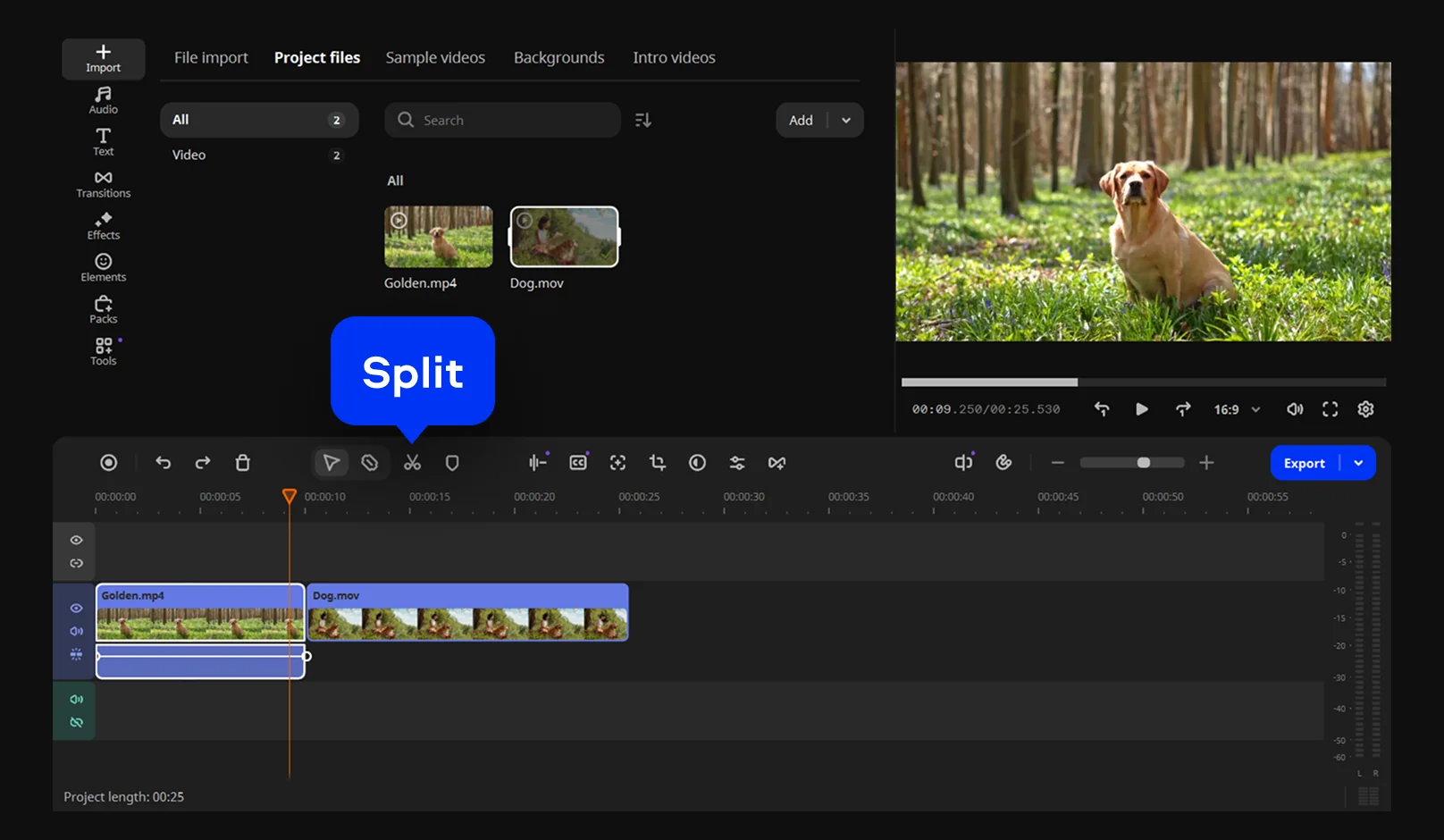
Organize your footage in the desired sequence on the timeline. Trim or cut unnecessary parts using the scissors icon. Movavi’s drag-and-drop interface makes editing intuitive and fast, even for beginners.
Step 3. Add transitions, titles, and effects
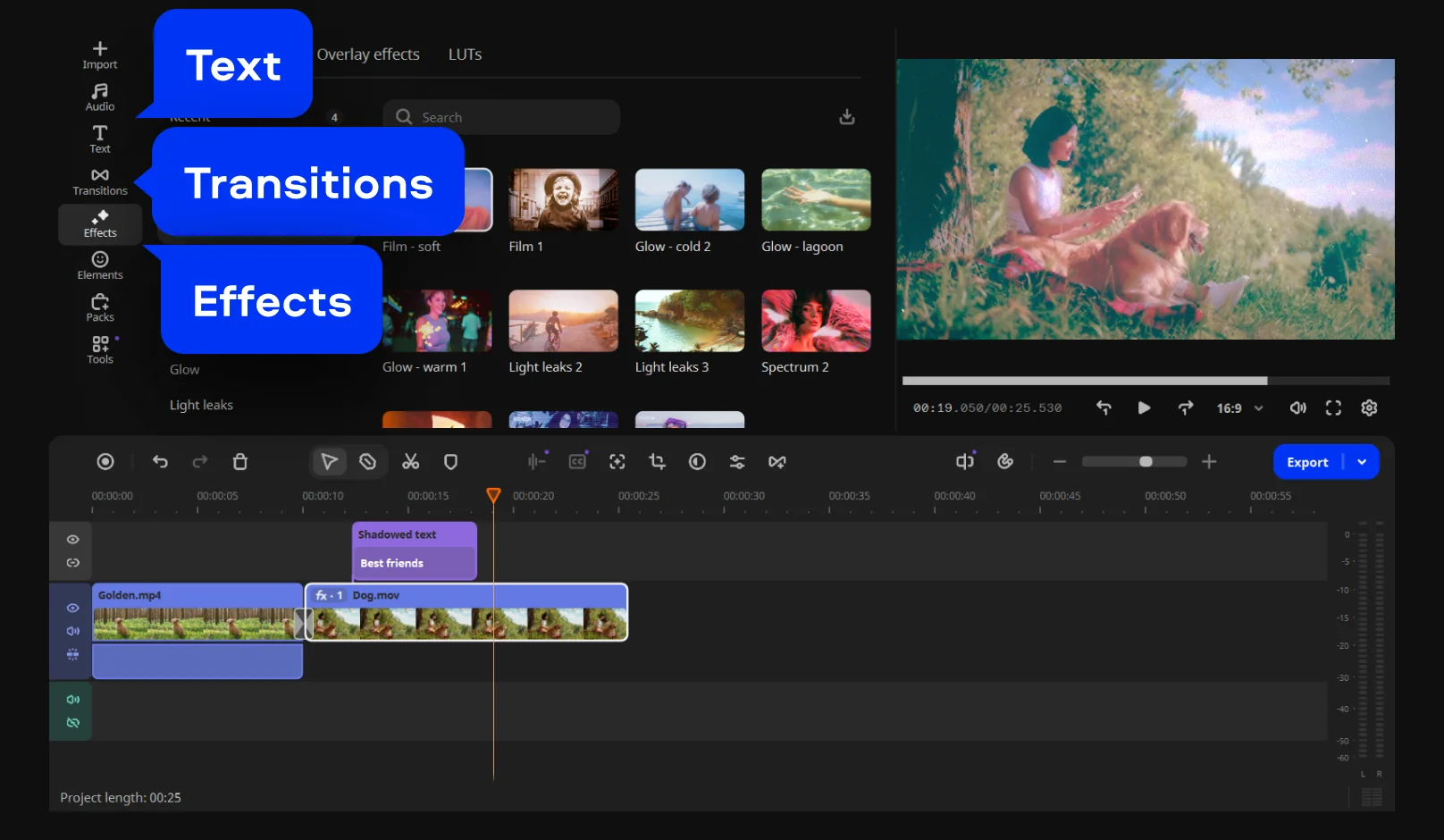
Bring your movie to life with smooth transitions, animated titles, filters, and color adjustments. Explore the built-in library to find hundreds of creative options for a cinematic finish.
Step 4. Improve sound and add music
Use the Audio tools to remove background noise, adjust sound levels, or add fade-ins and fade-outs. You can also browse Movavi’s built-in library of royalty-free music to set the perfect mood.
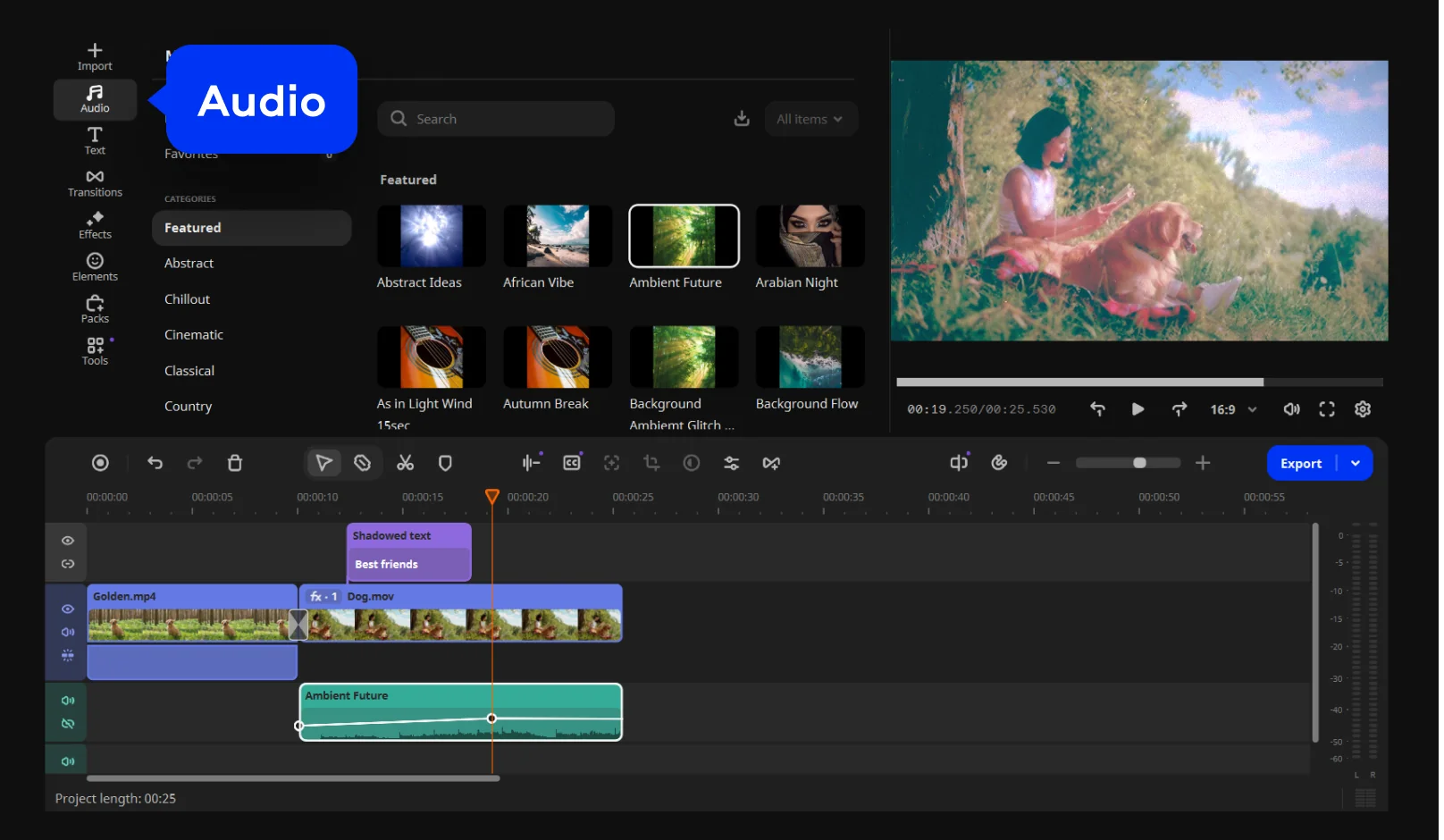
Step 5. Export and share your movie
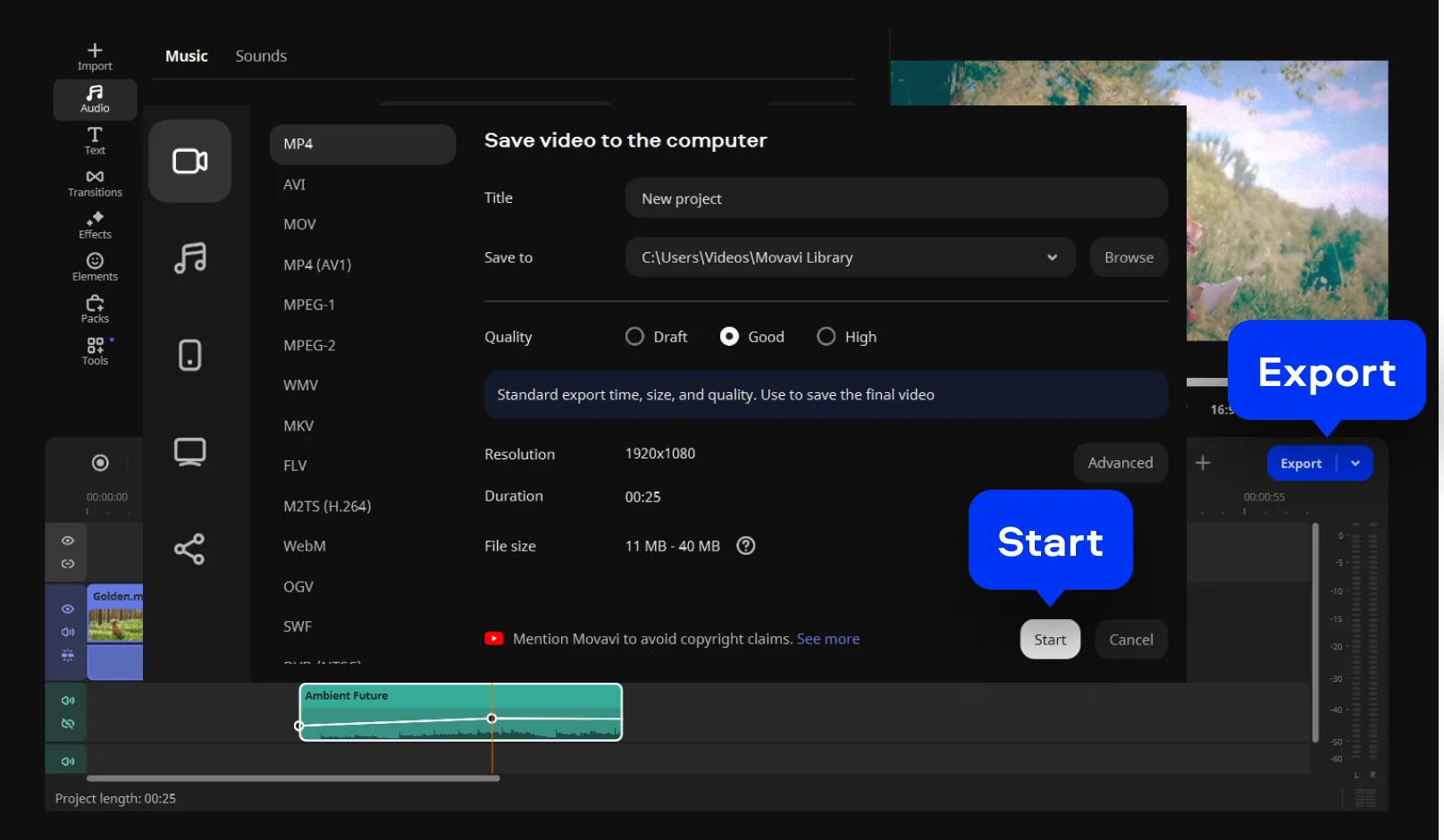
Click Export when your project is complete and enjoy smooth HD video export with this powerful MP4 editor. Choose your preferred format (MP4, MOV, AVI) and resolution up to 4K, making it ideal as a social media video maker, YouTube intro maker, Instagram Reel editor, or TikTok video editor. You can also upload directly to YouTube or save the video for other platforms.

We’re the #1 choice for millions of people from all around the world. Join our thriving community and create stunning content with incredible ease.
70M+


Frequently asked questions
Start with an idea, not a budget. Every great film begins with a story that actually wants to be told. Then, grab a camera (your phone will do), record your shots, and use a movie editor to stitch the chaos into coherence. Add some music, color, and maybe a dash of confidence, voilà, you’re a filmmaker.
Some people shoot a short on a weekend; others spend five years arguing over lighting. For most creators, making a short or YouTube-style film can take anywhere from a few hours to a few weeks – depending on how polished you want it to look and how many times you redo the voice-over.
Cut ruthlessly. A trailer isn’t the movie, it’s the tease. Open with a strong visual, drop your best one-liner early, and build rhythm with sound and silence. A good movie creator or video maker online can help you rearrange scenes, add quick fades, and create that “coming soon” thrill in under two minutes.
Yes, and it’s weirdly exciting. AI can now write scripts, generate visuals, and even mimic human voices. But here’s the catch: it still needs a human’s taste to make it watchable. Think of AI as your new intern – helpful, tireless, but not quite Spielberg.
Absolutely. There are now platforms that let you upload text, choose a style, and watch an AI churn out a full short film in minutes. The results vary from “hmm, interesting” to “what on earth is that,” but as a creative experiment, it’s a thrill.
Movavi online movie creator, Movavi Video Editor, DaVinci Resolve, and Clipchamp top the current list. If you want something beginner-proof and visually friendly, Movavi’s app is a great pick – drag, drop, done. Available as a free download and perfect for anyone allergic to complex timelines.
Technically, no. The classic Windows Movie Maker that raised a generation of home editors was discontinued in 2017. RIP, old friend.
Microsoft replaced it with Video Editor, part of the Windows Photos program. It’s simple, functional, and free – but if you miss the old drag-and-drop magic, modern alternatives like Movavi Video Editor or Clipchamp capture that nostalgic ease with a fresher design.
*The free version of Movavi Video Editor may have the following restrictions depending on the build: watermark on exported clips, 60-second video or 1/2 audio length limit, and/or some advanced features unavailable when exporting videos.


1.5M+ users already subscribed to our newsletter