Movavi Video Converter

Convert pictures and upgrade your visuals

Meet the image converter software for a PC and Mac

Get a free download of the Movavi converter

Rapid file processing

Change your media formats in seconds with lightning-fast technology.

Batch image conversion

Handle any number of files at once regardless of their size.

Crisp output quality

Keep every detail sharp and clear even when you change file types.

Convert images quickly and easily

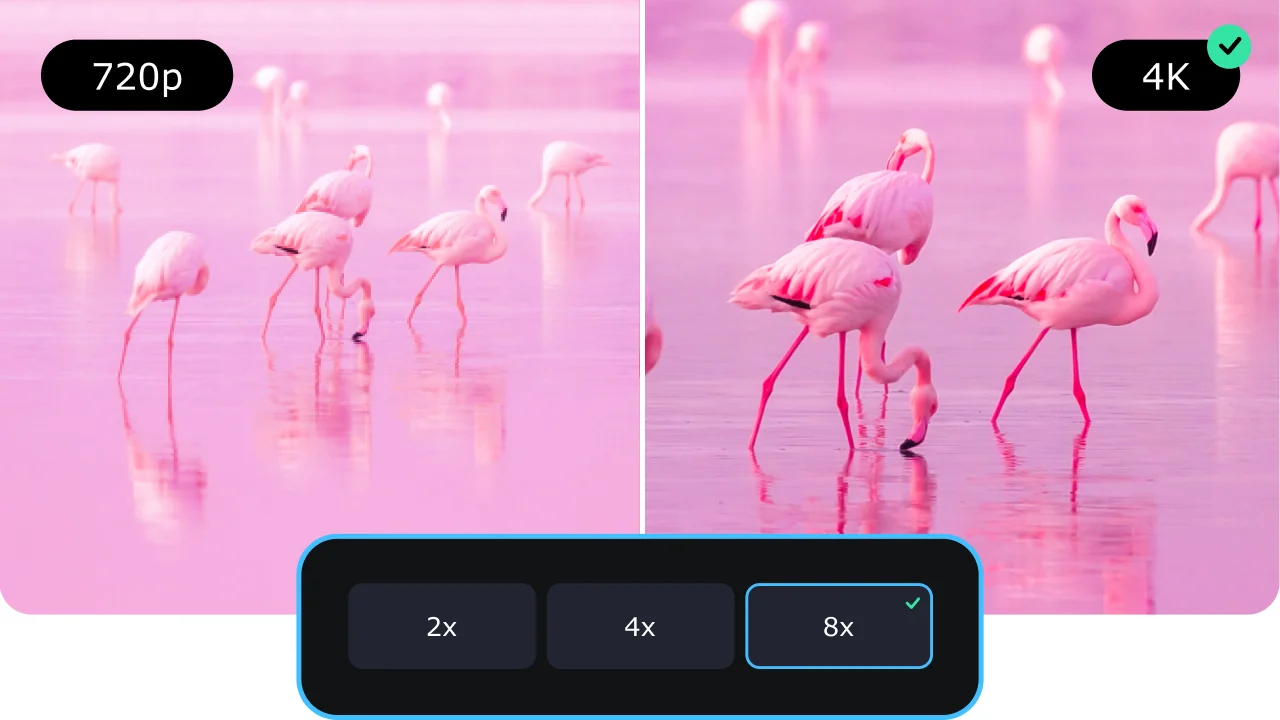
Movavi Video Converter works on both Windows and Mac systems and can be your converter for both videos and pictures. The photo converter helps you process images without complex steps or technical skills. It supports fast resizing and format changes. You can turn regular pictures into sharper versions with improved resolution.

The program handles single files and large batches in one go, which makes it a great image converter for PC users who need to save time every day. It also works as a free image converter during the trial period so you can test features first.

How to convert images to 4K resolution

Step 1. Install the image converter software

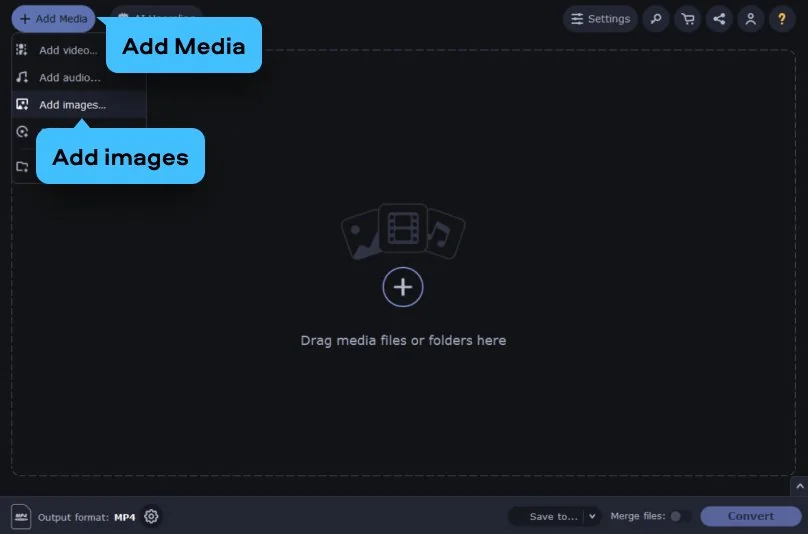
Download Movavi Video Converter and run the setup file on your computer. Follow the on-screen steps and finish the installation process. Open the HD photo converter and click Add Media > Add images to upload your files.

Step 2. Convert pictures to HD quality

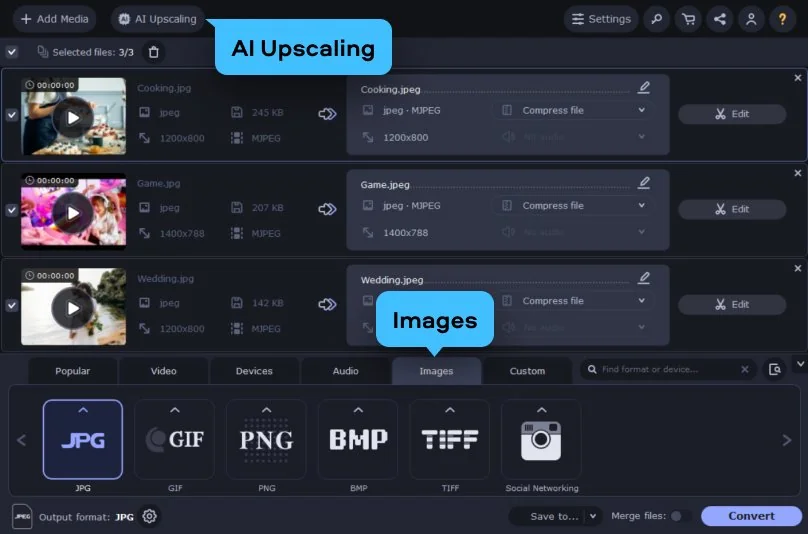
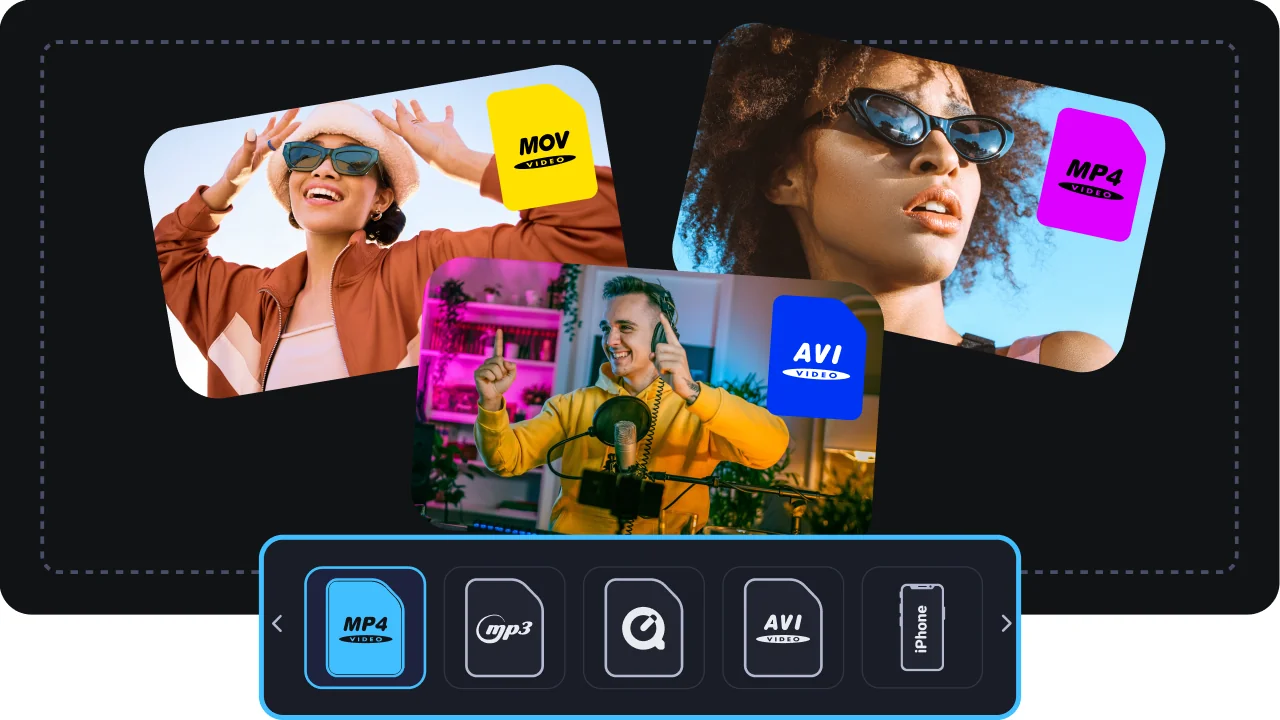
Once you’ve uploaded the files to the image file converter, browse the tabs and select Images. From the assortment of available formats, select the desired output result. For example, you can use the app as an image converter to JPG.

Besides this manual process, Movavi Video Converter has the AI Upscaling utility. It allows you to enhance the resolution of your images and clips up to 2X, 4X, and 8X times. Press AI Upscaling right after launching the HD image converter. Then you pick the desired file from your device and set the target resolution.
Step 3. Start conversion

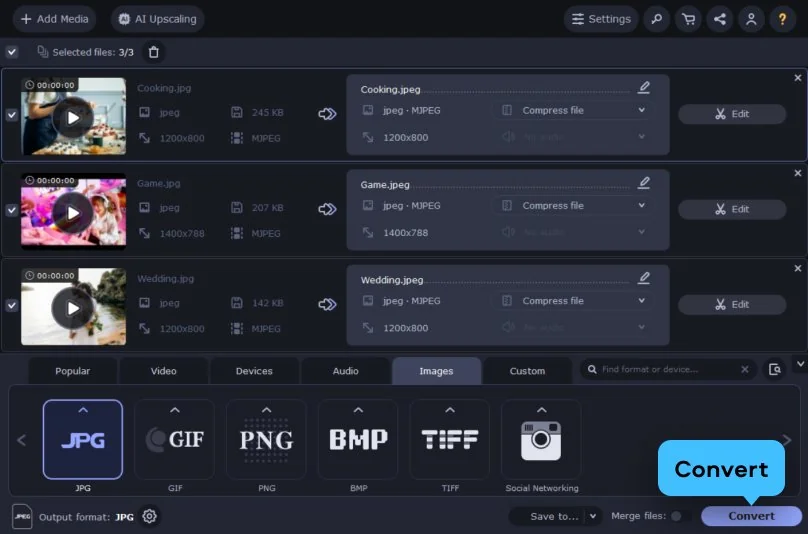
Decide on the destination folder where the file will be downloaded after processing. Hit Convert to process your file. Now you know how to convert an image to 4K resolution at home.

Movavi Video Converter
The ideal way to get your media in the format you need!

Why choose Movavi

We’re the #1 choice for millions of people from all around the world. Join our thriving community and create stunning content with incredible ease.

70M+

users

190+

countries

15+

updates per year

10,000+

effects to choose from

Frequently asked questions

What is the best free image converter for high-quality results?

Movavi Video Converter provides great results with simple controls. The photo HD converter works well for photos and keeps every detail when you scale images up. You can use the trial version to see the high quality on your own computer. This makes it a top choice for fast desktop work on a photo format converter.

How can I convert an image to 4K resolution online?

Web tools often have size limits and can make your pictures look blurry. It is better to use a desktop video-to-photo converter to ensure the best clarity. You can upscale your shots to 4K locally without any noise. This gives you a professional look for big screens and monitors.

Does this photo converter support batch processing for multiple files?

Yes, you can add multiple images to the picture converter at once. The app will process all of them together to save you a lot of time. You do not have to wait for each file to finish one by one. This high-quality image converter is especially efficient for large projects.

Movavi Video Converter
The ideal way to get your media in the format you need!
Join us for discounts, editing tips, and content ideas

1.5M+ users already subscribed to our newsletter

By signing up, I agree to receive marketing emails from Movavi and agree to Movavi's Privacy Policy.