Adobe Photoshop review 2026

Try Movavi Video Editor for quick and efficient video editing!

  • Fast and easy editing: cut, crop, adjust colors and speed

  • One-click AI tools: auto subtitles, noise removal, and more

  • Hundreds of filters, transitions, titles, overlays

By clicking the download button, you're downloading a trial version of the program.*

Adobe Photoshop has been synonymous with image editing for over three decades, but does it still deserve its crown in 2025? This comprehensive review examines the legendary software that professionals swear by and hobbyists aspire to master. From photographers retouching wedding photos to designers creating stunning digital art, Photoshop remains the go-to solution for serious image manipulation. But with its hefty subscription price and steep learning curve, we need to ask whether it's still the right choice for everyone, especially with capable alternatives emerging in the market.

Special pick: Movavi Video Editor

Compatibility: Windows, Mac

PCMag rating: 4/5 stars

Best for: Users who want to be able to edit and adjust videos with ease

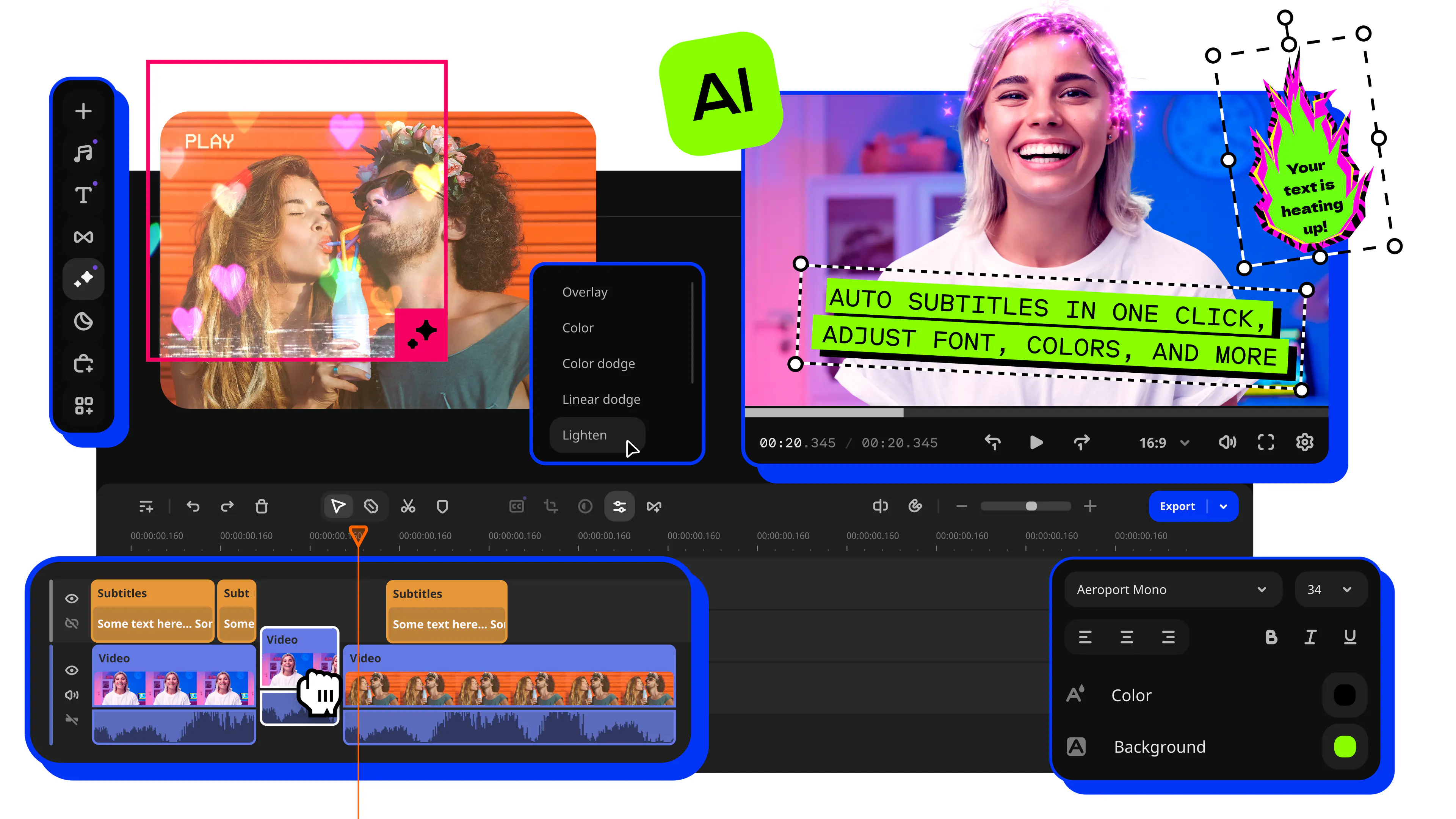
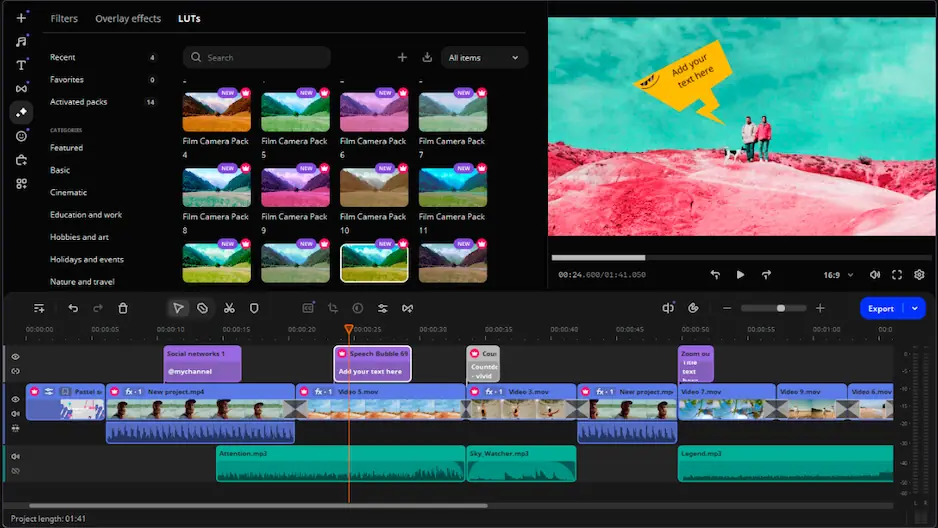
Our special pick for this guide is Movavi Video Editor. Really easy to use and with lots of great editing features, it's perfect for beginners and advanced users alike who want to trim, cut, join, and enhance their clips with countless effects like titles, filters, transitions, and chroma key.

Movavi Video Editor has a free trial so you can try it for free or pay a fee to get lifetime access to this advanced video editor and all of its features. It's easy to use and fast too, able to create finished videos in a matter of minutes and making the entire video-editing process fun for all.

Key features

  • Clean, simple interface
  • Accessible (supports 14 languages, plus all major operating systems, devices, and input/output file formats)
  • Background rendering
  • Chroma Key

Pros

  • Transitions with sound

  • Motion tracking and picture-in-picture tools

  • Lots of different filters, transitions, and effects to choose from, plus built-in soundtracks, stickers, backgrounds, and videos

  • Affordable license fee

Cons

  • Lacks advanced trim modes and clip pre-trimming

  • The trial version has functional limitations and is available for 7 days only

Adobe Photoshop review: Quick summary and overall rating

Photoshop continues to dominate the professional image editing space in 2025, offering an unmatched combination of tools, features, and integration with other Adobe Creative Cloud applications. The software has evolved significantly from its humble beginnings as a simple photo enhancement tool to become a comprehensive creative suite capable of everything from basic color corrections to complex 3D rendering and AI-powered image generation.

The latest version introduces several groundbreaking features, including enhanced AI-powered selection tools, improved neural filters, and better performance optimization for Apple Silicon and newer PC architectures. The integration with Adobe's Firefly AI has transformed how users approach creative tasks, though purists might argue it takes away from traditional craftsmanship.

At roughly 4GB for the base installation (expanding significantly with additional content and plugins), Photoshop demands considerable storage space and system resources. This makes it less suitable for casual users with older hardware, though Adobe has made strides in cloud-based processing to offload some computational tasks.

Pros and cons of Adobe Photoshop

Pros:
  • Industry standard - Used by professionals worldwide, ensuring compatibility and job market relevance

  • Comprehensive toolset - Everything from basic edits to advanced compositing in one application

  • Non-destructive editing - Smart objects and adjustment layers preserve original image quality

  • Cool selection tools - AI-powered features make complex selections quick and accurate

  • Creative Cloud benefits - Cloud storage, syncing, and collaboration features included

  • Huge plugin library - Thousands of extensions for specialized tasks

Cons:
  • Expensive subscription - $31.49/month adds up to $378/year with no ownership

  • Steep learning curve - Takes months to become proficient

  • Heavy system requirements - Needs powerful computer with lots of RAM

  • Overkill for basics - Too complex for simple photo edits

  • No one-time purchase - Must keep paying to maintain access

Adobe Photoshop features overview

For software that costs as much as a streaming service bundle, Photoshop delivers exceptional value to those who can harness its capabilities. The feature set goes far beyond simple photo editing, encompassing digital painting, 3D modeling, video editing, and even web design tools that many users never discover.

The interface

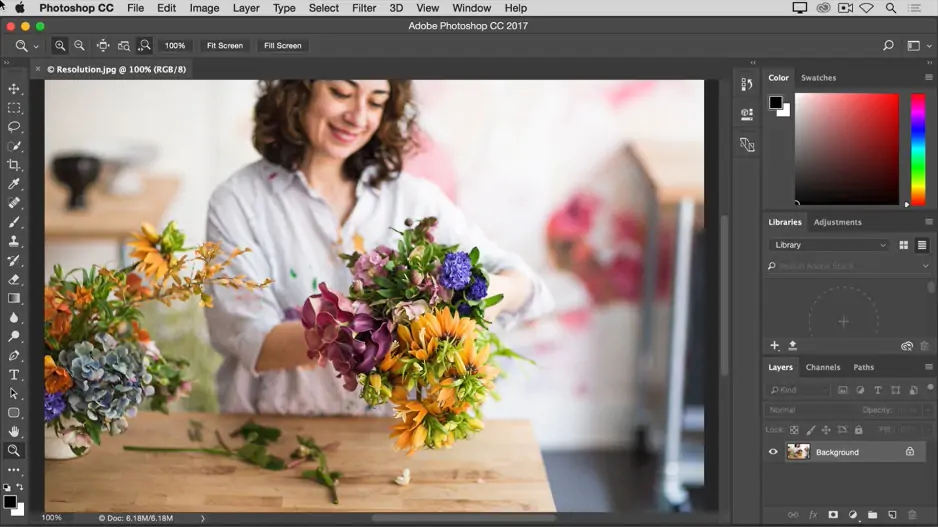
Photoshop's interface has undergone subtle refinements rather than radical changes in recent years. The dark theme remains default, reducing eye strain during long editing sessions. Workspace presets for photography, graphic design, painting, and web development help users focus on relevant tools for their tasks.

The customizable toolbar allows you to hide unused tools and organize frequently used ones for quick access. The Properties panel dynamically updates based on your selection, providing context-sensitive options without hunting through menus. New users benefit from the Rich Tooltips feature, which displays animated previews of tool functions.

Panel management has improved with the ability to create tabbed groups, dock panels to specific screen edges, or float them on secondary monitors. The recent addition of the Discover panel provides AI-powered search for tools, tutorials, and quick actions, though experienced users rarely need it.

File support and color management

Photoshop's file format support remains comprehensive, handling everything from basic JPEGs to professional RAW formats from every major camera manufacturer. The native PSD format preserves layers, adjustments, and editing history, while PSB support enables working with documents exceeding 30,000 pixels in any dimension.

Color management capabilities set Photoshop apart from consumer-grade editors. Support for multiple color spaces including sRGB, Adobe RGB, ProPhoto RGB, and CMYK ensures accurate color reproduction across different output devices. The soft proofing feature lets print professionals preview how colors will appear on specific papers and printers.

The recent addition of HDR editing support brings Photoshop into the modern display era. Users with HDR monitors can edit and export images with extended dynamic range, though the implementation still feels somewhat experimental compared to dedicated HDR software.

Selection and masking tools

Making precise selections has always been Photoshop's strength, and the 2025 version takes this further with AI-enhanced tools. The Object Selection tool now recognizes complex subjects like hair, fur, and transparent objects with remarkable accuracy. Simply hovering over an image element highlights it automatically, making selection a one-click operation for many tasks.

The Select Subject and Select Sky features use machine learning to identify and isolate common elements instantly. While not perfect, these tools dramatically reduce the time spent on tedious manual selections. The Refine Edge workspace remains essential for perfecting selections, offering control over edge detection, smoothing, and feathering.

Layer masks continue to provide non-destructive editing capabilities. The ability to combine multiple masks, use vector masks for crisp edges, and apply density and feather adjustments to existing masks gives professionals the precision they demand.

Adjustment and enhancement tools

Photoshop's adjustment layers remain the cornerstone of non-destructive editing. Curves, Levels, Color Balance, and Hue/Saturation adjustments can be stacked, masked, and modified without degrading image quality. The addition of neural filters brings AI-powered enhancements like skin smoothing, facial expression changes, and style transfer.

The Camera Raw filter, accessible as a smart filter, brings RAW processing power to any image format. This unified processing engine means techniques learned in Lightroom translate directly to Photoshop, maintaining consistency across Adobe's photography tools.

Content-Aware Fill has matured into a reliable tool for removing unwanted objects. The ability to specify source areas and adjust fill settings produces natural-looking results in most scenarios, though complex patterns and perspectives still challenge the algorithm.

Brush engine and digital painting

Digital artists celebrate Photoshop's brush engine, which rivals dedicated painting applications. Thousands of customizable brush presets cover everything from traditional media simulation to abstract texture brushes. The brush settings panel offers granular control over size, opacity, flow, and dynamics based on tablet pressure and tilt.

The Mixer Brush creates realistic paint mixing and blending effects, while the Pattern Stamp and Clone Stamp tools enable creative texture application. Recent updates improved brush performance, reducing lag when using large brushes on high-resolution canvases.

Adobe's acquisition of Substance materials integration brings realistic 3D painting capabilities. Artists can paint directly on 3D models with materials that respond to lighting, though this feature requires additional downloads and significant GPU resources.

Text and typography tools

Photoshop's text handling has evolved from basic caption adding to sophisticated typography control. The Type tool supports OpenType features, variable fonts, and advanced character and paragraph styling. The ability to convert text to shapes or create text along paths enables creative typography treatments.

The Match Font feature uses Adobe Fonts integration to identify and suggest similar typefaces from images. While not always accurate, it saves time when trying to match existing designs. The recent addition of the Lorem Ipsum generation helps designers create realistic mockups without content.

Layer styles and effects

Layer styles provide quick ways to add depth and visual interest. Drop shadows, glows, bevels, and strokes can be combined and saved as presets for consistent application across projects. The ability to scale effects proportionally when resizing layers maintains visual consistency.

Smart Objects preserve original image data while allowing transformations and filter applications. This non-destructive workflow means you can return to edit original settings at any time. The ability to link external files as Smart Objects enables automatic updates when source files change.

Automation and actions

Photoshop's Actions panel enables recording and playback of repetitive tasks. From simple resize operations to complex multi-step processes, actions save countless hours for production work. The ability to create droplets turns actions into standalone applications for batch processing.

The improved Batch processing dialog handles hundreds of files efficiently, applying actions, format conversions, and naming conventions automatically. Integration with Adobe Bridge streamlines workflow for photographers processing event shoots.

3D and video capabilities

While not its primary focus, Photoshop includes surprisingly capable 3D and video editing tools. The 3D workspace allows importing, texturing, and rendering 3D models, though dedicated 3D applications offer more sophisticated controls.

Video editing in Photoshop focuses on applying filters and adjustments to clips rather than complex timeline editing. The ability to create frame animations and export GIFs makes it useful for web graphics and simple motion graphics projects.

System requirements

Photoshop's system requirements have increased substantially over the years. Windows users need Windows 10 version 22H2 or later, while Mac users require macOS Big Sur 11.0 or later. The minimum RAM requirement of 8GB feels optimistic; 16GB provides a more comfortable experience, with 32GB or more recommended for professional work.

GPU acceleration requires a DirectX 12 compatible graphics card with at least 2GB of VRAM. While Photoshop runs without GPU acceleration, many features including 3D rendering, Oil Paint filter, and certain Neural Filters won't function. An SSD is strongly recommended for scratch disk performance, especially when working with large files.

Is Photoshop good for beginners?

Honestly, Photoshop is overkill for beginners who want to make basic edits like cropping, adjusting brightness, or applying filters. The interface alone can overwhelm newcomers, with dozens of tools and hundreds of menu options. Free alternatives like GIMP or even Adobe's own Photoshop Express provide gentler introductions to image editing.

However, if you're serious about pursuing photography, graphic design, or digital art professionally, starting with Photoshop makes sense. The skills you develop translate directly to industry workflows, and the abundance of tutorials, courses, and community resources means help is always available. Adobe's addition of in-app tutorials and the Discover panel has made the learning process slightly less daunting.

Consider starting with Photoshop Elements, Adobe's simplified version designed for hobbyists. It includes essential features without the overwhelming complexity, providing a stepping stone to the full version if your needs grow.
Frequently asked questions

Is Photoshop worth the subscription price?

For professionals whose livelihood depends on image editing, absolutely. The continuous updates, cloud storage, and integration with other Creative Cloud apps justify the cost. Hobbyists should carefully consider whether they'll use enough features to warrant the ongoing expense versus purchasing alternatives outright.

Can Photoshop run on older computers?

While technically possible on systems meeting minimum requirements, performance suffers dramatically on older hardware. Complex operations like Content-Aware Fill or Neural Filters may fail entirely without adequate RAM and GPU support. Consider Photoshop Elements or web-based alternatives for older systems.

Does Photoshop work offline?

Yes, once installed and activated, Photoshop works offline indefinitely. However, Creative Cloud requires periodic internet connection for license validation, typically every 30 days. Cloud-based features like syncing and some AI-powered tools obviously require internet access.

Is Photoshop better than Lightroom for photo editing?

They serve different purposes. Lightroom excels at organizing and batch processing RAW photos with non-destructive edits. Photoshop provides pixel-level control for complex retouching, compositing, and creative manipulation. Most photographers use both, starting in Lightroom and moving to Photoshop for detailed work.

Can I buy Photoshop permanently?

Adobe discontinued perpetual licenses after Creative Suite 6 in 2012. The only current option is subscription-based Creative Cloud. While frustrating for users preferring one-time purchases, the subscription model ensures continuous updates and feature additions rather than waiting years between versions.

Movavi Video Editor
Create awesome videos easily

*The free version of Movavi Video Editor may have the following restrictions depending on the build: watermark on exported clips, 60-second video or 1/2 audio length limit, and/or some advanced features unavailable when exporting videos.

Movavi Video Editor
Have questions?
Have questions?
If you can’t find the answer to your question, please feel free to contact our Support Team.
Join us for discounts, editing tips, and content ideas

1.5M+ users already subscribed to our newsletter

By signing up, I agree to receive marketing emails from Movavi and agree to Movavi's Privacy Policy.