Convert AVCHD to MP4

  1. Click Add Your Media and upload your AVCHD file.
  2. Make sure that the output format is set to MP4.
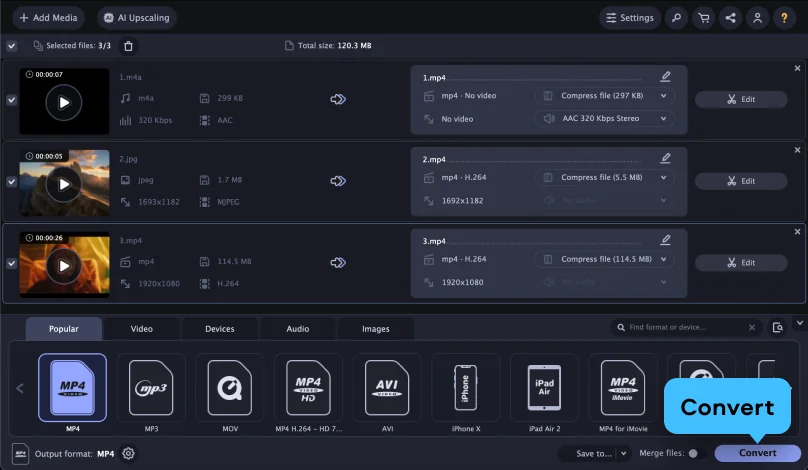
  3. Click Convert.
Convert to

Convert AVCHD to MP4 online for free

Step 1. Import your file

Click Add Your Media and upload your video file.

Step 2. Choose the output format

Make sure that the selected output format is correct. You can choose the appropriate video format from the Video drop-down menu.

Step 3. Convert your video file

Click Convert – the output file will be downloaded to your computer automatically.

What is AVCHD?

Full name

Advanced Video Coding High Definition

Format type

Video

Developed by

Sony and Panasonic

Description

AVCHD is a file-based format for recording and playing back high-definition video, introduced in 2006 for use in digital camcorders. It stores footage using efficient compression, allowing HD and later Full HD (and 3D/Progressive) video to be saved on media such as memory cards, hard drives, and DVDs.

File extension

.mts, .m2ts

Technical details

AVCHD uses H.264/MPEG-4 AVC video compression paired with Dolby AC-3 (Dolby Digital) or linear PCM audio, which keeps file sizes relatively small while maintaining high image quality. It supports resolutions up to 1920×1080 and 1280×720, with the extended AVCHD 2.0 specification adding 1080/60p and 3D playback.

Associated programs

VLC, Adobe® Premiere® Pro, Sony PlayMemories Home, Final Cut Pro

What is MP4?

Full name

MPEG-4 Part 14

Format type

Video

Developed by

Moving Picture Experts Group

Description

MP4 is a format created in 2001 by an ISO/IEC working group. MP4 files are multimedia files used for storing video/audio and other content. Short for “MPEG-4 Part 14,” this file type is very common and recognized by most systems and devices. Check the list below if you’re not sure how to open MP4 files and which programs can play them.

File extension

.mp4

Technical details

MPEG-4 Part 14, also known as ISO/IEC 14496-14:2003, is one instance of a more general standard (ISO/IEC 14496-12:2004) with specifications based on Apple’s QuickTime File Format. The MPEG-4 container uses AAC for encoding audio as a means to restrict data copying via lossy compression and playback. Like its many counterparts, the container supports web streaming.

Associated programs

iTunes, QuickTime Player, Windows Media Player, VLC, RealPlayer

How to convert AVCHD to MP4 using Movavi Video Converter

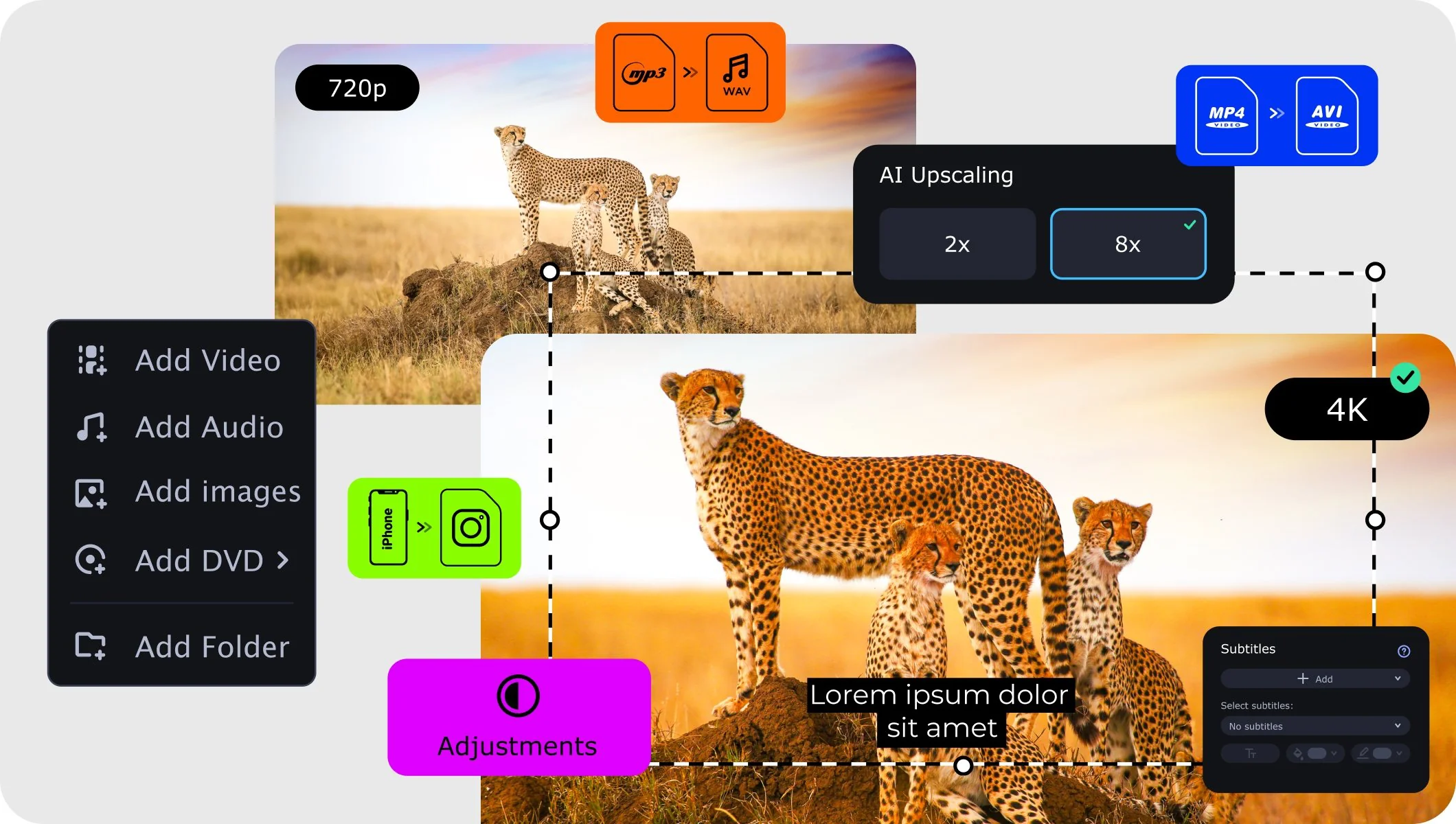
If you need to convert multiple files or the file is too large to use an AVCHD to MP4 converter online, try a desktop alternative. Besides its support for 180+ formats, Movavi Video Converter also offers fast SuperSpeed conversion without compromising quality, and includes handy editing tools like trimming, cropping, and extra options to add subtitles and a watermark.

To get started, you have to download a free AVCHD to MP4 converter and follow the simple guide below to learn how to convert AVCHD to MP4 in just a few minutes.
Step 1. Download and install AVCHD to MP4 converter

Download the version of the software for Windows or Mac, launch it, and proceed following the on-screen instructions. When the app is installed to your computer, it will run automatically.

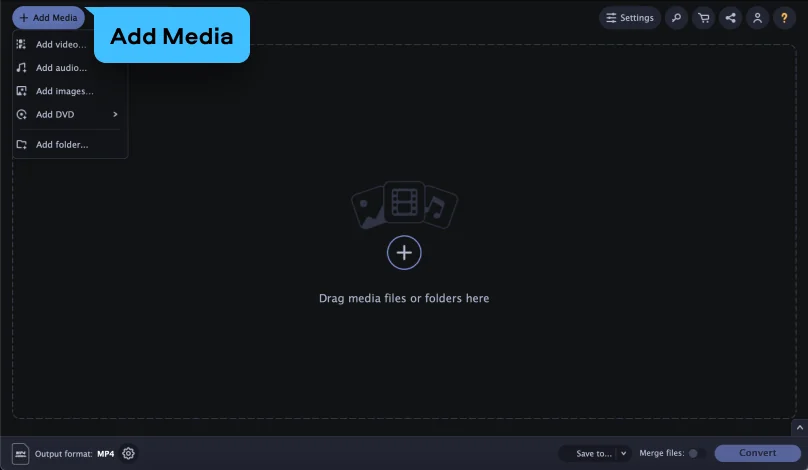
Step 2. Add your AVCHD files

Locate the AVCHD files you want to convert and drag-and-drop them into the program’s window. The application can convert big batches of files – there’s no limit to how many files you can transfer at once.

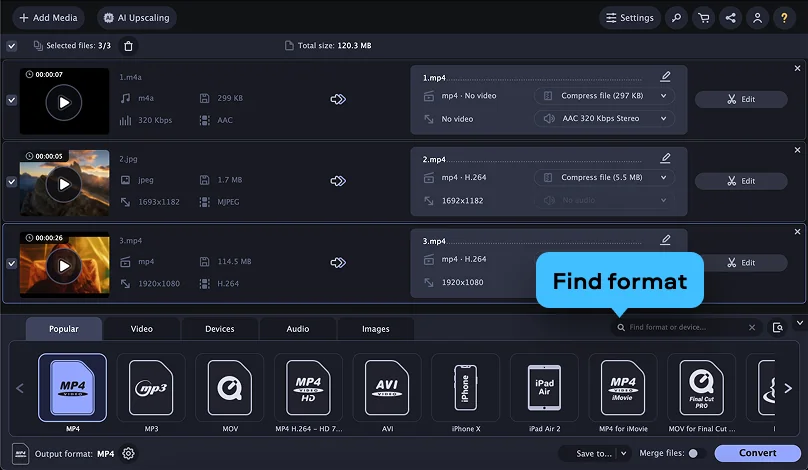
Step 3. Select MP4 as the output format

In the Formats menu, select the file type you want to turn your media into and choose the target format for the files. Also, you can change the conversion settings. Pay attention to the SuperSpeed label: it indicates that the conversion will be performed with a very high speed and without losing quality.

Step 4. Convert AVCHD to MP4

To specify the output folder, click the Save to button. Hit the Convert button to launch the process. When the converting is done, the new media files will be saved to the chosen folder.

Now you know how to change the file format using the Movavi converter. With this tool, you can also reduce the file size, cut out clips from videos, crop pictures, and create animations from your favorite movies. Get the free trial version and test it out!

Movavi Video Converter
The ideal way to get your media in the format you need!

Frequently asked questions

How do I convert AVCHD to MP4 online?

Upload your AVCHD file (.mts or .m2ts) to the Movavi online converter, select MP4 as the output format, and start the conversion. Once it's finished, simply download the ready MP4 file to your device.

Is converting AVCHD to MP4 free?

Yes, converting AVCHD to MP4 online is completely free and requires no software installation or registration. You can convert your files straight from your browser, anytime and anywhere.

Why convert AVCHD to MP4?

AVCHD files aren't supported by many devices and players, whereas MP4 is one of the most universally compatible video formats. Converting AVCHD to MP4 makes your footage easy to play, edit, and share across phones, computers, and social media.

Popular conversions

Join us for discounts, editing tips, and content ideas

1.5M+ users already subscribed to our newsletter

By signing up, I agree to receive marketing emails from Movavi and agree to Movavi's Privacy Policy.