Movavi's Video Suite can make all of your digital dreams come true.
ElectronicHouse.com
It'll put ...videos on virtually any player you require.
TrustedReviews.com
Movavi Video Suite appears as an all-rounder in video processing and vaunts many functions.
PCgo
Importing videos into Video Suite is flexible and all established formats, including AVCHD and flash videos are accepted.
С'T
Movavi Video Suite is a powerful reliable video suite that covers very much all the standard needs of most non-professional video editing fans.
Softonic.com

Movavi Video Suite > What's New


Upgrade your Movavi Video Suite today and save 30%!

Version 8, released November 24, 2009

General:
  • Support for NVIDIA® CUDA™
  • 200+ new presets for popular formats & cutting-edge devices
  • Advanced actions on successful completion: Hibernate/Shutdown

Edit Video:
  • Volume & Opacity envelopes
  • 'Picture-in-Picture' effect
  • Improved Timeline scaling — zoom in to 1 second intervals
  • Improved Timeline track management
  • DirectX 9-based video player
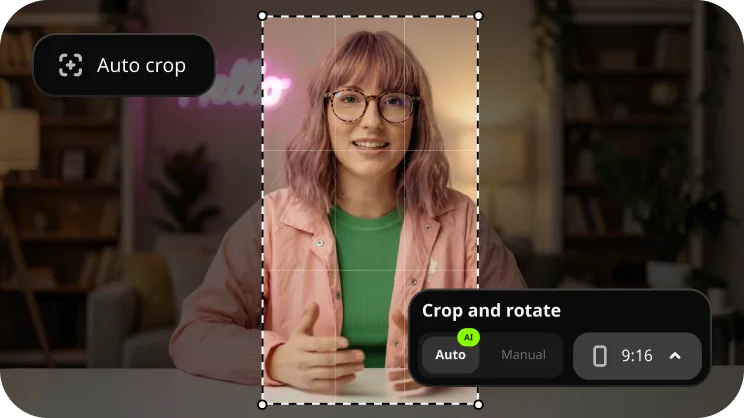
  • Improved 'Crop' tool
  • Enhanced 'Playback Speed' effect

Share Video & Audio:
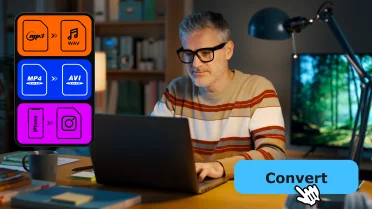
  • Audio format conversion
  • Audio format presets
  • 'Media Library' feature
  • Batch file processing

Create CD/DVD:
  • Blu-ray Disk™ burning

New Module! Play Video & Audio:
  • Wide range of supported formats
  • DVD audio tracks & subtitles
  • Online video playback
  • Playlists
  • Shuffle toggle

New Module! Create Slideshow:
  • Support for image formats
  • Photo preview
  • 'Rotate photos' tool
  • 'Easy Fix' tool
  • Music & special effects
  • Slideshow preview
  • Slideshow sharing


Learn more...


Version 7.3, released October 5, 2009

  • DVD Menu editing fixed
  • Windows 7 webcams support improved

Version 7.2, released September 1, 2009

Convert Video & Audio:
  • 130+ supported media formats - including M2T, FLV(H.264) - thanks to our new conversion algorithm
  • Improved DVD conversion with multi-core processor support
  • Improved conversion of AVI with MP3/MP2 sound - no additional codecs required
  • 'Add Folder' option which adds an entire folder to the Source File list
  • Improved MP3 batch conversion with multi-core processor support
  • Improved online video download capabilities
  • Improved file browsing - only media files displayed

Version 7.1, released July 8, 2009

  • Online video download improved
  • MP3 processing improved

Version 7.0, released May 25, 2009

General:
  • New interface language support
  • Revised and improved user interface
  • Integrated online video downloader

Convert Video & Audio:
  • Audio format conversion
  • Online video conversion
  • Embedded CD/DVD burner
  • Individual output settings
  • Multi-format conversion
  • Enhanced conversion techniques

Download Online Video:
  • Download HD videos

Edit Video:
  • Multiple customizable timeline tracks
  • "Solo" and "Mute" track modes
  • Transparency effect
  • "Primary Track" work mode
  • Time bar
  • Background Rendering

NEW! Share Video:
  • Import media from portable devices
  • Transfer video to mobile devices
  • Back up portable device content
  • Save online video for mobile devices
  • Upload video to YouTube™

Split Video:
  • Split online videos
  • "High Speed" & "High Accuracy" work modes

Create CD/DVD:
  • Burn online videos

Learn more...


Version 6.1, released February 13, 2009

  • Support for New Audio Formats: FLAC and Monkey’s Audio
  • Import Files to iTunes Option (when converting video to the formats supported by Apple devices)

Version 6.0, released November 18, 2008

General:
  • Support for High Definition Video
  • Improved Video Processing Technology
  • New Look-and-Feel
  • New Download Online Video Module

Convert Video/DVD module:
  • Support for the Latest Formats
  • Flash Video Conversion
  • Customizable Target Quality and File Size
  • Professional Deblocking and Deinterlacing Filters
  • Automatic Shutdown

Split Video module:
  • ‘Delete Selected’ Mode
  • ‘Join’ Mode
  • Selection Marker Positioning by Entering Exact Time
  • Support for DVD Titles, Audio Tracks & Subtitles

NEW! Download Online Video module:
  • Download Online Video
  • Convert as You Download
  • Preview Online Videos
  • Extract Audio Tracks from Flash Videos

Edit Video module:
  • Entirely New User Interface
  • Timeline Panel
  • Separate Video, Audio, and Title Tracks
  • Additional Audio Track
  • Adjustable Playback Speed
  • Input Audio Files
  • Input Image Files
  • Video Screen Capture
  • Audio Capture
  • Built-in Online Video Downloader
  • Automatic Slideshow Creation
  • Overlay Text Titles on Video

Create CD/DVD module:
  • Disc Verification
  • ISO Image Features
  • Create an ISO file
  • Burn an ISO file
  • Copy disc to ISO file
  • Advanced DVD-Video Burning Settings

Learn more...


Version 5.7, released April 10, 2008
  • Processing of AVI, WMA and DVD is improved
  • Minor bugs are fixed

Version 5.6, released March 7, 2008
  • New conversion presets for Archos, Creative Zen and Blackberry mobile devices are added
  • Conversion technology is improved
  • Minor bugs are fixed

Version 5.4, released February 1, 2008
  • Improved MOV, AVI, WMW conversion
  • New animated teplates for DVD menu creation
  • Minor bugs are fixed

Version 5.0, released November 26, 2007

General:
  • Fully Vista compatible
  • New technology
  • New look-and-feel

Edit Video module:
  • Editing Video on the Storyboard
  • New Transitions, Filters and Effects
  • Advanced sharing options: saving to video file, for a mobile device
  • Burning movie on VCD, SVCD or DVD
  • New interface

Create CD/DVD module:
  • Support for DVD menu creation
  • Animated Hollywood-style DVD menu templates
  • Choosing of background audio for each DVD theme
  • Loop duration option

Convert Video/DVD module:
  • Subtitle selection for DVD ripping
  • Editing Tools panel for quick access to all editing features
  • Crop Video
  • Rotate Video
  • Adjust Video with professional filters and effects
  • Add Watermark to add text or logo overlays
  • Up to 3x faster 3GP conversion.
  • Improved WMV conversion.
Learn more...


Version 4.5, released July 06, 2007
  • Convert Video/DVD: a new preset for Apple iPhone (advanced h.264) is added
  • MOD format is added to the list of input formats
  • Minor bugs are fixed

Version 4.4, released May 18, 2007
  • Convert Video/DVD: new AVI conversion
  • Minor bugs are fixed

Version 4.3, released April, 16, 2007
  • Convert Video/DVD: a ready-made preset for Epson Multimedia Storage is added
  • Convert Video/DVD: conversion of DVD videos is improved

Version 4.2, released April, 9, 2007
  • Russian interface is added
  • Minor bugs are fixed

Version 4.1, released March, 12, 2007
  • Capture Video: the USB Capture feature is added
  • Video Message: the Capture Video feature is added
  • Convert Video/DVD: the Devices and Favorites modes for the output format setting are added
  • Convert Video/DVD: conversion to the FLASH (.flv) format is added
  • Convert Video/DVD: ready-made presets are improved
  • Convert Video/DVD: Minor and major bugs are fixed
  • Convert Video/DVD: Conversion speed accelerated
Learn more...

Version 4.0, released January, 29, 2007
  • The Capture Video module is added
  • The Create Video Message module is added vConvert Video/DVD: the Gallery feature to automatically capture snapshots is added
  • Convert Video/DVD: Easy and Advanced modes for the output format setting are added
  • Convert Video/DVD: partial convertion feature is added
  • Convert Video/DVD: a new ready-made preset for Zune is added
  • Convert Video/DVD: ready-made presets for mobile devices are improved
  • Convert Video/DVD: the ready-made preset for Zune is added
  • Minor and major bugs fixed
  • Conversion speed accelerated
Learn more...


Upgrade your Movavi Video Suite today and save 30%!