
Reverse Videos Online for Free

How to use the Movavi video reverser online

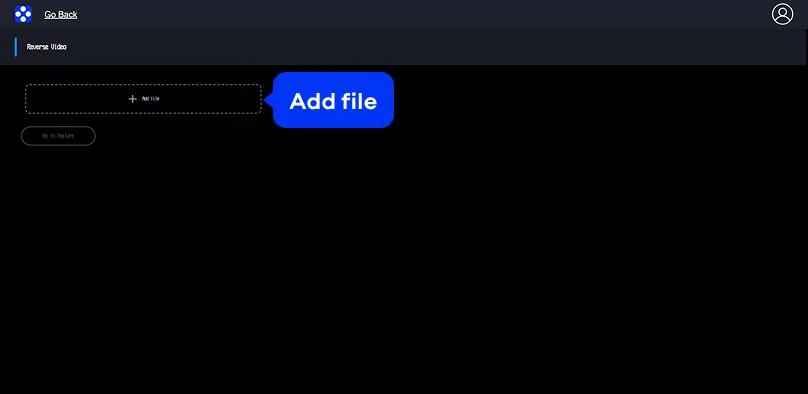
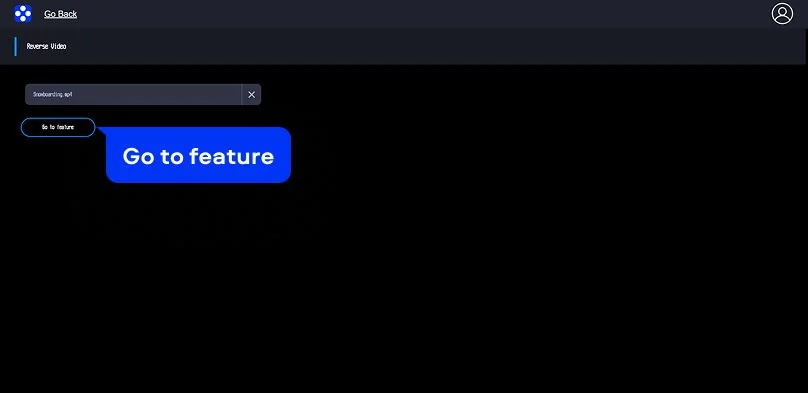
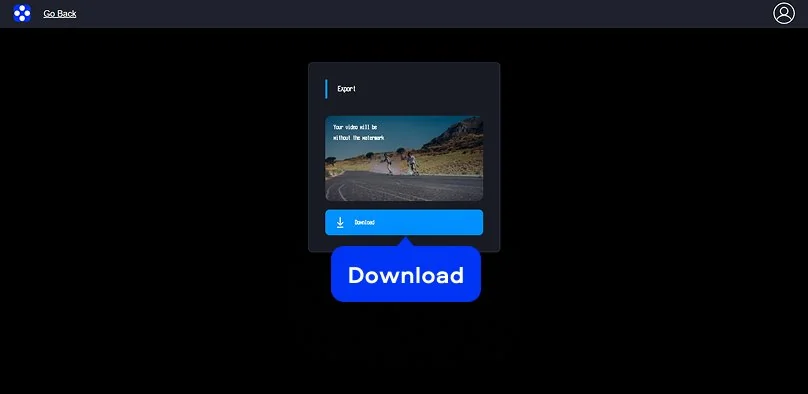
The Movavi online video reverser is a browser-based solution that allows you to reverse video playback quickly and efficiently. The tool is designed for simple, single-purpose editing and helps you reverse MP4 files with minimal effort. It produces high-quality results that work well for social media content, including TikTok videos and Instagram Reels.

To reverse a video online using Movavi’s tool, follow these steps:

Supported formats for online video editing

MP4, AVI, MOV, WMV, M4V

How to reverse a video on desktop

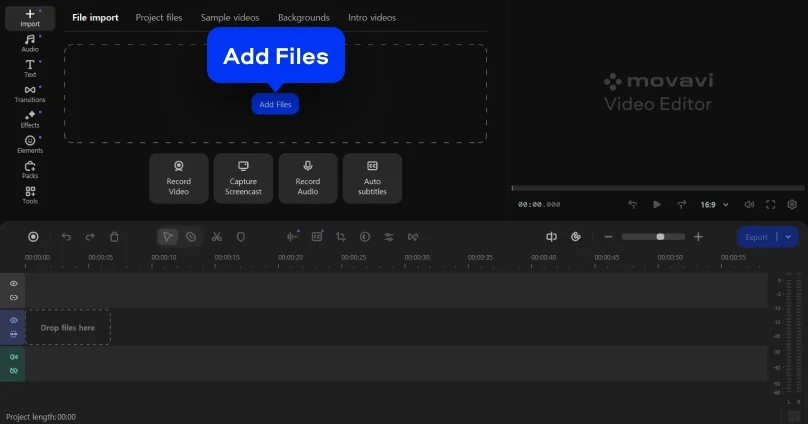
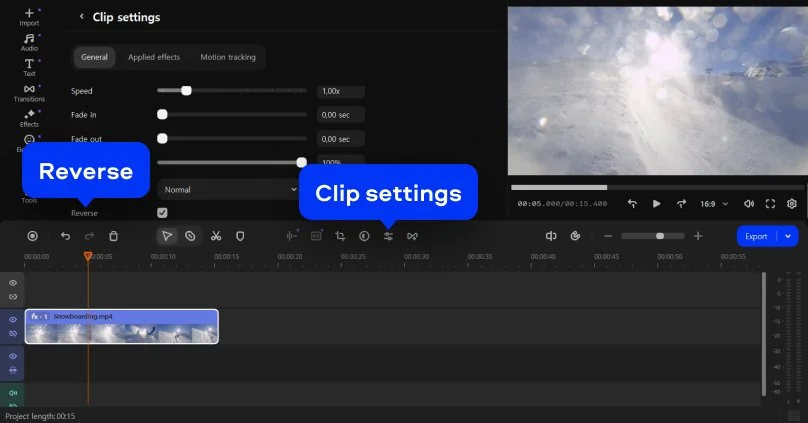
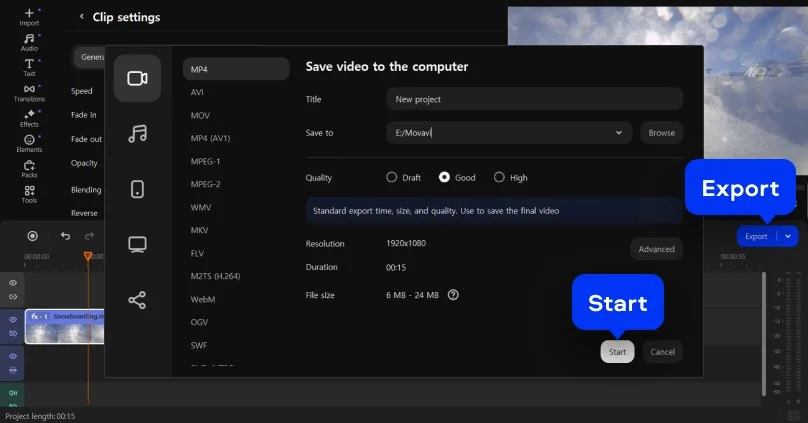
Movavi Video Editor is a desktop video-editing program created for users who want professional results without complicated tools. The interface is clean and easy to navigate, so both beginners and experienced editors can work comfortably. With this software, you can trim video clips, add effects and transitions, and adjust audio tracks. It also supports exporting projects for different platforms, while hardware acceleration provides fast video processing during export.

Follow these steps and get to know how to reverse a video using Movavi Video Editor:

Supported formats for video editing on PC and Mac

3GPP, 3GPP2, ASF, AVI, DivX, FLV, SWF, M2TS, M2T, MTS, TS, MKV, MOV, MP4, MPG, MPEG, MPE, M1V, MOD, TOD, MWV, M4V, MXF, OGV, QuickTime, RM, RMVB, WebM, WTV

Movavi Video Editor
Create awesome videos easily

*The free version of Movavi Video Editor may have the following restrictions depending on the build: watermark on exported clips, 60-second video or 1/2 audio length limit, and/or some advanced features unavailable when exporting videos.

Why choose Movavi

We’re the #1 choice for millions of people from all around the world. Join our thriving community and create stunning content with incredible ease.

70M+

users

190+

countries

15+

updates per year

10,000+

effects to choose from

Frequently asked questions

How can I reverse a video online for free?

You can reverse a video using Movavi’s free online video reverser directly in your web browser. The tool allows you to upload a file, apply the reverse effect, and preview the result without installing software. This online solution is suitable for quick edits and simple projects.

Does the video reverser tool add a watermark?

No, videos processed with Movavi’s online video reverser are exported without a watermark. This allows you to use the final file for social media, presentations, or further editing without visible branding.

Which video formats are supported?

Movavi’s online video reverser currently supports MP4 files only, which makes it suitable as an MP4 reverser for common video content. At the same time, the desktop version supports a wide range of popular video formats, providing more flexibility when working with files from different devices and sources.

Is it safe to upload my videos to this website?

Yes, uploading videos to Movavi’s website is safe. Files are processed automatically and are not stored longer than 24 hours. Our online rewind tool is designed for temporary use and helps protect user content during processing.

Can I use the video reverser on iPhone, Android, or Mac?

Yes, Movavi’s online video reverser works on iPhone, Android, Mac, and Windows because it runs in a browser. You can start using the tool with no registration, although logging in may be required when exporting the finished video.

Can I use Movavi Online Video Editor on Android and iPhone?

Yes – it works on both Android and iPhone, and it’s free to use.

Is Movavi Online Video Editor completely free?

Yes. All features are available for free – no payment required.

Does Movavi Online Video Editor add a watermark when exporting videos?

No. You can export videos without a watermark.

Movavi Video Editor
Create awesome videos easily

*The free version of Movavi Video Editor may have the following restrictions depending on the build: watermark on exported clips, 60-second video or 1/2 audio length limit, and/or some advanced features unavailable when exporting videos.

Have questions?
If you can’t find the answer to your question, please feel free to contact our Support Team.
Join us for discounts, editing tips, and content ideas

1.5M+ users already subscribed to our newsletter

By signing up, I agree to receive marketing emails from Movavi and agree to Movavi's Privacy Policy.