
Free Online Video Cropper

How to use the online video cropper

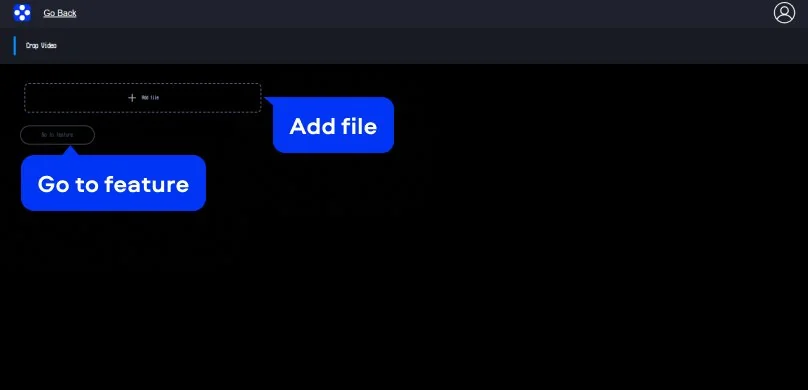
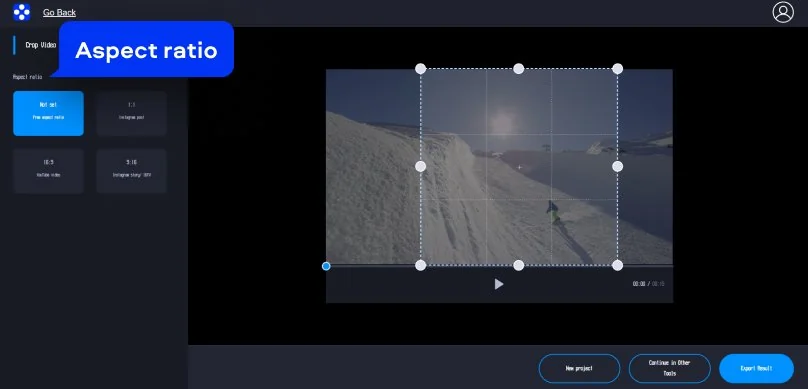
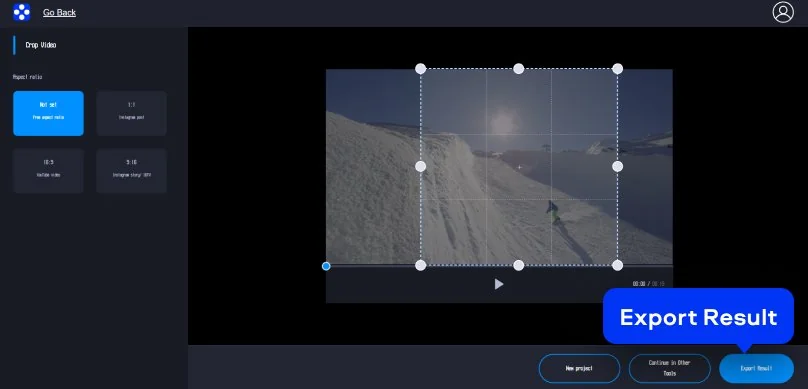
Movavi’s online video cropper is made for quick edits. You open it in your browser, drop in a clip, frame the shot, and export. The interface is clean and practical: a big preview in the center, a left panel for aspect ratios, and the Export Result button that’s hard to miss.

Supported formats for online video editing

MP4, AVI, MOV, WMV, M4V

How to crop a video on desktop

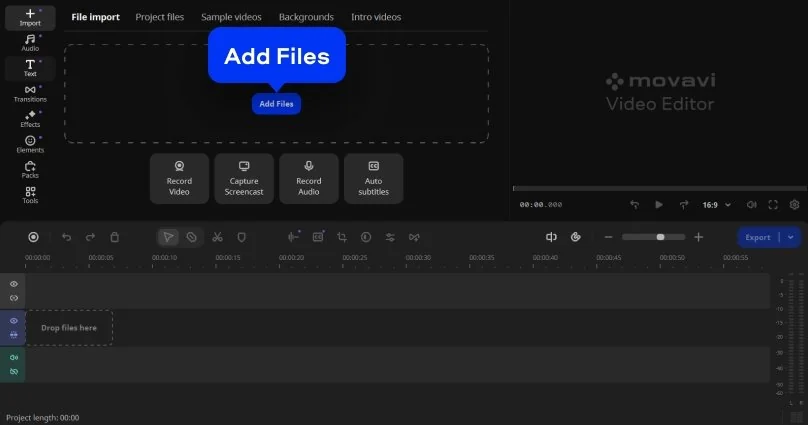
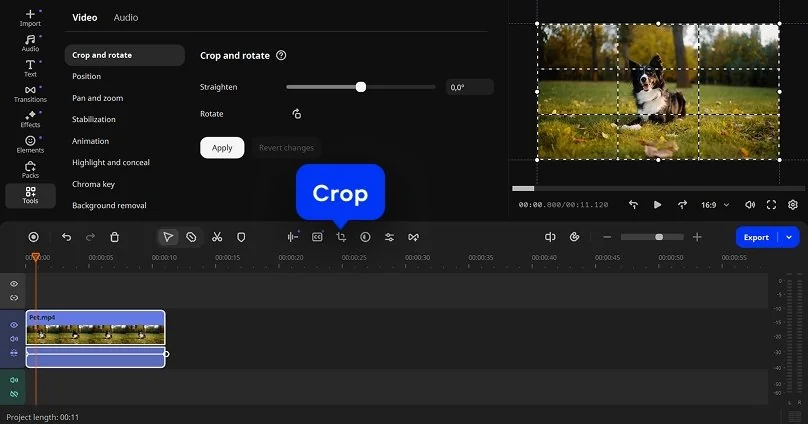
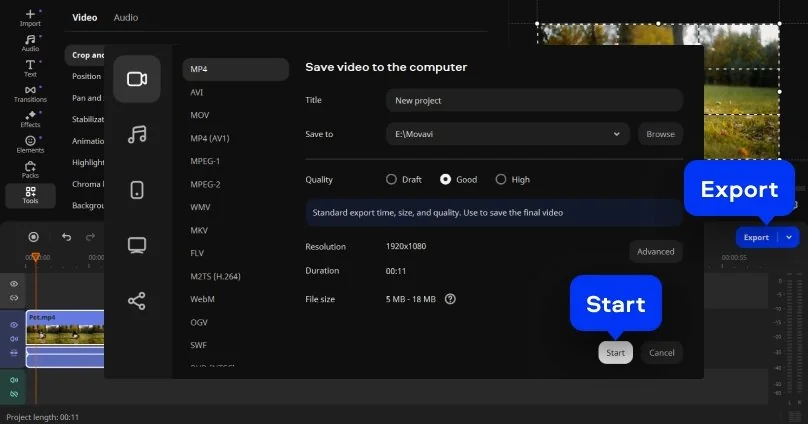
Movavi Video Editor is a strong option if you prefer working on a PC and want more control than a web tool can offer. The app runs on Windows and Mac, and it’s built as friendly software that still feels capable when you need precision. You can fine-tune framing, adjust aspect ratios for different platforms, and keep quality consistent across multiple clips. It’s also a good fit when you’re dealing with larger projects, since everything stays local after the initial download – no waiting on a web upload queue, no surprise slowdowns.

Supported formats for video editing on PC and Mac

3GPP, 3GPP2, ASF, AVI, DivX, FLV, SWF, M2TS, M2T, MTS, TS, MKV, MOV, MP4, MPG, MPEG, MPE, M1V, MOD, TOD, MWV, M4V, MXF, OGV, QuickTime, RM, RMVB, WebM, WTV

Movavi Video Editor
Create awesome videos easily

*The free version of Movavi Video Editor may have the following restrictions depending on the build: watermark on exported clips, 60-second video or 1/2 audio length limit, and/or some advanced features unavailable when exporting videos.

Why choose Movavi

We’re the #1 choice for millions of people from all around the world. Join our thriving community and create stunning content with incredible ease.

70M+

users

190+

countries

15+

updates per year

10,000+

effects to choose from

Frequently asked questions

Can I crop videos for free?

You can crop videos online for free with Movavi, but the free version adds a watermark to the exported file. To get a cropped video with no watermark, you need to subscribe or pay for a single export. The process itself is straightforward: upload the file, set the frame, and save the result.

What video file types can I crop in your tool?

Movavi works with the formats people actually use. MP4, MOV, AVI, and similar files open without trouble. If a video plays on a standard device, it is very likely supported.

Will cropping the video reduce the file size or quality?

Cropping only changes what is visible in the frame. The image itself stays sharp. File size may shift slightly.

What video file size can I crop online?

Videos up to 500 MB can be uploaded and cropped. That is enough for most phone recordings, tutorials, and screen captures without any pre-processing.

Can I crop videos for TikTok?

Yes. Movavi lets you switch to a vertical layout and adjust the frame so the subject stays in view. The video fits TikTok’s format without awkward cuts or re-shooting.

Movavi Video Editor
Create awesome videos easily

*The free version of Movavi Video Editor may have the following restrictions depending on the build: watermark on exported clips, 60-second video or 1/2 audio length limit, and/or some advanced features unavailable when exporting videos.

Join us for discounts, editing tips, and content ideas

1.5M+ users already subscribed to our newsletter

By signing up, I agree to receive marketing emails from Movavi and agree to Movavi's Privacy Policy.